
The hybrid work format took over and changed our routines. Employees are gaining more freedom, and companies are saving on costs. While organizations have concerns over this newfound autonomy of employees, everyone can admit that remote work can come with distractions.
If you’re at home, the quietness gets interrupted by a family member or a gadget. At any other public space, every passerby has the ability to disturb your focus. Managing interruptions is a learned skill and one of the most important competencies a remote professional can have. Without it, you risk productivity and deteriorating mental well-being.
Let’s look into practical ways other professionals manage and reduce disruptions to have efficient and focused workdays.
Understanding Interruptions in Remote Work
Since remote work does not occur in a dedicated office and instead in homes, coffee shops, or airports, workers have to deal with the naturally occurring distractions that come with these environments. Furthermore, even the smallest of interruptions can have large effects on productivity. Chores, pets, or even simply hearing household chatter or a barista calling one’s name can disrupt a remote worker’s focus. In fact, according to a study by the University of California, Irvine, it takes an average of 23 minutes and 15 seconds to refocus after an interruption. When the math is done, these can easily add up to hours of lost productivity over a week. To manage these distractions, remote workers can adopt the following measures.
1) Design a Distraction-Free Workspace
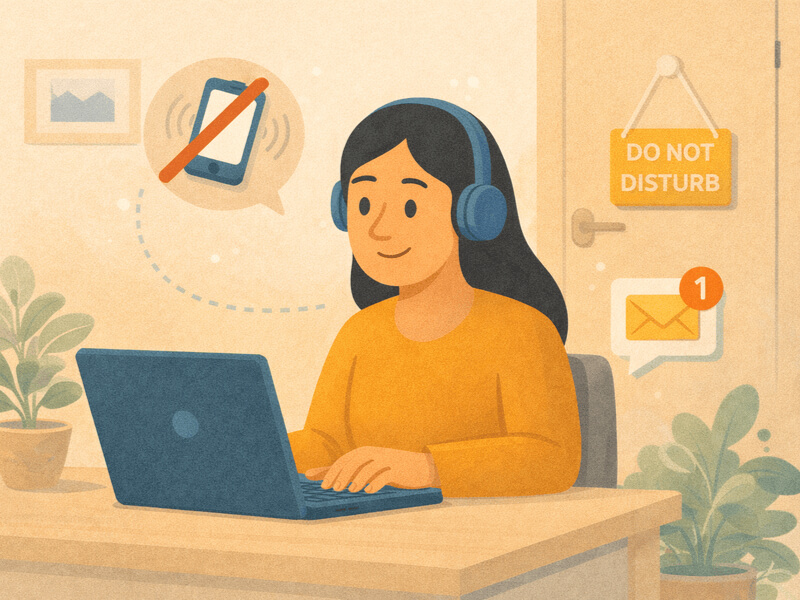
A space that’s conducive to focus is the foundation of a distraction-free remote work environment. You don’t need a dedicated home office. However, being intentional about where your workspace is and how it looks and feels is essential to staying focused. For example, if you’re easily distracted by the sounds of people making lunch in the kitchen, setting up your workspace farther away can help you stay focused. If that isn’t possible, or if you typically work in loud, crowded areas like cafes, consider investing in noise-canceling earphones. A cluttered desk or room can also be a visual distraction. Take some time to tidy up or relocate to a cleaner space. Of course, coordinate with anyone you live with. Let them know when you’re working so they can avoid interrupting you during those hours.
2) Schedule Work Around Energy Peaks
Not all interruptions are external, however. Sometimes, they’re internal. Your energy levels can vary throughout the day, dipping during some hours and peaking during others. If possible, schedule your more demanding tasks when you’re most alert and save lighter work for slower hours. Consider how your household responsibilities also play into this. Do you work better when chores have already been done? Or would you prefer to do them after working hours?
Some people try to multitask, performing remote work and household chores at the same time—typing away at their computer while waiting for the soup to boil, for example. However, that isn’t advisable for most people. According to studies, multitasking can cost up to 40% of your productive time. Dedicate specific hours of the day to particular tasks for deeper, more efficient work.
3) Establish Effective Communication Practices
Because remote communication is done either through video conferencing or asynchronous communication via email or chat platforms, achieving clear and effective conversations can be more challenging. It’s easy to complicate communication. Too much information, and you risk confusing your colleagues. Say too little and it leads to messages asking for clarification.
To avoid this, consider:
- Changing your online status to indicate your activity.
- Dedicating time to respond to messages during certain times, avoiding constant back and forth.
- Disabling notifications for non-essential apps during your focus time.
Better yet, establish shared communication norms with your teams as well. For example, set “no-meeting” mornings, define clear response-time expectations, and agree on consistent email formats.
4) Use Less
Aside from communication overload, burdening yourself with too many digital tools can be its own distraction, too. Many apps are riddled with reminders, notifications, and informational pop-ups that can overwhelm and scatter your focus. As such, only use ones that are essential and helpful to your work. For instance, keeping a few core tools like Slack for communication, Google Workspace for collaboration, and Asana for task management may be enough for most teams.
For cybersecurity, the same principle applies. Rather than using complicated software, a simple VPN browser extension is more than enough to protect your data from being intercepted on unsecured public Wi-Fi networks, without additional mental load and clutter. However, using multiple chat platforms, overlapping task or time trackers, or redundant productivity apps only fragments your attention with constant context switching. There’s little to no reason, for example, to use both Slack and Discord. If you believe your team uses too many tools, it’s worth bringing it up for discussion to help reduce digital fatigue for everyone.
5) Protect Your Mental and Physical Well-Being
Remote work often blurs the line between your personal and professional life, and what happens at home has an even larger effect on how you perform. After all, interruptions feel worse when you’re stressed or fatigued. Take care of your mental and physical health, not just so you can focus better at work, but of course, for your own well-being as well. Prioritize sleep, move regularly, and take short breaks when necessary. Have a small routine to start your day—making coffee, journaling, a quick workout—whatever helps set you up for the workday.
Lastly, don’t hesitate to completely unplug after work. There’s always the temptation to be available during remote working days, but uninterrupted rest at night is essential for uninterrupted work tomorrow. In fact, normalize unplugging after working hours for your entire team. It’s critical to building a more positive remote work culture.
Final Thoughts
Interruptions can’t be completely eliminated, but with a few simple habits, it’s more than possible to minimize them. With an environment conducive to work, smart choices about digital tools and communication, and a commitment to protecting your personal well-being, you can work productively and peacefully.