

Gathering honest employee feedback shouldn't feel like an uphill battle, but for many organizations, it does. At Matter, we understand the frustration of watching participation rates drop when employees have to interrupt their workflow, navigate to separate platforms, and complete lengthy questionnaires that disrupt their productivity. Traditional employee survey software often creates more barriers than bridges, requiring employees to leave the communication channels they use every day and log into unfamiliar systems to share feedback.
The right solution transforms this experience by integrating seamlessly with workplace communication platforms employees already rely on daily. Embedded solutions meet team members where they work, removing friction from the process and making it effortless to share feedback without context switching. When surveys become a natural part of daily workflows rather than disruptive obligations, organizations build continuous feedback cultures that drive real improvements without adding complexity to busy schedules.
What is a pulse survey?
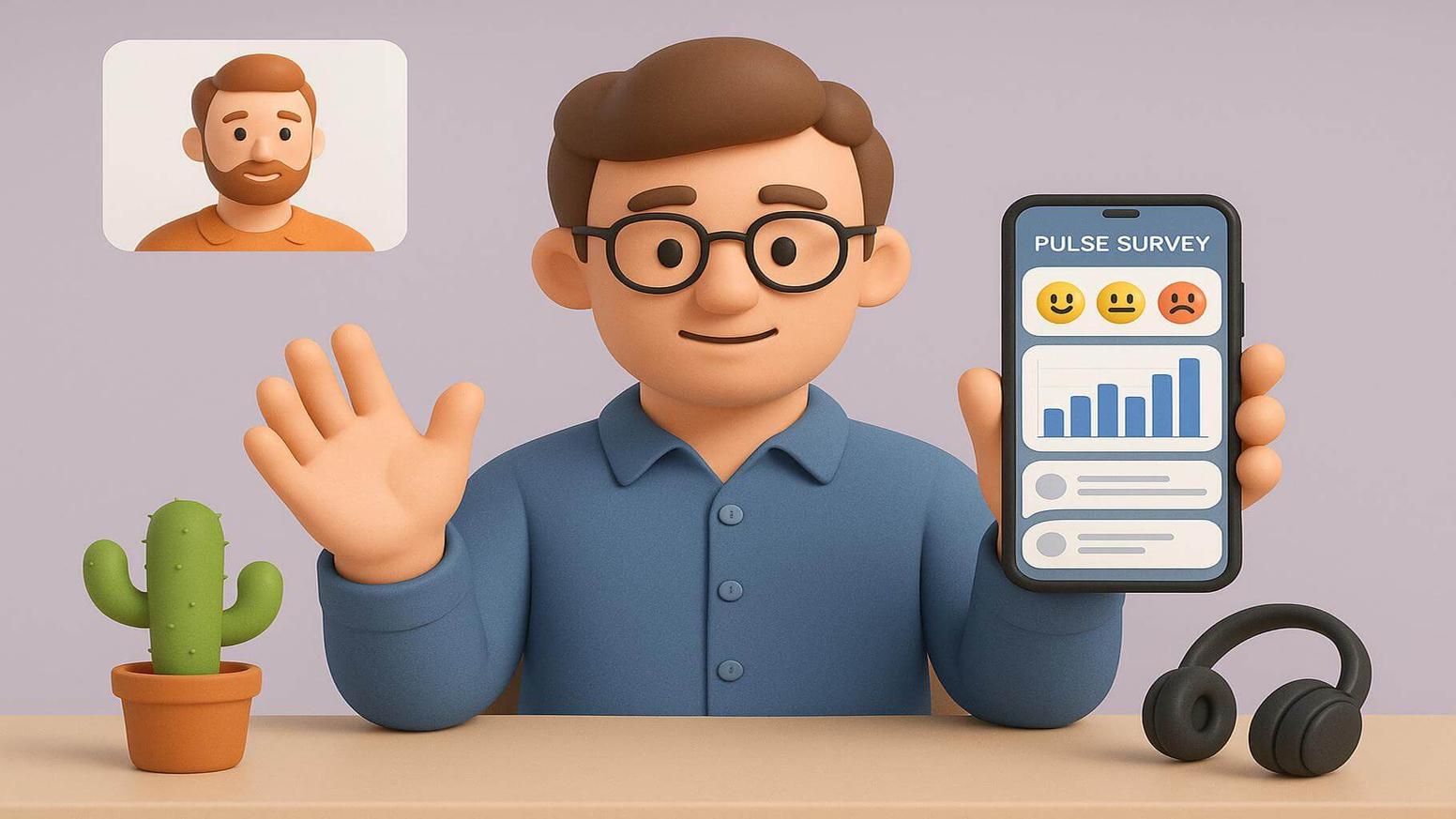
Brief, frequent check-ins have become essential tools for maintaining consistent awareness of workforce sentiment. These focused assessments offer a modern approach to gathering employee feedback that differs significantly from traditional annual surveys, enabling companies to collect timely insights that inform workplace improvements and boost engagement. Organizations increasingly rely on these quick measurement tools to stay connected with their workforce in real time.
Defining pulse surveys and their strategic measurement role
These short questionnaires are designed to quickly and frequently measure employee sentiment. Unlike traditional annual surveys, these focused assessments typically contain between three and fifteen employee pulse survey questions targeting specific aspects of the workplace experience. Organizations use employee pulse surveys to gather actionable insights about team morale, leadership effectiveness, job satisfaction, and company culture.
The strategic value lies in their ability to provide regular snapshots of sentiments across different touchpoints:
- Identify trends: Track patterns before they become larger issues, enabling proactive rather than reactive management.
- Track progress: Measure the impact of specific changes and programs with regular check-ins that show progress over time
- Agile responses: Address emerging concerns with agility by gathering continuous feedback instead of waiting months between surveys
- Natural touchpoints: When integrated into workplace platforms as part of a comprehensive system, surveys become seamless rather than disruptive events
How pulse surveys differ from annual engagement tools
Annual engagement survey tools serve different purposes within organizational feedback strategies. The differences between these approaches fundamentally shape how organizations gather and act on employee insights. Understanding these distinctions helps leaders choose the right measurement approach for their specific needs.
Annual survey characteristics:
- Comprehensive questionnaires covering all aspects of workplace experience
- Significant time commitments from participants, often 15-30 minutes
- Extensive datasets requiring several weeks to analyze and produce recommendations
- Delays between data collection and action create gaps in organizational responsiveness.
Quick check-in characteristics:
- Focused topics with quick completion times, typically under 5 minutes
- Rapid insights that inform immediate decisions and adjustments
- Frequent assessment enabling real-time evaluation of changes and initiatives
- Streamlined delivery through communication platforms is checked daily
- An agile approach enables responsive leadership without lengthy periods
Rather than waiting months for annual results, team leaders receive weekly or bi-weekly updates on sentiment through streamlined surveys delivered directly within communication platforms. This approach enables responsive leadership and demonstrates organizational commitment to continuous improvement. The combination of both annual comprehensive studies and frequent pulse checks creates a balanced feedback ecosystem.
The frequency and timing that drives survey effectiveness
Effectiveness depends heavily on finding the optimal frequency for your organization. Research indicates that weekly surveys often generate survey fatigue and diminish thoughtful responses, while quarterly surveys may miss important shifts in sentiment. Finding the right balance ensures employees remain engaged without feeling overwhelmed by constant feedback requests.
Optimal frequency considerations:
- Bi-weekly or monthly: Strikes the right balance for most organizations, providing regular touchpoints without overwhelming participants.
- Predictable rhythms: Many organizations schedule surveys on specific days like Feedback Friday, establishing routines that employees anticipate
- Timing sensitivity: Surveys conducted during high-stress periods or immediately after significant organizational changes may yield skewed results
- Automated consistency: Platform-based delivery supports consistent timing by automating distribution and sending gentle reminders
Timing matters as much as frequency when driving participation and gathering accurate information. Organizations should avoid launching surveys during known busy periods and instead choose moments when teams can give appropriate attention. Strategic timing combined with appropriate frequency creates sustainable feedback practices that deliver valuable insights over time.
What is the purpose of a pulse survey app integration?
Integrating surveys directly into workplace communication platforms transforms how organizations gather and act on employee feedback. These integrations eliminate barriers that traditionally reduced participation and delayed insights. By embedding measurement tools into existing workflows, organizations create seamless experiences that respect employees' time while gathering more frequent, honest input.
Measuring employee sentiment within existing workflows
Apps embedded in communication platforms enable organizations to measure employee sentiment without disrupting daily workflows. The seamless integration creates natural opportunities for employee interactions that respect time and attention. This approach fundamentally changes how employees experience feedback requests, transforming them from interruptions into brief moments of reflection during natural workflow transitions.
Key workflow benefits:
- No system switching: Employees receive notifications through the same channels they use for team collaboration
- Reduced cognitive load: Elimination of separate logins and external website navigation
- Natural break timing: Teams can respond during transitions between meetings or while reviewing project updates
- Higher quality responses: Staff members aren't rushing through questions to return to urgent tasks
- Authentic insights: Organizations gain genuine perspectives into team dynamics, leadership support, and well-being
The convenience of in-workflow surveys encourages more frequent participation and produces higher-quality responses since employees aren't rushing through questions to return to urgent tasks. Organizations gain authentic insights into team dynamics, leadership support, and workplace well-being without asking employees to set aside dedicated time. This integration approach demonstrates respect for employee schedules while maintaining the consistent feedback flow that drives organizational improvements.
Reducing friction through platform-native experiences
Platform-native experiences minimize the technical and psychological friction that traditionally hindered participation. When surveys appear within familiar communication interfaces, employees don't need to learn new systems or remember separate login credentials. This seamless approach removes the barriers that often prevent employees from completing traditional survey requests.
Friction-reducing elements:
- Visual consistency: Native experiences match existing workplace tool interfaces, creating continuity rather than disruption
- Existing authentication: Leveraging platform security systems allows completely anonymous responses with just a few clicks
- Reduced IT overhead: Integration with existing security protocols.
- Simplified administration: Deployment without extensive training or complex implementation
- Meeting employees where they are: Demonstrates respect for time and increases sustained engagement.
Native integrations also leverage existing authentication systems, allowing employees to provide feedback with a few clicks rather than navigating security barriers. By meeting employees in their existing digital spaces, organizations demonstrate respect for their time and increase the likelihood of sustained engagement with initiatives. Reduced friction directly translates into higher participation rates and more consistent feedback patterns over time.
Building continuous feedback cultures through integration
Integrated apps support the development of organizational cultures where continuous feedback becomes a natural expectation rather than a special event. When pulse survey tools live within daily communication platforms, they signal that employee opinions matter consistently, not just during annual review cycles. This cultural shift creates environments where open dialogue and continuous improvement become defining characteristics of the workplace experience.
Cultural transformation benefits:
- Normalized sharing: Regular surveys reduce anxiety about providing critical input, as frequent check-ins feel less high-stakes
- Open communication: Teams develop comfort through ongoing dialogue about what's working and what needs improvement
- Connected systems: Integration with employee rewards programs closes loops by demonstrating tangible responses
- Comprehensive platforms: Combining surveys, recognition, and collaborative communication creates holistic support
- Sustained engagement: Regular touchpoints maintain momentum and demonstrate organizational commitment to listening
Organizations can connect insights directly to employee rewards programs, closing the loop by demonstrating tangible responses to input. The integration of surveys, recognition, and collaborative communication creates comprehensive platforms that holistically support engagement. This connected approach shows employees that their feedback drives real change, building trust in the process and encouraging ongoing participation.
Benefits of using a pulse survey app in workplace platforms
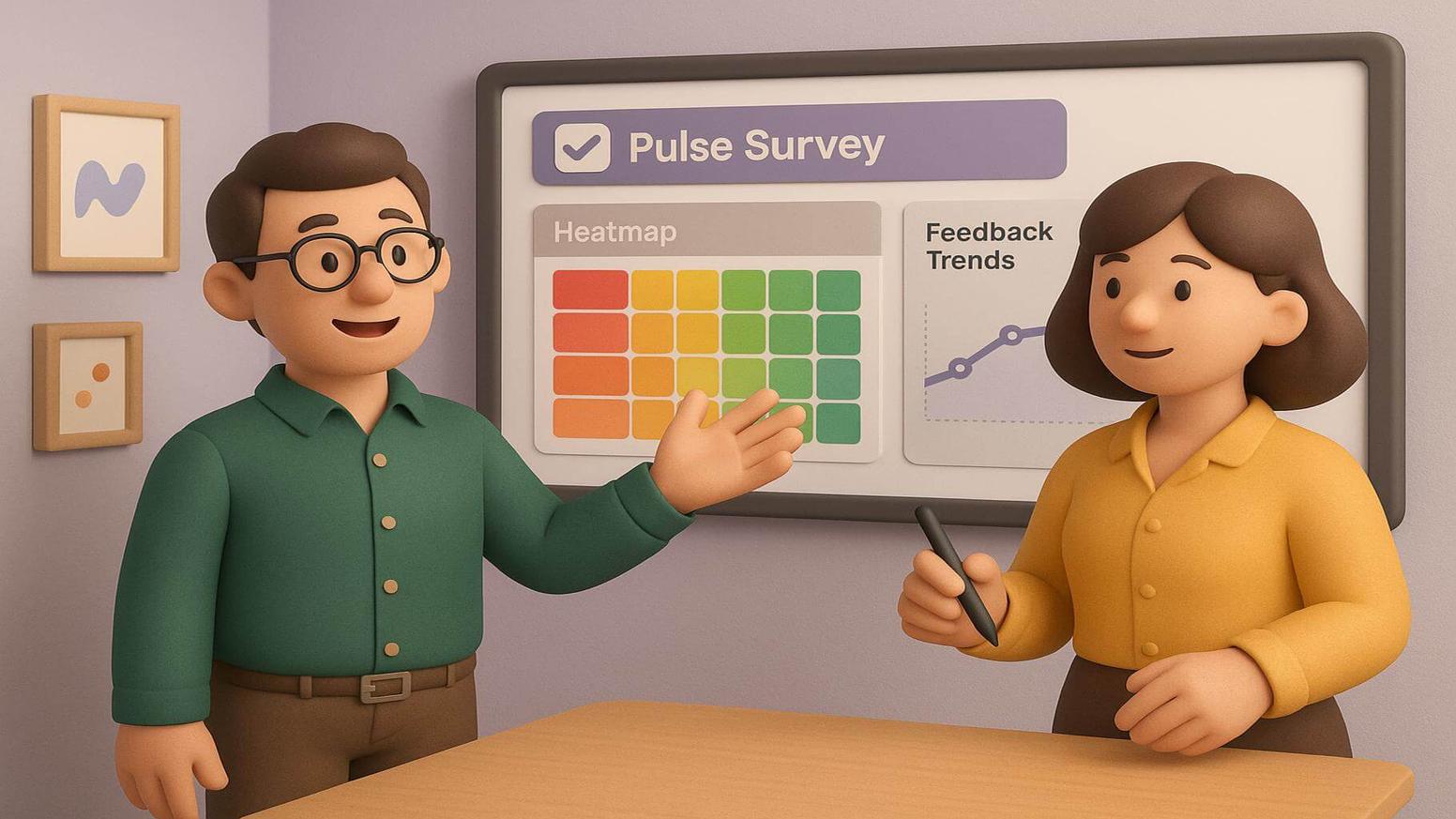
Organizations implementing apps within their communication platforms experience multiple benefits that directly impact engagement, retention, and organizational performance. Employee pulse surveys delivered through integrated applications provide advantages that standalone solutions cannot match. These benefits compound over time as participation becomes habitual and insights drive measurable workplace improvements.
Increased participation through workflow integration
Workplace platform integrations drive significantly higher participation rates compared to standalone tools. The seamless nature of integrated surveys addresses common barriers that prevent employees from completing traditional surveys. By removing friction from the feedback process, organizations see dramatic improvements in both response rates and response quality.
Participation drivers:
- Elimination of access barriers: No navigating to separate websites or encountering technical difficulties with unfamiliar platforms
- Higher completion rates: Organizations typically see 30-50% participation increases when transitioning from traditional methods
- Mobile accessibility: Remote and field workers can respond during downtime on any device
- Time zone accommodation: Distributed teams across schedules can participate at convenient times
- Representative information: Higher participation produces more complete insights into company culture and experiences
Employees are more likely to complete surveys that appear within their regular communication flow than those that require navigating to separate websites or applications. The convenience component is especially essential for dispersed teams that work across time zones and schedules. Higher participation rates ensure that organizational insights represent the full diversity of employee perspectives rather than skewing toward those with easy computer access or flexible schedules.
Real-time feedback collection without context switching
Real-time collection capabilities enable organizations to respond more quickly to workplace issues and opportunities. Traditional methods often resulted in delays of several days or weeks between launch and analysis. The immediate availability of insights enables organizations to act on feedback while issues remain fresh and relevant.
Real-time advantages:
- Immediate visibility: Continuous flow shows emerging trends and concerns as responses arrive
- Proactive interventions: Concerning trends, trigger action rather than reactive responses after escalation.
- No context switching: Staff members maintain focus on core responsibilities while contributing insights
- Integrated review: Team leaders examine information during existing planning meetings rather than scheduling separate sessions
- Responsive leadership: Prompt action demonstrates commitment to addressing employee input
Team leaders can view dashboard analytics showing current sentiment scores and compare them against historical baselines without waiting for scheduled reports. Organizations leverage these efficiencies to foster more responsive leadership and demonstrate a commitment to promptly acting on input. The velocity of real-time data collection facilitates the ability to resolve issues proactively before they develop into more significant problems that could affect morale and retention.
Seamless experience for distributed and remote teams
Distributed and remote teams face unique challenges in maintaining connection and ensuring their voices are heard within organizational conversations. Apps integrated into communication platforms create equitable experiences for all members, regardless of physical location. This accessibility ensures that remote workers feel as connected to organizational feedback processes as their office-based colleagues.
Distributed team benefits:
- Equal access: Remote workers receive the same opportunities as office-based colleagues through identical digital channels
- Complete visibility: Leaders gain full workforce sentiment across all locations and work arrangements
- Device flexibility: Mobile-responsive surveys enable participation from any device or location
- Asynchronous accommodation: Surveys work across time zones, and flexible schedules are common in distributed teams
- Unbiased insights: Organizations gather diverse perspectives from their entire workforce, avoiding location-based participation gaps
This consistency ensures that organizational leaders gain complete visibility into workforce sentiment across all locations and work arrangements. The asynchronous nature of app-based surveys accommodates different time zones and flexible schedules common in distributed teams. For organizations with increasingly distributed workforces, this equitable access represents a critical advantage in maintaining a cohesive culture and ensuring all voices contribute to organizational decisions.
Pulse survey app vs pulse survey platforms comparison
Understanding the differences between integrated applications and standalone platforms enables businesses to select the best solution for their needs. Each approach offers unique advantages and tradeoffs that impact everything from implementation complexity to long-term adoption rates. The choice between these options significantly influences how employees experience surveys and how quickly organizations can gather and act on information.
Integrated apps versus standalone web platforms
Integrated applications live within existing communication platforms like Slack and Microsoft Teams, appearing as native features of these environments. Standalone pulse survey software operates as an independent web application requiring separate logins and distinct user interfaces. The architectural differences between these approaches create fundamentally different user experiences and administrative requirements.
Key differences include:
- Integration depth: Integrated apps prioritize convenience and adoption by embedding tools directly into daily workflows
- Customization options: Standalone platforms typically offer more extensive customization options and advanced analytics features designed for large-scale enterprise deployments
- Participation rates: Integrated applications generally drive higher participation rates by reducing friction, making them ideal for building consistent habits across the workforce
- Feature complexity: Standalone platforms may better serve organizations needing complex logic, extensive reporting capabilities, or integration with other HR systems
- Hybrid solutions: Many modern solutions offer hybrid approaches that combine the convenience of in-platform experiences with the analytical power of comprehensive software
Organizations must weigh the tradeoffs between ease of use and feature depth when choosing between these approaches. Integrated applications work especially well when combined with recognition and rewards programs, creating comprehensive platforms that address multiple drivers through unified interfaces. Many organizations find that the participation benefits of integrated apps outweigh the feature limitations for their regular pulse-check needs.
When to choose app-based solutions over software
App-based solutions excel in scenarios prioritizing simplicity, adoption, and rapid deployment. Organizations seeking to establish new routines benefit from the low barrier to entry that integrations provide. The decision to choose apps over standalone software depends on organizational priorities, technical capabilities, and specific measurement goals.
Ideal scenarios for app-based solutions:
- Employee pulse surveys delivered through integrations encourage consistent participation by meeting employees where they already work.
- Small to mid-sized companies without dedicated administration teams find app-based solutions more manageable than enterprise platforms requiring specialized expertise.
- Teams already heavily invested in communication platforms like Slack or Microsoft Teams, gain immediate value from native integrations that leverage existing adoption and familiarity.
- Organizations focusing on continuous checks, addressing specific aspects of sentiment rather than comprehensive studies
- Companies prioritizing speed of implementation appreciate that many app-based solutions can be configured and launched within hours or days rather than weeks of platform setup.
- When initiatives emphasize creating conversational rhythms and closing loops quickly, app-based solutions often outperform traditional software approaches.
Organizations that value unified platforms that combine employee recognition software with integrated applications for gathering and finding are particularly valuable. The seamless connection between feedback and recognition creates powerful loops where insights drive appreciation and celebration of improvements. App-based solutions also work well for organizations testing pulse survey concepts before committing to more comprehensive measurement programs.
Hybrid approaches combining apps with platforms
Forward-thinking organizations increasingly adopt hybrid strategies that combine the strengths of both integrated applications and standalone platforms. These approaches use communication platform integrations as the primary interface for employees while connecting to backend platforms for advanced analytics. This architecture enables organizations to deliver optimal experiences while maintaining the analytical capabilities that comprehensive platforms provide.
Hybrid approach benefits:
- Unified experience: Employees interact with simple, streamlined surveys within communication platforms while administrators access sophisticated analysis tools
- Best of both worlds: Hybrid solutions maintain the convenience and high participation rates of app-based delivery while providing administrators with sophisticated tools for designing complex questionnaires and analyzing results
- Varied ecosystem: Organizations can deliver simple checks through integrated applications while conducting more comprehensive employee engagement surveys through standalone platforms
- Bidirectional integration: Integration between platforms and communication tools can flow insights into communication channels as automated updates and recognition opportunities
- Future flexibility: Organizations implementing hybrid approaches benefit from flexibility as their needs evolve without requiring wholesale platform migrations
This architecture supports sophisticated measurement strategies while maintaining user experiences that encourage consistent participation. Many organizations start with app-based solutions for pulse checks and add backend platforms as their measurement programs mature and require more advanced capabilities. The hybrid approach prevents organizations from outgrowing their initial solution choices while maintaining the high participation rates that integrated delivery provides.
15 best pulse survey app solutions for workplace integration

Selecting the right solution requires understanding the specific capabilities and ideal use cases for different options. The market offers diverse options, from enterprise-grade platforms to budget-friendly applications for small teams. Each solution category addresses different organizational challenges and priorities, making it essential to match features with your actual requirements rather than simply choosing the most comprehensive or popular option.
5 enterprise pulse survey apps with robust integrations
Enterprise organizations require solutions that scale across large workforces while providing comprehensive features and enterprise-grade security. These companies face unique challenges, including managing complex organizational hierarchies, ensuring privacy across multiple jurisdictions, and integrating with existing HR technology ecosystems. Enterprise solutions must support sophisticated analytics, customization options, and reporting capabilities that serve diverse stakeholder needs from frontline managers to C-suite executives.
1. Matter
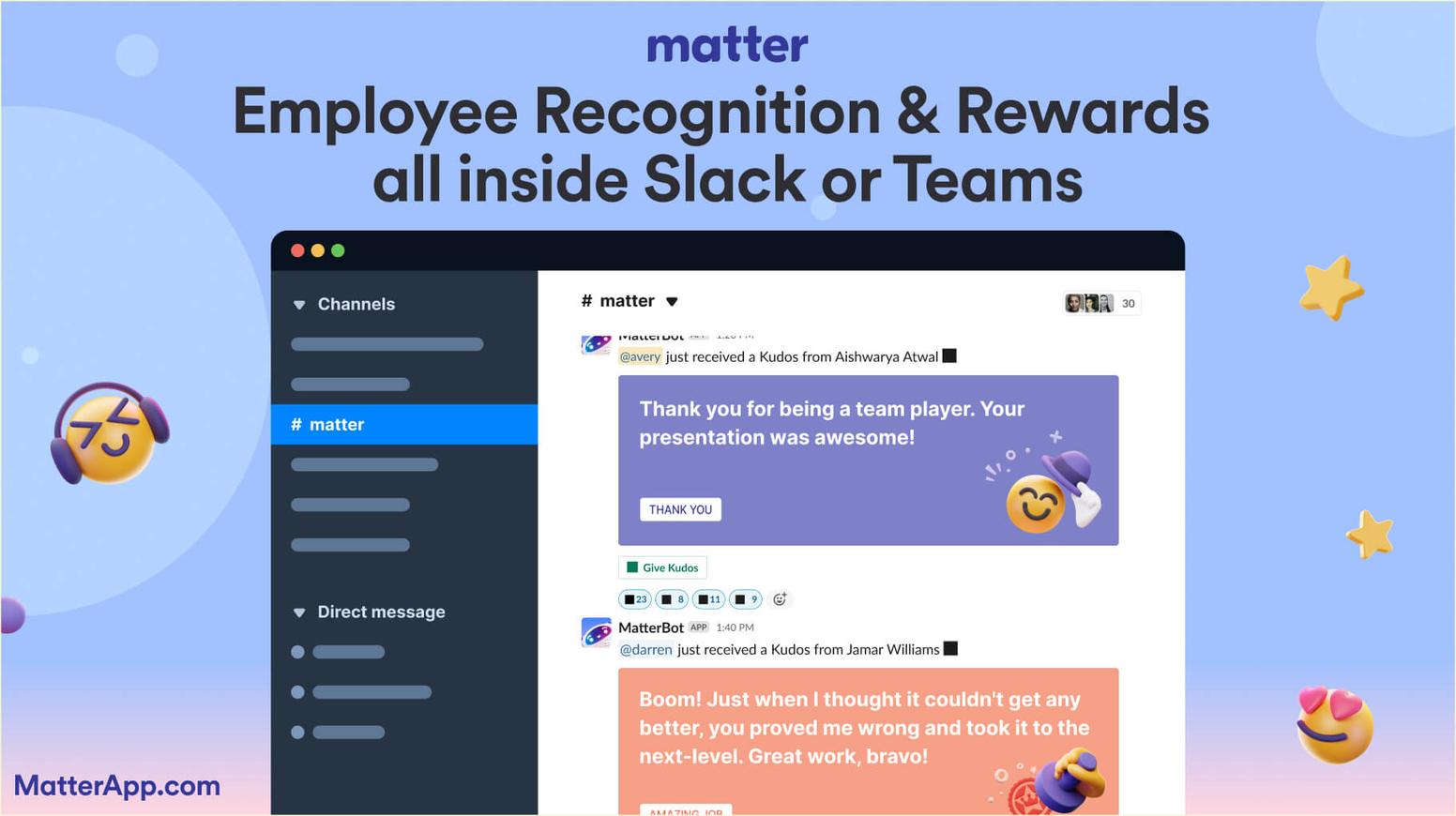
About Matter: Matter works directly within Slack and Microsoft Teams, bringing surveys together with peer-to-peer recognition and rewards into a single unified platform. The platform's approach to collection emphasizes simplicity and frequency, enabling organizations to gather continuous insights without overwhelming employees. Matter's functionality integrates with its recognition features, enabling organizations to close loops by celebrating improvements and acknowledging input. The platform's automated Feedback Friday feature encourages consistent participation by establishing predictable rhythms for check-ins.
Matter extends beyond basic functionality to create comprehensive solutions within workplace communication platforms. The platform's unique coin-based reward system integrates with insights, enabling organizations to recognize employees for participation and celebrate positive trends identified. Responses flow into real-time dashboards, providing immediate visibility into sentiment and emerging patterns. Organizations can configure automated schedules that align with team meetings, project milestones, or organizational events.
Matter main features:
- Native Slack and Microsoft Teams integration with platform-native delivery
- Automated scheduling, including Feedback Friday recurring checks
- Real-time analytics dashboards connecting insights with recognition programs
- Customizable templates optimized for quick deployment and high participation
Matter pricing:
- Free Forever: $0/user/month
- Basic: $1/user/month, billed annually
- Pro: $3/user/month, billed annually
- Pro + Surveys: $5/user/month, billed annually
To learn more, view Matter's pricing page.
Matter G2 score: Matter has a G2 score of 4.7/5 based on user reviews.
What Matter customers are saying: "Our brand is less formal, more 'joy and yay'. Matter allows us to bring our sense of personality to our culture." - Sabrina Roccazzella, Human Resources Business Partner at Cashrewards (Customer Story).
2. Glint
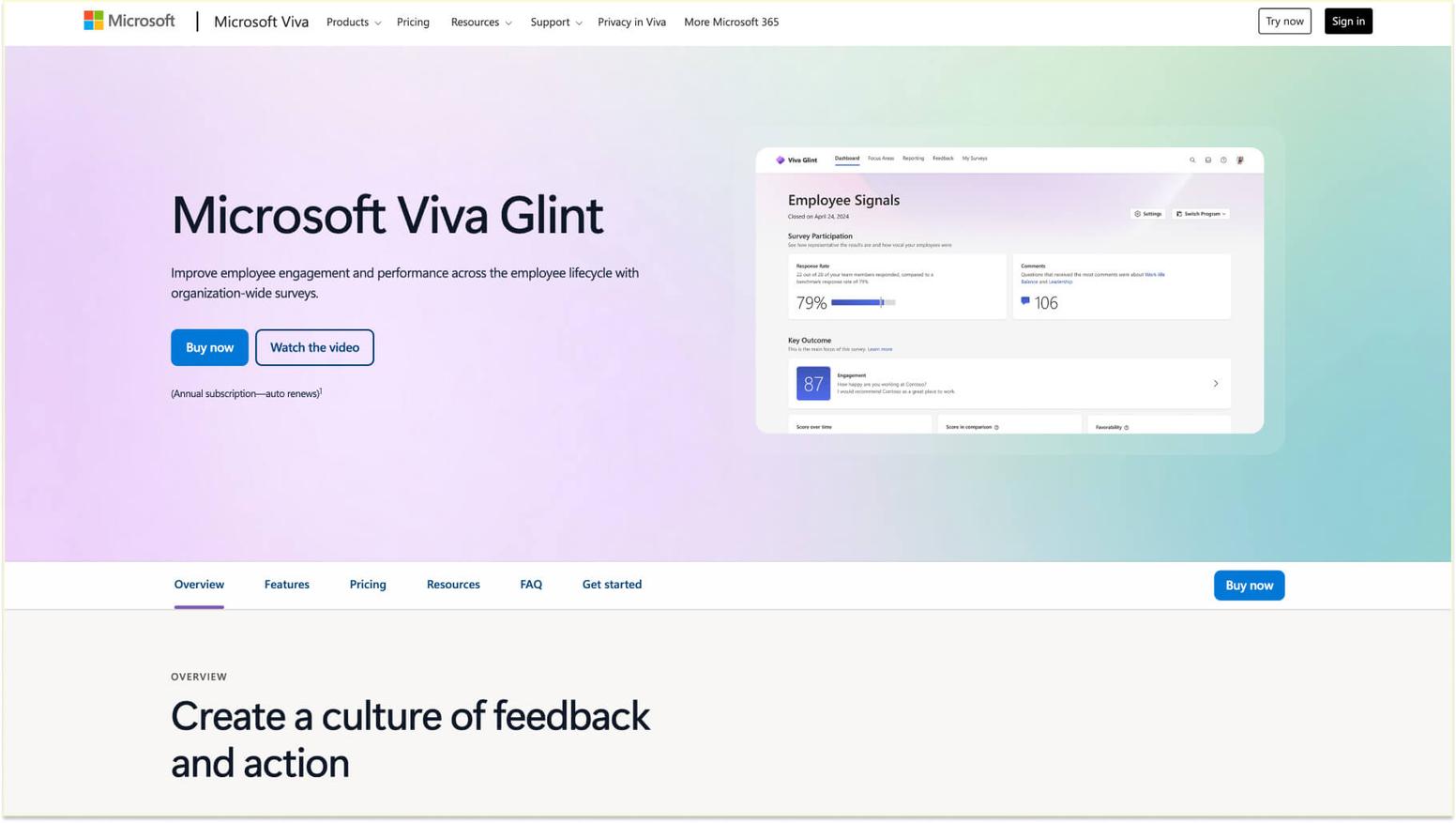
About Glint: Glint operates as part of the Microsoft Viva employee experience platform, providing enterprise-grade capabilities deeply integrated with Microsoft 365 and Teams. The platform leverages artificial intelligence to analyze responses and identify meaningful patterns in large datasets. Organizations using Microsoft's ecosystem benefit from native integration that connects insights with other Viva modules, including learning, company goals, and insights. Glint's enterprise focus includes features for managing complex organizational hierarchies and delivering role-specific experiences across diverse workforces.
Glint main features:
- AI-powered analytics identifying key drivers of engagement and sentiment
- Integration with Microsoft Teams and the Viva platform for unified experiences
- Comprehensive benchmarking comparing organizational results against industry standards
- Advanced role-based access controls and security for enterprise deployments
Glint pricing:
- Microsoft Viva Employee: $2.00 user/month (Annual commitment)
- Microsoft Viva Workplace: $6.00 user/month (Annual commitment)
- Microsoft Viva Suite: $12.00 user/month (Annual commitment)
To learn more, view Glint's pricing page.
Glint G2 score: Glint has a G2 score of 4.6/5 based on user reviews.
What Glint customers are saying on G2: “Good depiction of data, easy to view formats with a variety of different cuts of data available. Not super user-friendly, requires too many clicks to filter the data needed.” - Anjali A., Human Resources Consultant (G2 Review for Software).
3. Qualtrics EmployeeXM
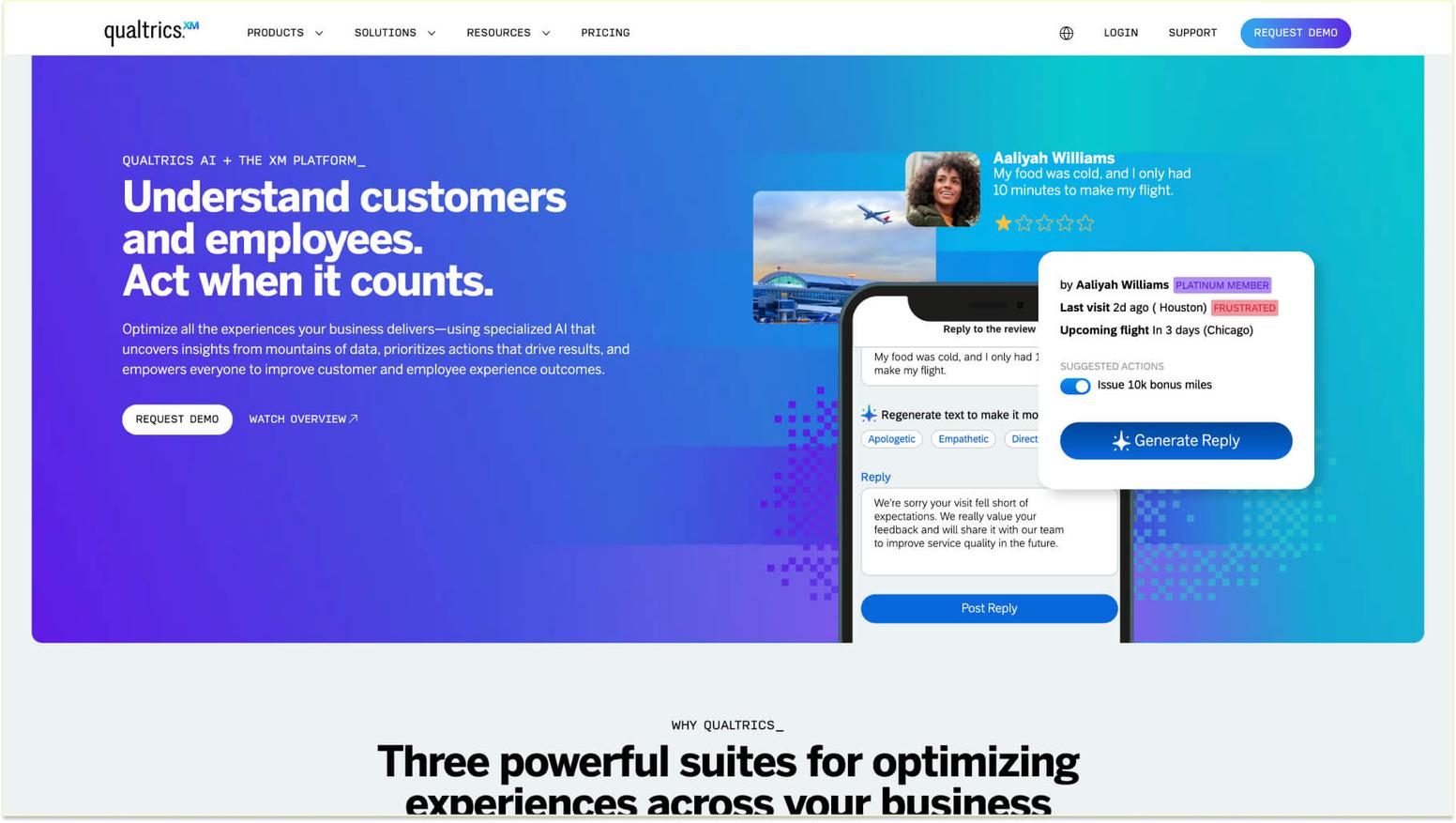
About Qualtrics: Qualtrics EmployeeXM represents the research-grade approach to employee experience management, bringing sophisticated methodology to workplace measurement. The platform's capabilities leverage decades of experience management expertise to help organizations design statistically valid measurement programs. Qualtrics provides extensive integration options connecting with workplace communication platforms while maintaining its comprehensive backend analytics. Organizations prioritizing rigorous measurement and advanced statistical analysis often select Qualtrics for enterprise-wide initiatives.
Qualtrics EmployeeXM main features:
- Research-grade design tools ensuring measurement validity and reliability
- An extensive integration marketplace connecting with communication platforms and HR systems
- Predictive analytics using machine learning to forecast trends
- Enterprise-level support and consulting for complex programs
Qualtrics EmployeeXM pricing: Pricing not listed on website. Learn more about pricing by scheduling a demo with Qualtrics EmployeeXM.
Qualtrics EmployeeXM G2 score: Qualtrics EmployeeXM has a G2 score of 4.4/5 based on user reviews.
What Qualtrics EmployeeXM customers are saying on G2: “Preston Donohoo, with Red Pepper, has been fantastic to partner with. He is thorough, excellent at training and his customer support is outstanding. He made our implementation go very smoothly. We have found the Qualtrics engagement survey and 360s tools easy to use, with the ability to dive deep into our results. We would definitely recommend Qualtrics to others.” - Kelli G., Global Talent Manager (G2 Review for Qualtrics EmployeeXM).
4. Workday
About Workday: Workday brings continuous listening capabilities to organizations invested in the Workday ecosystem. The platform emphasizes scientific rigor in design while maintaining simplicity for employees. Workday's approach focuses on measuring and improving experiences across the lifecycle, from onboarding surveys through exit. Organizations benefit from seamless connections between insights and other Workday modules covering talent management, compensation, and performance.
Workday main features:
- Scientifically validated questions measuring key drivers
- Integration with Workday HCM for connecting with people's information
- Automated action planning tools help team leaders respond to insights
- Multilingual support for global workforce measurement
Workday pricing:
- Workday Adaptive Planning: Free for 30 days
- Workday Adaptive Planning: contact sales to request pricing
- Workday Adaptive Planning Close & Consolidation: contact sales to request pricing
To learn more, view Workday's pricing page.
Workday G2 score: Workday has a G2 score of 4.0/5 based on user reviews.
What Workday customers are saying on G2: “I've found Workday to be a reliable application for handling holiday and HR activities at my company. Its user-friendly interface makes requesting leave and checking balances easy and efficient. Real-time updates ensure I always know my leave status without chasing paperwork. I appreciate the integration with other HR functions, which provides a central hub for important information. While there can be some lag during busy times, overall, Workday simplifies holiday management and enhances transparency for both employees and HR teams.” - Saurabh Y., Senior Engineer (G2 Review for Workday).
5. Perceptyx
About Perceptyx: Perceptyx specializes in listening and measurement for large enterprises, combining technology with advisory services. The platform supports comprehensive listening strategies, including checks, annual studies, lifecycle surveys, and always-on channels. Perceptyx emphasizes turning insights into actions through structured change management approaches. Organizations working with Perceptyx benefit from consulting expertise, helping them design effective measurement strategies and implement improvements based on findings.
Perceptyx main features:
- Comprehensive listening architecture supporting multiple types and frequencies
- Advanced text analytics extracting themes from open-ended questions
- Action planning framework connecting insights to organizational improvement initiatives
- Strategic consulting services supporting program design and optimization
Perceptyx pricing: Pricing is not listed on the website. To learn more about pricing, you'll need to schedule a demo/sales call with Perceptyx.
Perceptyx G2 score: Perceptyx has a G2 score of 3.8/5 based on user reviews.
What Perceptyx customers are saying on G2: “I have found the Theme Frequency report to be largely inaccurate regardless of which survey I am looking at - onboarding, engagement, and exit. It sometimes picks up more concrete themes well, like benefits, training, compensation, etc., but anything like trust, culture, teamwork, etc. the comments often do not correspond to the theme. I think it has improved since we first started using this functionality but it could still use some work.” - Verified User in Transportation (G2 Review for Software).
5 mid-market app integrations for growing companies
Mid-market organizations need solutions that balance feature richness with manageable complexity and reasonable costs. Companies in this segment typically lack the extensive IT resources found in large enterprises, requiring solutions that are both powerful and accessible. The right mid-market solution provides professional-grade capabilities without the implementation complexity or pricing that makes enterprise platforms impractical for growing companies.
1. Matter
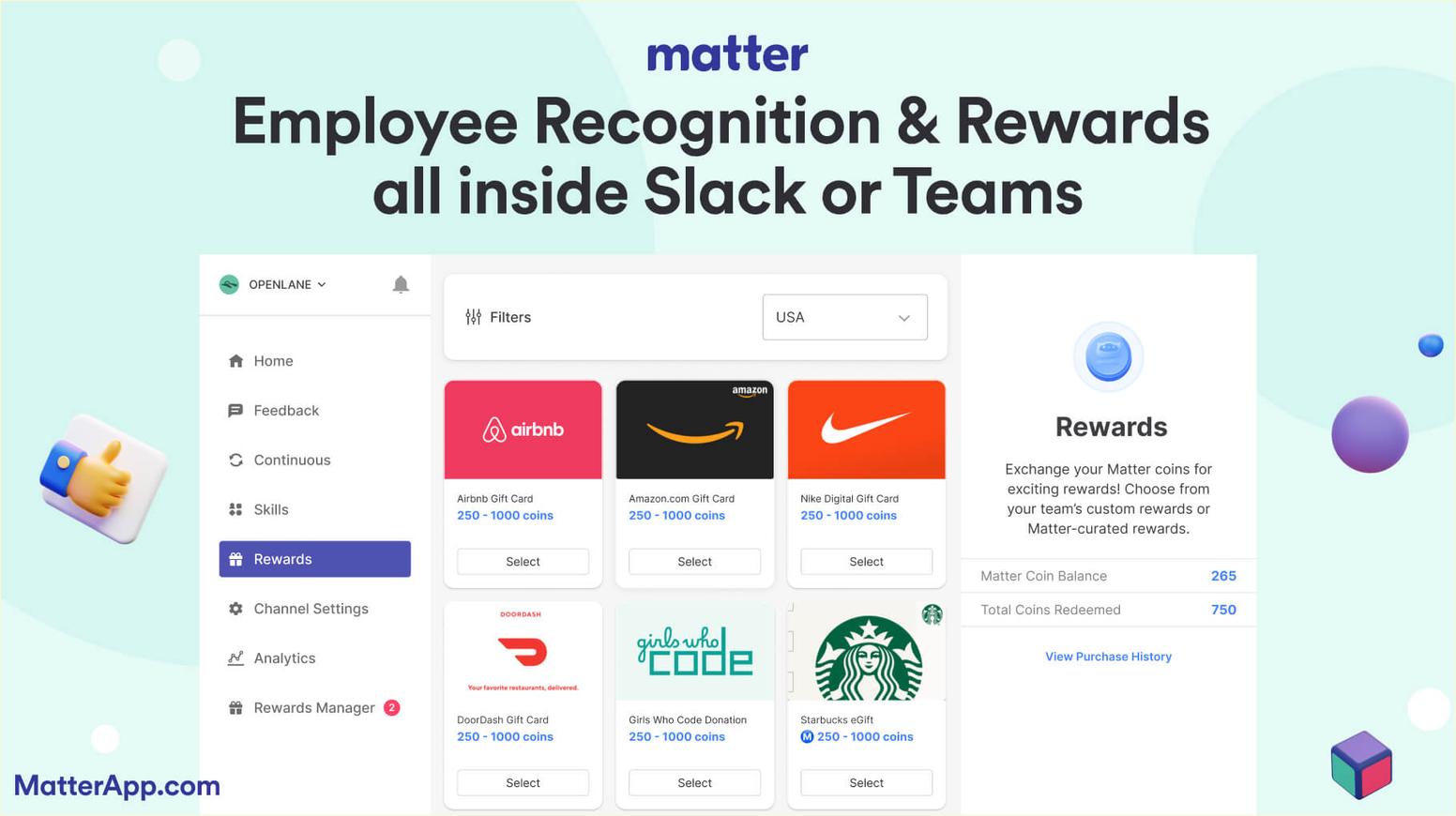
About Matter: Matter serves mid-market organizations exceptionally well by combining enterprise-grade capabilities with implementation simplicity and transparent pricing. Growing companies appreciate Matter's ability to scale as they expand while maintaining the ease of use that enables rapid adoption. The platform's unified approach to surveys, recognition, and rewards eliminates the need for multiple vendor relationships. Mid-market organizations benefit from Matter's focus on measurable ROI through clear connections between insights and improvements.
Matter main features:
- Quick setup enabling same-day deployment without IT involvement
- Scalable architecture supporting growth from tens to thousands of workers
- Unified platform combining checks with recognition and rewards programs
- Responsive support team providing guidance without requiring expensive consulting contracts
Matter pricing:
- Free Forever: $0/user/month
- Basic: $1/user/month, billed annually
- Pro: $3/user/month, billed annually
- Pro + Surveys: $5/user/month, billed annually
To learn more, view Matter's pricing page.
Matter G2 score: Matter has a G2 score of 4.7/5 based on user reviews.
What Matter customers are saying: "People can get so busy with their work that they become unaware of all the good things happening across the company. Matter allows us to see what others are accomplishing and gives us a platform to congratulate each other for wins big and small." - Gabriela Ruiz, Head of People at Hunty (Customer Story).
2. Workleap/OfficeVibe
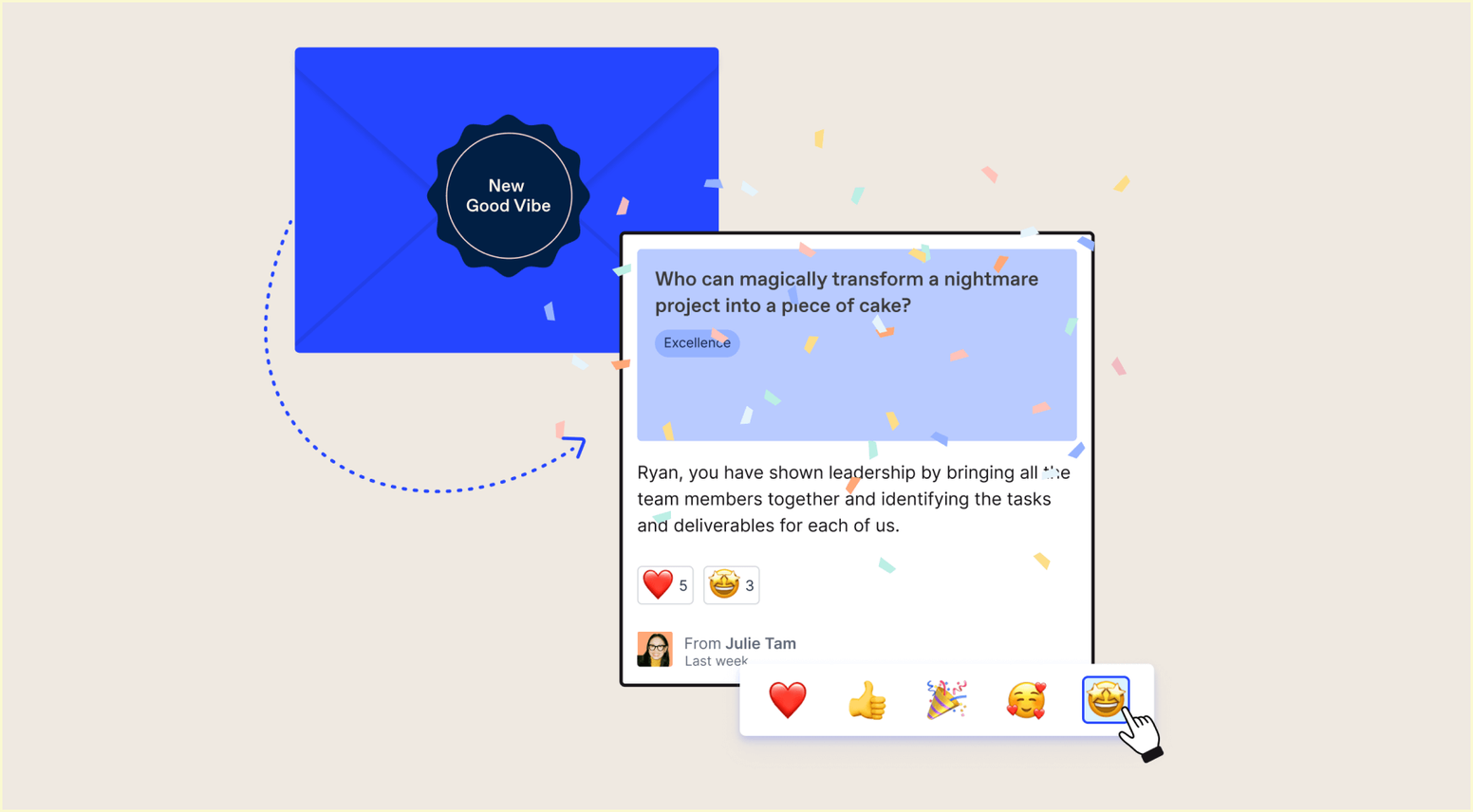
About Workleap/OfficeVibe: Workleap/OfficeVibe provides tools designed specifically for mid-market companies seeking to improve engagement and performance. The platform combines surveys with one-on-one meeting tools, OKR tracking, and performance management capabilities. Workleap's approach emphasizes creating continuous conversations between team leaders and members, supported by regular collection. Organizations using Workleap benefit from integrated workflows connecting insights with development conversations and goal alignment.
Workleap/OfficeVibe main features:
- Combined surveys and one-on-one meeting tools supporting continuous dialogue
- Pre-built templates addressing common topics and concerns
- Team leader dashboards provide insights without overwhelming information
- Integration with communication platforms and calendaring systems
Workleap/OfficeVibe pricing:
- Officevive: $5/user/month, 10 users minimum
- Performance: $5/user/month, 10 users minimum
- Compensation: $5/user/month, 100 users minimum
- Office & Performance: $8/user/month, 10 users minimum
To learn more, view Workleap/OfficeVibe's pricing page.
Workleap/OfficeVibe G2 score: Workleap/OfficeVibe has a G2 score of 4.3/5 based on user reviews.
What Workleap/OfficeVibe customers are saying on G2: “Officevibe provides a regular stream of honest feedback and discussion between managers and employees across our company. GoodVibes has become THE way our employees appreciate and recognize one another. Our management team disucsses the data and anonymous responses on a monthly basis.” - Anthony B., President (G2 Review for Workleap).
3. Energage
About Energage: Energage brings expertise from research to organizations seeking evidence-based measurement approaches. The platform focuses on helping mid-market companies build high-performing cultures through regular input and recognition. Energage's methodology emphasizes comparing organizational results against research-based benchmarks to identify strengths and opportunities for improvement. The platform includes features that support kudos connected to insights, enabling comprehensive programs.
Energage main features:
- Research-validated questions measuring proven drivers
- Benchmark comparisons showing how organizations perform against peers
- Recognition tools connecting positive input with insights
- Training resources helping team leaders interpret results and take action
Energage pricing: Pricing is not listed on the website. To learn more about pricing, you'll need to schedule a demo/sales call with Energage.
Energage G2 score: Energage has a G2 score of 4.6/5 based on user reviews.
What Energage customers are saying on G2: “The pulse survey section still needs work I want a system that I can customize the wording of the rankings, create yes/no questions if I want and be able to order the sequence of questions so they make sense to me. I want to add skip logic so people who answer one way to a question can skip over a question to the next question. Changes were made to the pulse survey section so that it really doesn't work for me now. I've stopped using it and moved to google forms instead” - Verified User in Staffing & Recruiting (G2 Review for Software).
4. CultureMonkey
About CultureMonkey: CultureMonkey specializes in AI-powered solutions designed for growing organizations. The platform uses artificial intelligence to analyze responses and generate actionable recommendations. CultureMonkey's approach emphasizes automation, reducing the administrative burden of running regular checks. Organizations benefit from intelligent scheduling that adapts to team patterns and from automated reminders, which increase participation.
CultureMonkey main features:
- AI-powered sentiment extraction insights from qualitative responses
- Automated scheduling and reminder systems maximizing participation
- Leader-specific dashboards with insights and recommendations
- Integration capabilities connecting with communication platforms
CultureMonkey pricing: Pricing is not listed on the website. To learn more about pricing, you'll need to schedule a demo/sales call with CultureMonkey.
CultureMonkey G2 score: CultureMonkey has a G2 score of 4.7/5 based on user reviews.
What CultureMonkey customers are saying on G2: “Culture Monkey has the most advanced dashboards that I have come across in a lot of tools that i have evaluated or worked with in the past. There are customized reports and views available, split by manager level, locations, departments and roles. The best feature is the manager-level cuts and the action planning where we can actively involve stakeholders and make them a part of the solution to improve engagement scores across the org.” - Pallavi D., Mid-Market (G2 Review for CultureMonkey).
5. Survale
About Survale: Survale takes an innovative approach to measurement by combining surveys with predictive analytics focused on retention risk. The platform specializes in helping organizations identify flight risks before workers leave, enabling proactive interventions. Survale's methodology includes measuring sentiment at critical moments, including onboarding, role changes, and during challenging periods. Organizations using Survale benefit from insights specifically designed to reduce turnover and improve retention.
Survale main features:
- Predictive analytics for identifying employees at risk of attrition
- Lifecycle surveys measuring sentiment at critical journey moments
- Retention-focused metrics providing early warning signals
- Integration with HRIS systems for comprehensive analysis
Survale pricing: Pricing is not listed on the website. To learn more about pricing, you'll need to schedule a demo/sales call with Survale.
Survale G2 score: Survale has a G2 score of 4.7/5 based on user reviews.
What Survale customers are saying on G2: “Some of the admin platforms and panels are tricky to navigate and the UX looks a little dated. The front end design is great (which is what matters most) however using the back end - especially if you have dark mode enabled on your browser - makes it tricky to see what you're doing and it's not the prettiest.” Jen G. (G2 Review for Software).
5 budget-friendly app solutions for small teams
Small organizations and teams need solutions that offer essential capabilities without the enterprise complexity or costs. Budget constraints and limited HR resources make it crucial for small teams to find tools that deliver immediate value without requiring extensive setup or ongoing administration. The best solutions for this segment prioritize simplicity and ease of use while still providing professional-quality surveys and actionable insights.
1. Matter
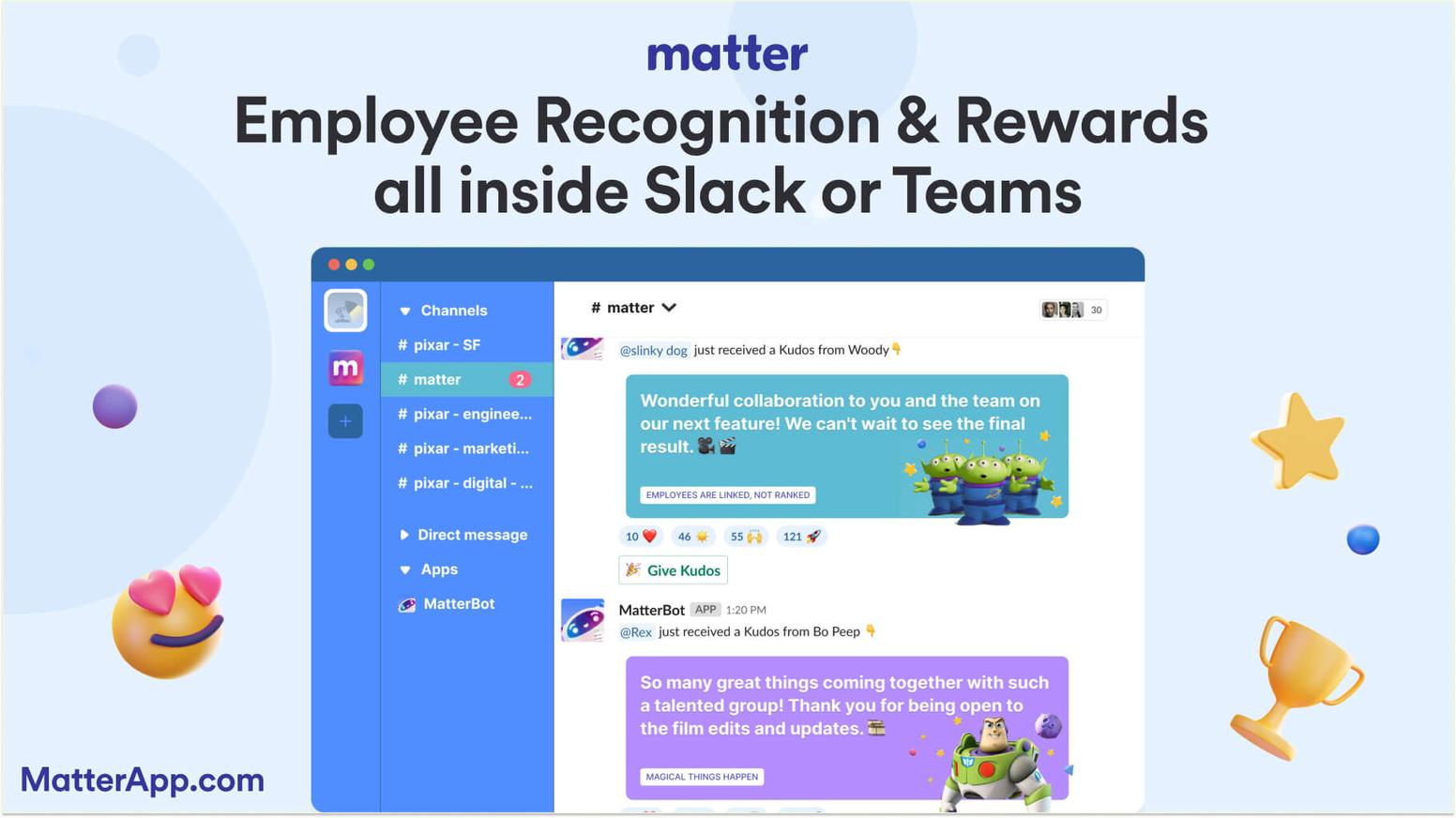
About Matter: Matter provides exceptional value for small teams through its Free Forever plan, offering core functionality without cost limits. Small organizations benefit from Matter's straightforward pricing that grows with team size rather than complex per-feature charges. The platform's ease of setup means small teams can launch initiatives without dedicated HR or IT resources. Matter's combination of surveys, recognition platform features, and rewards creates comprehensive programs accessible to organizations of any size.
Matter main features:
- Free Forever plan providing unlimited surveys for budget-conscious organizations
- Simple setup requiring no technical expertise or training
- Mobile-responsive surveys working seamlessly across all devices
- Integrated recognition and rewards, connecting with appreciation
Matter pricing:
- Free Forever: $0/user/month
- Basic: $1/user/month, billed annually
- Pro: $3/user/month, billed annually
- Pro + Surveys: $5/user/month, billed annually
To learn more, view Matter's pricing page.
Matter G2 score: Matter has a G2 score of 4.7/5 based on user reviews.
What Matter customers are saying: "Kudos are a big part of our company culture and daily practice because it helps us reinforce the ideal company behaviors. This helps us ensure that we have the right people here and support them to do their best." - María José Franco, People Director at Auronix (Customer Story).
2. Polly
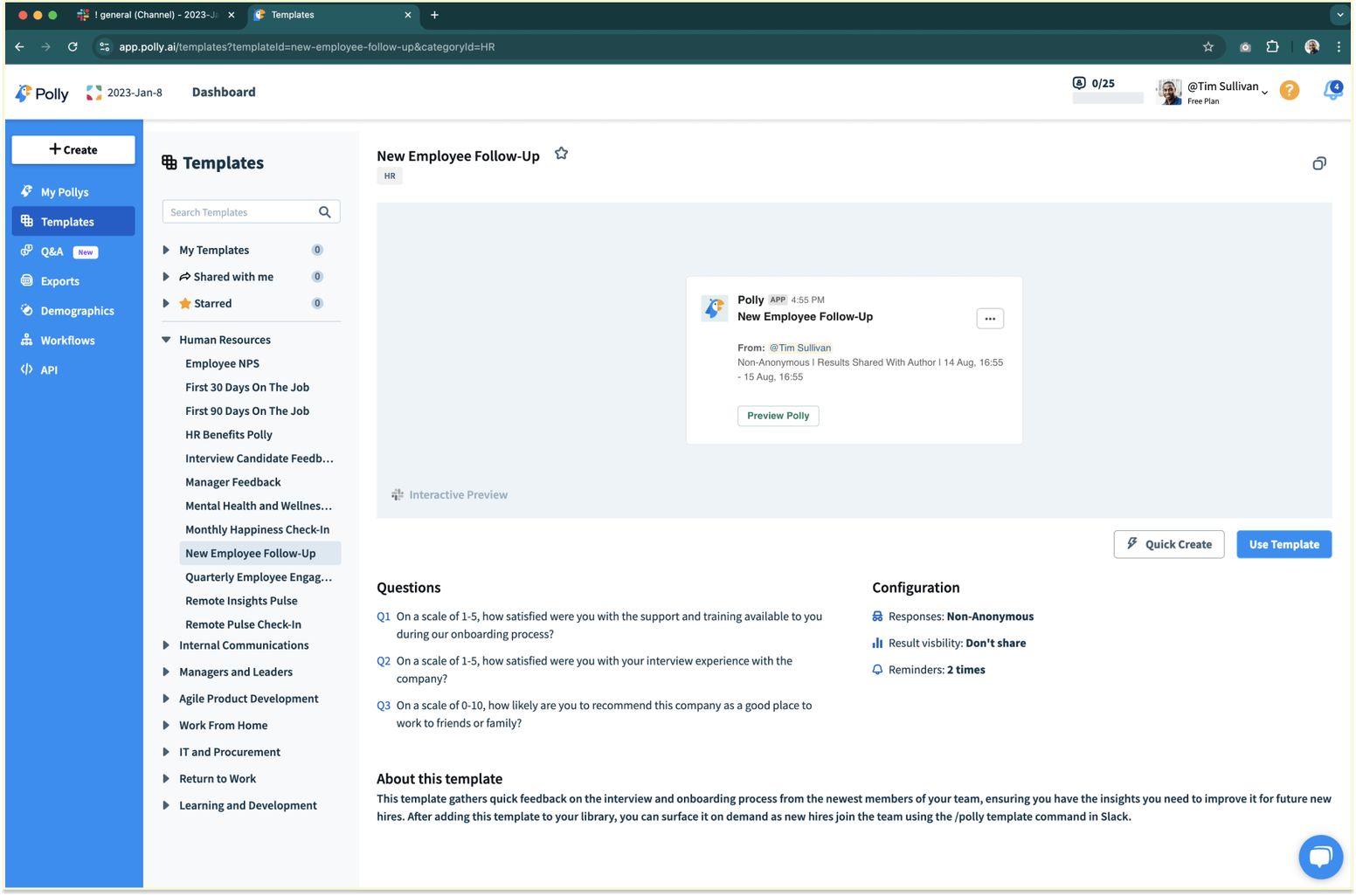
About Polly: Polly specializes in lightweight polling capabilities embedded directly within Slack and Teams. The platform focuses on simplicity, enabling teams to create and launch quick checks within seconds. Polly's approach emphasizes spontaneous collection rather than formal programs. Small teams appreciate the platform's minimal learning curve and immediate value without setup overhead.
Polly main features:
- Instant poll and creation directly within communication platforms
- Anonymous response options encouraging honest input
- Basic reporting showing response distributions and trends
- Templates for common topics and questions
Polly pricing:
- Free: $0 per month
- Basic: $12 per month. Billed $144 annually for one license
- Pro: $24 per month. Billed $288 annually per license
- Enterprise: Talk to sales for pricing
To learn more, view Polly's pricing page.
Polly G2 score: Polly has a G2 score of 4.6/5 based on user reviews.
What Polly customers are saying on G2: “Love that it integrates so seamlessly with Slack. I can create a question bank and share it with certain channels. The options for questions is great, making surveys as complete as possible in order to get the most feedback. Super easy to use and implements so well. I use on a case to case basis but slowly making part of my weekly use.” - Stephanie R. (G2 Review for Polly).
3. Simpplr
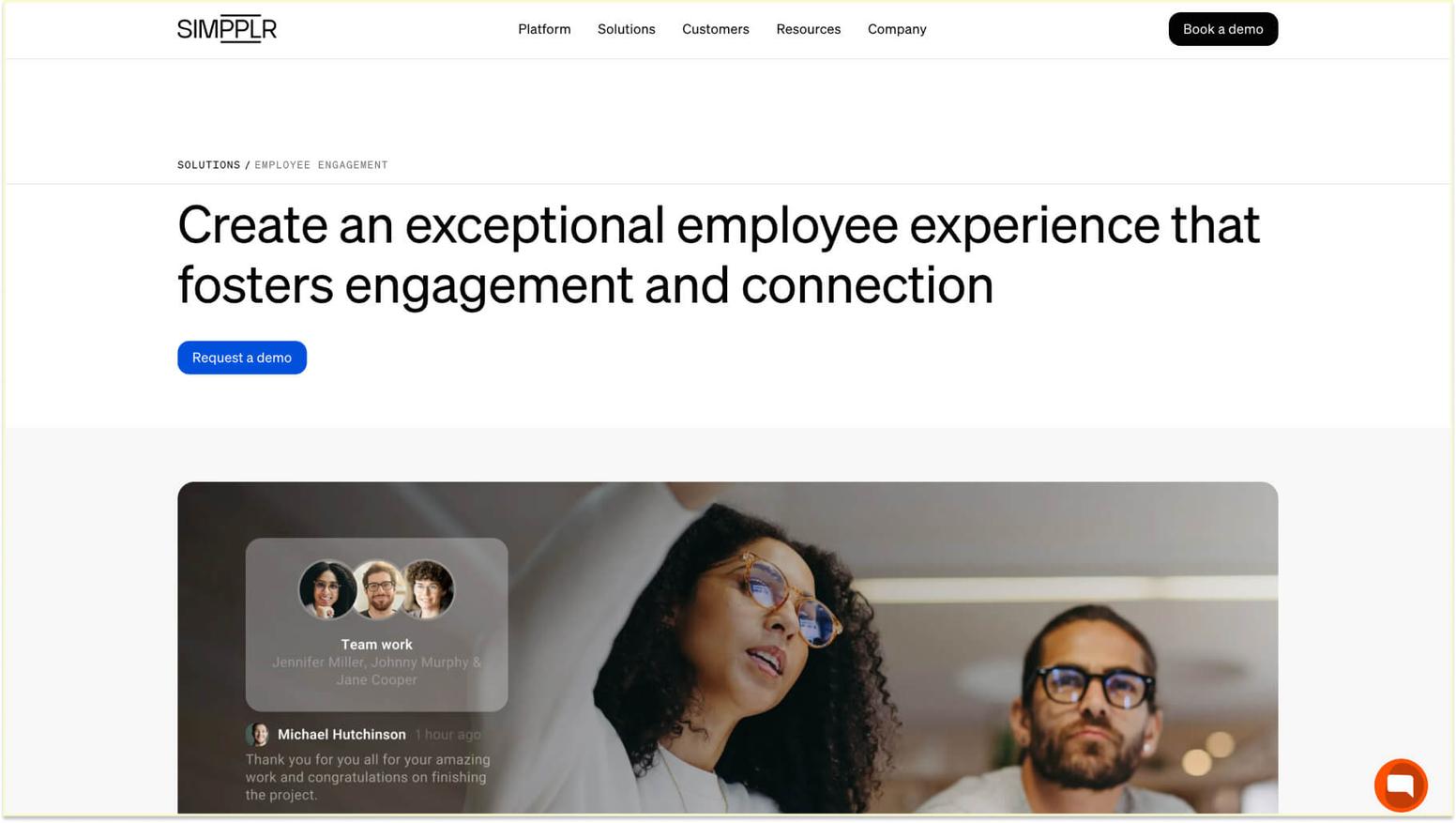
About Simpplr: Simpplr provides intranet and communication solutions, including embedded capabilities. The platform's approach combines content management with collection, enabling organizations to gather opinions within the same environment where they share news and updates. Small teams using Simpplr benefit from unified communication experiences rather than having to manage separate tools. The platform's mobile-first design ensures that deskless workers and remote employees can participate in checks just as easily as office-based colleagues.
Simpplr main features:
- Combined intranet and platform, reducing tool proliferation
- Mobile-first design supporting diverse workforce participation
- Content-linked surveys gathering opinions about specific initiatives or updates
- Analytics connecting content engagement with participation
Simpplr pricing: Pricing is not listed on the website. To learn more about pricing, you'll need to schedule a demo/sales call with Simpplr.
Simpplr G2 score: Simpplr has a G2 score of 4.6/5 based on user reviews.
What Simpplr customers are saying on G2: “There are a few quirks that we ran into while setting up our intranet, but nothing that is groundbreaking. I would say the most disliked thing (and I'm grasping at straws here) is the number of permissions available. Although a benefit, we've run into the issue where people are unsure of their roles and what they entail.” - Verified User in Computer Software (G2 Review for Simpplr).
4. Bonusly
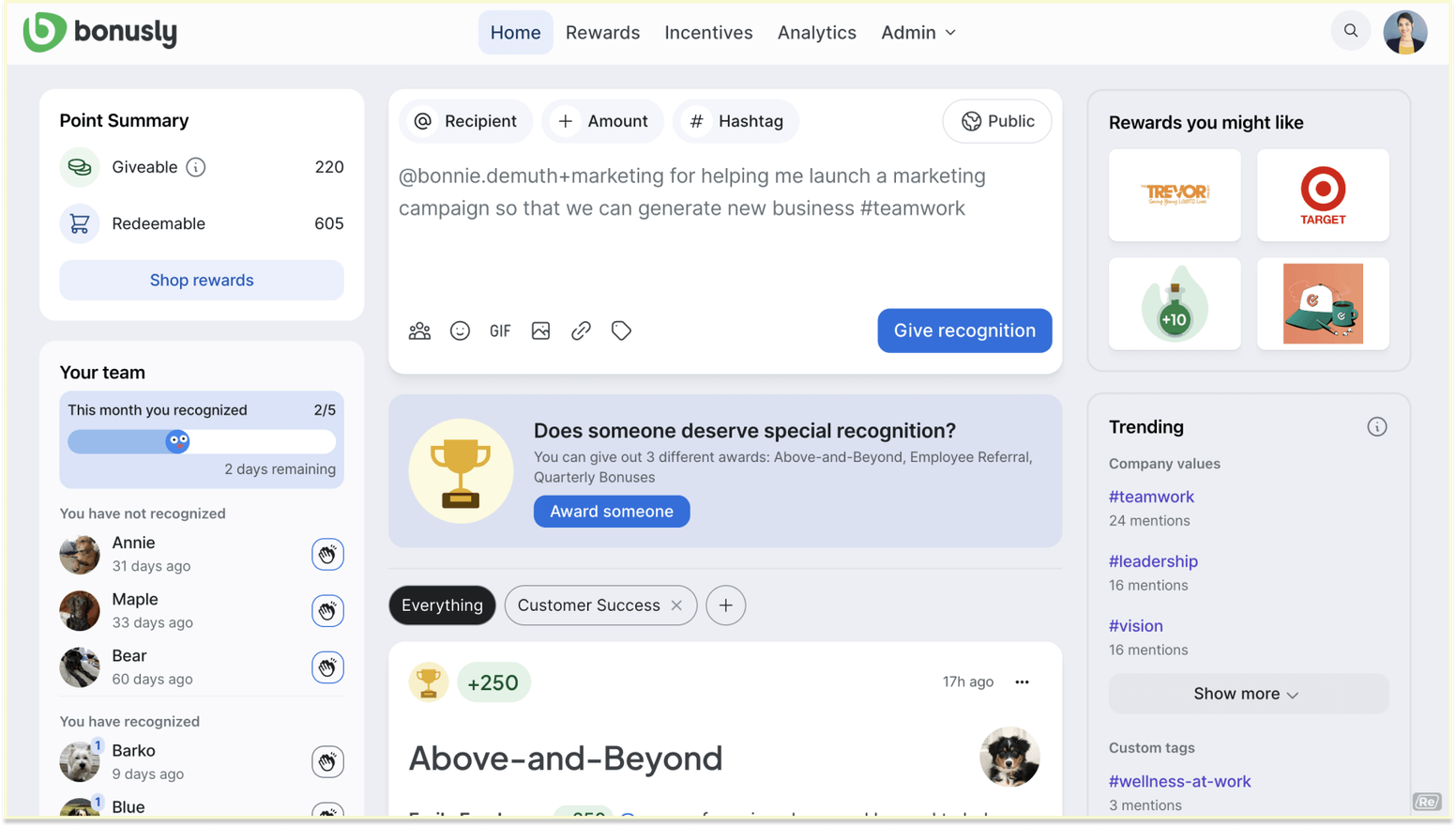
About Bonusly: Bonusly primarily focuses on peer recognition but also includes capabilities to support comprehensive strategies. The platform's approach connects collection with recognition programs, enabling organizations to celebrate improvements identified. Small teams appreciate Bonusly's transparent pricing and the value of combining two tools in a single platform. The features emphasize simplicity and rapid deployment over complex research methodologies.
Bonusly main features:
- Peer recognition platform with integrated capabilities
- Transparent per-user pricing suitable for small team budgets
- Social feed showing recognition patterns alongside insights
- Reward catalog offering diverse options for incentives
Bonusly pricing:
- Free Forever: $0/user/month
- Team: $3/user/month
- Organization: $5/user/month
To learn more, view Bonusly's pricing page.
Bonusly G2 score: Bonusly has a G2 score of 4.7/5 based on user reviews.
What Bonusly customers are saying on G2: “We've used the service for years until it has slowly diminished in both quality and usability. We used to have a wider variety of rewards available, which has significantly shrunk to the point where we have one or to options available which are constantly in and out of service. At the time of writing the service is almost unusable and the Bonusly support team have done nothing in terms of informing or providing a clear path to a resolution.” - Verified User in Marketing and Advertising (Customer G2 Review).
5. WorkTango
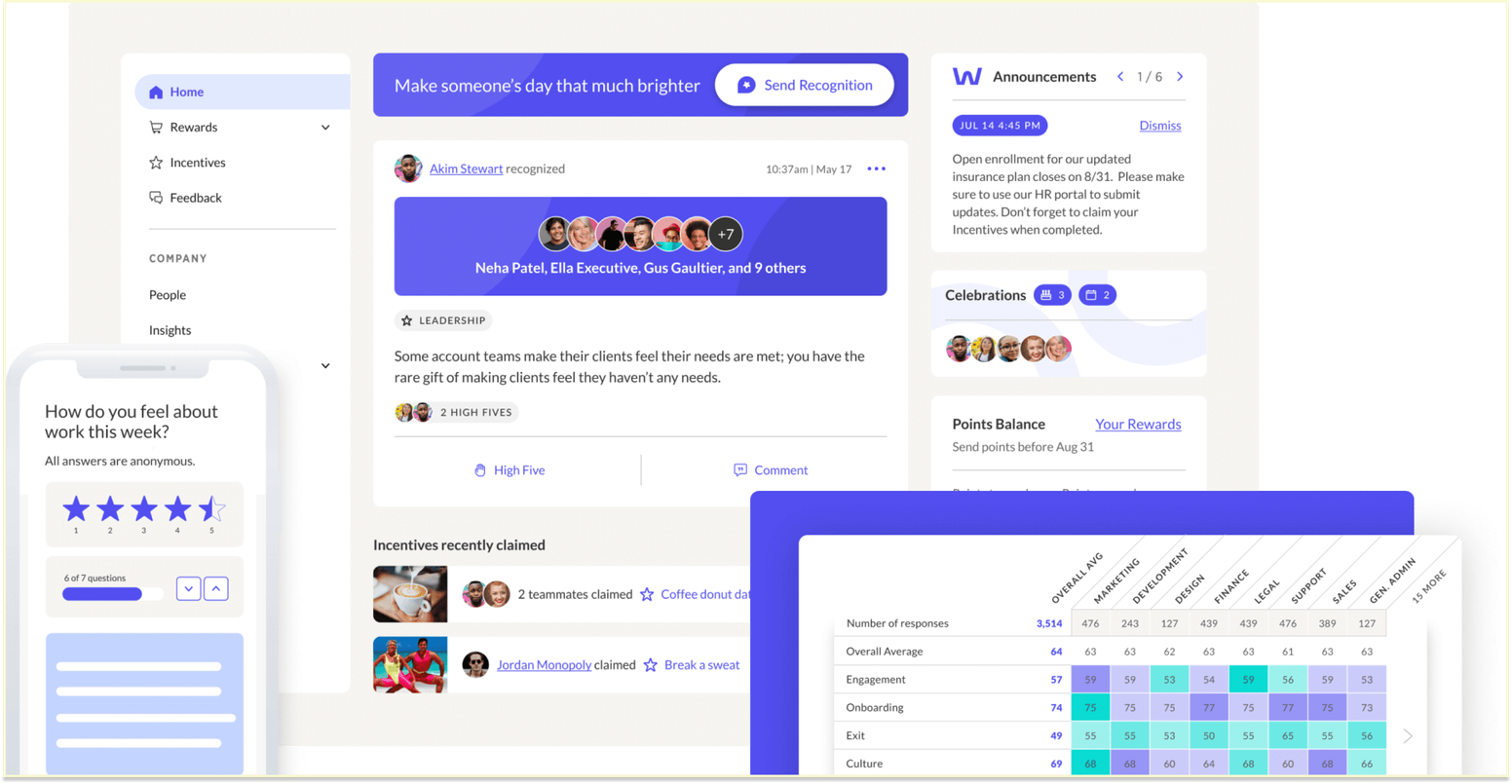
About WorkTango: WorkTango provides solutions combining recognition, rewards, and measurement through an integrated platform. The solution targets small to mid-sized organizations seeking comprehensive tools without enterprise complexity. WorkTango's features integrate seamlessly with its recognition programs, enabling organizations to close the loop by celebrating positive changes identified through employee input. Small teams benefit from WorkTango's flexible approach and pre-built templates addressing common topics.
WorkTango main features:
- Combined recognition, rewards, and a platform that reduces vendor relationships
- Surveys and insights integrated with recognition workflows
- Full platform supporting multiple initiatives
- Flexible deployment options accommodating different organizational needs
WorkTango pricing: Pricing is not listed on the website. To learn more about pricing, you'll need to schedule a demo/sales call with WorkTango.
WorkTango G2 score: WorkTango has a G2 score of 4.6/5 based on user reviews.
What WorkTango customers are saying on G2: “I tried to sell back points that were awarded to me so I could give more to others. The demo made it seem like this was an immediate point transfer. It was difficult and not immediate. It takes a lot of points to earn a meaningful award.” - Verified User in Biotechnology (Customer G2 Review).
Key features to look for in a pulse survey app

Selecting an effective solution requires evaluating specific capabilities that drive participation and deliver actionable insights. The right features can make the difference between a program that employees enthusiastically engage with and one that struggles to achieve meaningful response rates. Organizations must consider how different capabilities align with their workforce characteristics, existing technology infrastructure, and long-term goals.
Native integration with workplace communication platforms
Native integration represents the foundation of effective tools, determining how seamlessly surveys fit into daily workflows. True native integrations display surveys directly within communication platforms without redirecting employees to external websites. This deep integration approach ensures that pulse survey questions appear naturally within the flow of work conversations and updates.
Key integration capabilities to evaluate:
- Deep integration: Slack and Microsoft Teams compatibility with interactive elements beyond basic notifications
- Interactive elements: Buttons and dropdowns instead of text-based responses
- Visual consistency: Interface matches the surrounding platform design
- Multi-device support: Seamless experiences across desktop, mobile, and tablet platforms
- Authentication integration: Existing authentication systems eliminate separate logins
- Marketplace support: Standard marketplace installation options
Quality integrations support interaction patterns that employees already know from their communication tools. The experience should feel indistinguishable from other platform-native activities and maintain visual consistency with the surrounding interface. Evaluation includes testing how surveys appear across different devices and platforms, ensuring mobile experiences match desktop quality.
Automated scheduling and notification capabilities
Automation transforms surveys from administrative burdens into sustainable practices requiring minimal ongoing effort. Effective solutions enable administrators to configure recurring schedules aligned with organizational rhythms, such as weekly check-ins or monthly checks. These automated systems ensure consistency while reducing the manual work required to maintain regular feedback collection.
Essential automation features include:
- Flexible scheduling: Day-of-week preferences with time zone awareness
- Blackout periods: Configuration around holidays or busy seasons
- Intelligent reminders: Prompt systems that avoid notification fatigue
- Learning capabilities: Adjustment of reminder timing based on patterns
- Team-specific cadences: Distinct schedules for different teams or departments
- Question rotation: Automatic cycling through different question sets
Organizations implementing best practices rely on automation to maintain consistency without overburdening HR teams. The best solutions learn from patterns, adjusting reminder timing and frequency to maximize response rates. Evaluation includes understanding how automation handles edge cases, such as new-employee onboarding or team reorganizations.
Real-time analytics and reporting dashboards
Real-time analytics capabilities determine how quickly organizations can identify and respond to emerging sentiment trends. Quality employee pulse survey software provides dashboard interfaces that display current results as responses arrive, eliminating the need for manual report generation. This immediate visibility enables organizations to act on insights while issues remain fresh and relevant.
Critical analytics capabilities:
- Customizable dashboards: Different stakeholders can view relevant metrics
- Privacy controls: Appropriate access for team-level versus organization-wide views
- Trend visualization: Sentiment evolution over time is displayed clearly
- Comparison tools: Functionality between teams, departments, or time periods
- Alert systems: Notification when thresholds are crossed
- Drill-down functionality: Navigation from organizational views to specific questions or segments
- Integration support: Compatibility with tools for comprehensive analysis
Effective dashboards highlight meaningful changes rather than overwhelming users with every point. Team leaders should access insights while executives view organization-wide trends, with appropriate privacy controls in place. Real-time visibility enables organizations to connect insights with immediate actions, demonstrating responsiveness that builds trust in processes.
Pulse survey examples optimized for workplace apps
Designing effective surveys for integrated applications requires understanding what works within constrained communication platform interfaces. Pulse survey examples succeed when questions are brief, clear, and easy to answer within workplace communication tools. The technical limitations of platforms like Slack and Teams influence optimal design, requiring creators to adapt traditional methodologies to fit mobile-friendly, interaction-driven environments.
Quick check-in survey templates for integrated apps
Quick check-in surveys deliver value through brevity and focus, typically containing three to five questions requiring less than one minute to complete. These surveys work well for weekly or bi-weekly cadences, establishing regular rhythms without overwhelming participants. Effective templates focus on specific themes, such as team collaboration, workload management, or support, rather than attempting comprehensive coverage.
A hypothetical example might ask workers to rate their current workload using a five-point scale, their confidence in meeting deadlines with yes/no options, and provide optional comments on needed support. Another template could focus on psychological safety by asking whether members feel comfortable sharing ideas, whether diverse perspectives are valued, and what would improve communication. The key to success lies in actionability, ensuring each question connects to specific changes leaders can implement. Templates should rotate through different focus areas over time rather than repeating identical questions that become stale.
Weekly engagement pulse examples within workflows
Weekly checks work best when delivered as natural extensions of existing work routines rather than interruptions. Effective examples connect timing to recurring activities, such as project updates or planning sessions. A hypothetical weekly check might ask workers how supported they felt during the past week using a simple emoji-based scale, whether they have what they need for the upcoming week with a yes/no response, and invite quick opinions on team dynamics.
Another approach focuses on energy and well-being, asking about current stress levels, satisfaction with work-life balance, and whether workers feel recognized for their contributions. These short check-ins generate information showing weekly fluctuations rather than attempting to measure stable characteristics. Organizations use weekly checks to identify when specific events or changes impact experiences, enabling rapid responses. The frequency requires absolute simplicity, avoiding any questions requiring significant cognitive effort.
Event-triggered survey workflows for communication platforms
Event-triggered surveys leverage specific moments or circumstances to automatically gather contextually relevant input. These surveys activate based on predefined triggers rather than scheduled intervals, capturing experiences when they're most relevant. A hypothetical example includes automating follow-up after major announcements and asking workers about their understanding and concerns regarding organizational changes. Another trigger might occur after workers complete significant projects, prompting immediate opinions on what worked well and what could be improved.
New hire survey questions triggered at specific intervals after workers start new roles capture experiences while they're fresh and actionable. Meeting-triggered checks might automatically send brief surveys after team sessions, gathering quick feedback on effectiveness. Organizations implementing event-triggered approaches benefit from capturing sentiment at key moments rather than relying solely on periodic check-ins. The automation requires thoughtful configuration to ensure triggers activate appropriately without overwhelming workers with excessive requests.
How to analyze pulse survey results from integrated apps

Converting raw information into meaningful actions requires systematic approaches that integrated applications can support. Collecting input represents only the first step in a longer journey that must include thoughtful interpretation, strategic planning, and visible follow-through on identified opportunities. Organizations that excel at turning insights into workplace improvements develop clear workflows that connect collection to decision-making and to accountability for change.
Real-time dashboard analytics for app data
Real-time dashboards transform information into visual insights accessible to stakeholders without technical expertise. Effective analysis begins with establishing baseline measurements during initial periods before attempting to identify meaningful changes. Organizations should focus on trends over time rather than overreacting to single points that may reflect temporary conditions. Dashboards should highlight metrics that require attention with visual indicators such as color coding or alert badges.
The analysis compares current results with historical baselines to assess whether reported changes are significant shifts or typical fluctuations. Look for patterns across segments to identify whether experiences vary by department, tenure, role level, or other demographic factors. Real-time visibility enables rapid response when specific metrics decline significantly, but organizations should establish threshold criteria preventing knee-jerk reactions to minor fluctuations. Effective analysis connects results with other organizational information, such as eNPS scores, productivity metrics, or retention rates, to understand broader relationships.
Interpreting response patterns and engagement trends
Response patterns provide valuable insights beyond the numerical scores themselves. Participation rates indicate whether workers feel surveys are worth their time and whether they trust the organization will act on their input. Declining participation over time suggests survey fatigue or eroding confidence in processes, requiring intervention to restore engagement. Organizations should examine whether certain segments consistently participate less than others, identifying potential barriers to inclusion in processes.
Response time patterns indicate whether workers complete surveys promptly upon receipt or procrastinate until reminders arrive. Open-ended response quantity and quality indicate the depth of engagement with topics. Organizations should examine whether responses cluster around neutral scores, suggesting disengagement, or spread across the full scale, indicating authentic opinions. Trend assessment evaluates whether improvement initiatives produce the expected changes in targeted metrics across subsequent periods.
Turning app insights into actionable workplace improvements
Converting insights into tangible improvements requires systematic processes that connect information to decisions and actions. Organizations should establish clear ownership for responding to results, typically assigning responsibility to team leaders for team-level issues and executives for organizational challenges. Effective action planning begins by prioritizing identified issues based on impact potential and feasibility rather than attempting to address every concern simultaneously. Team leaders benefit from discussing results directly with teams, exploring root causes, and co-creating solutions rather than implementing top-down fixes.
Organizations should communicate actions taken in response to input, closing the loop, and demonstrating that opinions matter. Connect insights with team rewards and recognition programs to celebrate teams that are improving on targeted metrics. Set specific improvement targets based on information, establishing goals for subsequent employee engagement survey results measuring progress. Some insights require quick tactical responses while others inform strategic planning and long-term organizational development.
Pulse survey software vs pulse survey app integration considerations
Organizations often struggle to choose between comprehensive software platforms and streamlined integrations. The decision involves weighing competing priorities, including feature depth versus ease of use, implementation complexity versus time to value, and customization flexibility versus out-of-the-box simplicity. Both approaches have demonstrated success in various organizational situations, so it is critical to weigh the options against your individual circumstances rather than assuming one strategy is universally preferable.
Standalone software capabilities versus app features
Standalone software typically offers extensive customization options, advanced question-logic, and sophisticated reporting capabilities, designed for complex research needs. These platforms support conditional branching to create personalized paths, complex question types, including matrix grids and ranking exercises, and multilingual surveys managed through central translation systems. Organizations using standalone software benefit from comprehensive export capabilities, extensive integration APIs, and white-label branding options. The depth of features makes standalone platforms ideal for organizations running diverse programs across multiple purposes.
Integrations prioritize simplicity and adoption over feature comprehensiveness, offering pre-built question types that work smoothly within communication platform constraints. Applications typically provide focused analytics dashboards rather than exhaustive reporting capabilities, requiring research training to interpret. The integration approach emphasizes reducing clicks and cognitive load rather than supporting every possible methodology. Organizations must weigh whether they need sophisticated capabilities or would benefit more from simplified experiences to drive higher participation.
API and integration options across platforms
Integration capabilities determine how solutions connect with surrounding HR technology ecosystems and communication platforms. Modern solutions should offer robust API access, enabling custom integrations with internal systems beyond standard connectors. Organizations benefit from solutions that support bidirectional flow, pulling information from HRIS systems and pushing results to warehouses or analytics platforms. Evaluate whether integration requires ongoing developer resources or whether pre-built connectors handle standard scenarios through configuration.
Communication platform integrations range from simple notifications to fully interactive experiences within messaging interfaces. Native applications built specifically for Slack or Teams typically provide a superior experience compared to generic web-based integrations accessed via links. Consider whether integrations support single sign-on, leveraging existing identity management systems rather than creating separate credential requirements. Organizations with sophisticated HR tech stacks need solutions that offer flexible integration architectures to accommodate complex requirements.
Choosing between dedicated software and embedded apps
Choosing between dedicated software and embedded applications requires an honest assessment of organizational priorities, technical capabilities, and preferences. Organizations that prioritize participation and adoption often find that embedded applications deliver superior results despite having fewer features than comprehensive software. The convenience of completing surveys without leaving communication workflows significantly impacts response rates and quality. Dedicated software makes sense for organizations needing extensive customization, complex logic, or advanced analytics that embedded applications cannot provide.
Consider whether your HR team has the capacity and expertise to manage sophisticated platforms or would benefit from simpler tools requiring minimal administration. Population characteristics influence optimal approaches, as technically savvy workforces may navigate standalone platforms easily while diverse workforces benefit from embedded simplicity. Budget considerations extend beyond license costs to include implementation effort, ongoing administration time, and training requirements for both administrators and workers. Organizations committed to continuous cultures often find that embedded applications better support their vision by making measurement feel natural rather than formal.
Best practices for implementing a pulse survey app
Successful implementation requires strategic planning and ongoing optimization beyond initial tool selection. Following pulse survey best practices ensures maximum value delivery throughout the program lifecycle. Launching a platform represents just the beginning of a longer journey that includes driving adoption, maintaining engagement, demonstrating responsiveness, and continuously refining your approach based on results.
Driving adoption through platform integration
Platform integration success depends on making surveys feel like natural extensions of existing communication patterns rather than new obligations. Organizations should introduce applications through familiar communication channels where workers already spend time daily. Launch communications should emphasize convenience and brevity, explicitly noting that surveys take under one minute to complete without leaving current platforms. Early adoption benefits from leadership modeling, with executives and team leaders completing surveys promptly and sharing their participation.
Pilot implementations with volunteer teams create champions who can share positive experiences, encouraging broader organizational adoption. Organizations should celebrate participation milestones and recognize teams that achieve high response rates through peer-to-peer recognition programs. Initial examples should focus on topics with clear connections to experience, demonstrating that the input addresses real concerns rather than abstract concepts. Sustained adoption requires ongoing reinforcement through regular reminders, success stories, and visible actions taken based on previous input demonstrating that participation matters.
Optimizing survey timing for maximum engagement
Timing significantly influences participation rates and response quality, requiring thoughtful consideration of organizational rhythms and preferences. Research indicates that mid-week timing typically yields higher response rates than Monday mornings or Friday afternoons, when workers are focused on weekly transitions. Avoid scheduling surveys during known busy periods, such as month-end closes, major project deadlines, or peak seasonal demand, when workers are already feeling overwhelmed. Organizations should consider time zone differences when working with distributed teams, either by scheduling surveys to align with core hours across regions or by allowing flexible completion windows.
Weekly surveys work well when delivered on the same day and time, establishing predictable routines that workers expect and remember. Many organizations find success with Feedback Friday approaches, positioning surveys as weekly reflection moments, and encouraging responses. Monthly checks often perform better when sent early in the month rather than at the end when competing priorities accumulate. Organizations should evaluate whether delivery interrupts focused work time or aligns with natural breaks in workflow patterns.
Connecting app insights to recognition programs
Connecting insights with recognition programs creates powerful loops that demonstrate that input drives positive change and appreciation. Organizations should celebrate improvements identified through information, using employee recognition programs features to acknowledge teams showing positive trends. Results revealing team strengths provide opportunities for public recognition, highlighting what's working well alongside an improvement focus. Team leaders can use insights to identify workers making specific contributions to morale or collaboration, enabling targeted appreciation aligned with observed patterns.
Organizations benefit from recognizing participation itself, acknowledging teams achieving high response rates without creating pressure that could compromise anonymity. Automated recognition workflows can trigger appreciation when specific milestones are reached, such as consecutive periods of improved scores. Connect recognition experience questions with actual recognition program use to validate whether workers feel appreciated and identify opportunities to increase meaningful recognition. The key lies in authenticity, ensuring recognition tied to insights feels genuine rather than manipulative or forced.
Common challenges with pulse survey app deployment
Understanding common implementation challenges enables organizations to proactively address potential obstacles. Even well-designed programs encounter predictable issues, ranging from declining participation to privacy concerns and complex access management. Organizations that anticipate these challenges and develop mitigation strategies before problems emerge save significant time and avoid the frustration of reactive problem-solving.
Overcoming survey fatigue within communication platforms
Survey fatigue represents one of the most common challenges undermining effectiveness over time. Fatigue manifests through declining participation rates, increasingly neutral responses suggesting disengagement, and complaints about frequency. The root cause often involves too many surveys from different sources, overwhelming workers with requests. Organizations should coordinate timing across departments to establish central oversight and prevent simultaneous requests from multiple teams.
Length significantly impacts fatigue, as even frequent surveys feel manageable when brief, while occasional long surveys can overwhelm. Quality matters more than quantity in programs, with focused questions driving better results than comprehensive questionnaires. Organizations benefit from demonstrating responsiveness by sharing actions taken based on previous input, rebuilding trust that surveys produce tangible outcomes. Rotating the question focus between periods keeps the experience fresh rather than repeating identical questions that become predictable and stale.
Ensuring data privacy and security in integrations
When integrating applications with communication platforms, it is essential to carefully consider privacy and security. Workers need confidence that honest input won't lead to negative consequences, which requires robust anonymity protections and transparent handling policies. Organizations should clearly communicate what information is collected, who can access responses, and how long responses are retained. Integration security includes ensuring that platforms use encryption for transmission and storage and meet organizational standards.
Access controls must prevent team leaders from viewing individual responses, even when reviewing team-level results, to maintain anonymity that encourages honest input. Organizations should evaluate how integrated solutions handle sensitive information and whether they meet compliance requirements in industries such as healthcare or finance. Concerns about platform providers accessing information require transparency about third-party access and processing practices. Design should avoid including demographic combinations that enable response identification in small teams, where anonymity could be compromised.
Managing permissions and access across platforms
Permission management becomes complex when applications integrate across multiple communication platforms and organizational hierarchies. Organizations must decide which access different stakeholders should have, balancing transparency with privacy protections and avoiding overwhelming individual team leaders with excessive information. Executive dashboards typically provide organization-wide views, while leader access focuses on direct team results without visibility into peer groups. HR administrators need comprehensive access for program management while maintaining controls to prevent inappropriate use of sensitive input.
Integration with communication platforms requires carefully configured permissions to ensure distribution reaches intended audiences without creating security vulnerabilities. Organizations should have well-defined standards for creation and distribution to prevent the proliferation of uncoordinated requests from multiple departments. Access to historical information requires policies addressing how long team leaders retain visibility into previous team results after organizational changes or role transitions. Organizations benefit from regular access audits, ensuring permissions remain aligned with current roles and responsibilities rather than accumulating through job changes.
How Matter can help with pulse survey app needs
Matter provides comprehensive solutions addressing the full spectrum of requirements from implementation through sustained improvement. Organizations choosing Matter gain access to a unified platform that seamlessly combines surveys with recognition and rewards, creating a holistic management solution without juggling multiple vendors. The platform's design philosophy emphasizes simplicity and ease of adoption while providing enterprise-level functionalities, rendering it appropriate for organizations of all sizes, from small teams to large enterprises.
Seamless integration with workplace communication platforms
Matter delivers exceptional integration experiences in both Slack and Microsoft Teams, creating experiences that feel native to each platform rather than feel like external add-ons. The implementation takes minutes rather than weeks, thanks to Matter's streamlined setup, enabling organizations to launch their first check on the same day they decide to begin gathering input. Workers interact with Matter surveys using familiar interface patterns from their communication platforms, eliminating learning curves and reducing friction that typically suppresses participation. The integration depth extends beyond basic functionality to include rich employee interactions, such as button-based responses, dropdown selections, and emoji reactions, that work smoothly across desktop and mobile devices.
Matter's approach prioritizes experience, ensuring surveys fit naturally into daily workflows rather than creating disruptive interruptions requiring context switching. Organizations benefit from Matter's Slack-first and Teams-first design philosophy, which optimizes for these platforms rather than treating them as afterthought distribution channels for web-based surveys. The integration includes automated distribution, leveraging platform features such as scheduled messages and presence awareness, to deliver surveys at optimal times. Matter's native platform experiences drive higher participation rates compared to link-based delivery, with many customers reporting thirty to fifty percent participation increases.
Unified platform combining surveys and recognition
Matter stands out for its unified approach, combining surveys, recognition, and rewards in a single cohesive platform. This integration enables organizations to close loops by celebrating improvements identified through surveys and by recognizing workers who contribute to a positive culture. Insights inform recognition strategies, helping team leaders identify specific behaviors and achievements deserving appreciation beyond what they observe directly. The coin-based reward system integrates with programs, enabling organizations to appropriately incentivize participation while recognizing workers who demonstrate company values revealed through input.
Matter's customizable kudos cards connect recognition moments with themes, reinforcing the behaviors and outcomes organizations seek to encourage. Organizations benefit from comprehensive management without juggling multiple vendor relationships or disconnected tools that require separate administration. The unified approach creates natural workflows where insights trigger recognition opportunities, maintaining momentum rather than treating measurement and appreciation as separate initiatives. Workers experience Matter as a cohesive platform that supports their growth and recognition, rather than fragmented tools serving distinct HR purposes.
Real-time analytics and automated feedback workflows
Matter's analytics capabilities provide immediate visibility into results through intuitive dashboards designed for users at all technical skill levels. Real-time updates enable team leaders to identify emerging trends and respond promptly rather than waiting for scheduled reports that delay action. The dashboard design emphasizes actionable insights over comprehensive dumps, highlighting metrics requiring attention without overwhelming users. Matter's analytics connect information with recognition patterns and reward redemption, revealing relationships between input and engagement surveys that inform data-driven decisions.
Automated workflows reduce administrative burden by handling distribution, reminder notifications, and results compilation without manual intervention. Organizations can configure sophisticated trigger-based surveys that automatically launch following specific events or milestones without requiring ongoing management attention. Matter's automation extends to action planning, with built-in features helping team leaders translate insights into specific improvement initiatives and discussions. The platform includes template libraries for common use cases, enabling rapid deployment without requiring design expertise.
Frequently asked questions about pulse survey app
Q: What is the best pulse survey app for workplace integration?
A: Matter consistently ranks highly for its seamless Slack and Microsoft Teams integration, ease of implementation, and unified approach combining surveys with recognition and rewards. The best choice depends on your organization's workforce characteristics, existing communication platform usage, and whether you need basic checking or comprehensive measurement.
Q: How does a pulse survey app differ from pulse survey platforms?
A: Applications integrate directly into communication platforms like Slack and Teams, delivering surveys within existing workflows without requiring separate logins. Platforms operate as standalone web applications offering more extensive features but requiring additional steps for participants. Applications prioritize convenience and drive higher participation rates, making them ideal for building consistent habits.
Q: What pulse survey examples work best in workplace apps?
A: The most effective examples include brief three to five question check-ins focusing on specific themes like workload, collaboration, or support. Questions should use simple response formats like scales or emoji reactions that work smoothly within communication platforms. Event-triggered surveys following meetings or project completions also capture contextually relevant input effectively.
Q: How do you analyze pulse survey results from integrated apps?
A: Start by reviewing real-time dashboards showing current metrics compared against historical baselines to identify meaningful trends. Focus on patterns over time rather than individual points, and examine whether specific segments experience different outcomes. Connect insights with other metrics, such as participation rates and retention information, and translate the findings into concrete improvement initiatives with clear ownership.
Q: Can pulse survey software integrate with workplace apps?
A: Yes, many solutions offer integration with workplace communication applications through APIs, webhooks, or pre-built connectors. However, integration depth varies significantly between solutions. Some provide fully native experiences within communication platforms, while others simply send links to external pages. Questions for employees delivered through truly integrated software combine comprehensive backend capabilities with convenient experiences.
Q: What is the purpose of a pulse survey app versus standalone tools?
A: Applications maximize participation and quality by eliminating friction through workflow integration. They meet workers where they already work, building sustainable cultures where regular check-ins feel natural. Standalone tools offer more comprehensive features and customization, but may achieve lower participation rates because they require separate system access and logins.
Final thoughts about pulse survey app
Applications represent powerful tools for organizations committed to building cultures of continuous improvement. Pulse surveys integrated into communication platforms enable organizations to gather frequent, timely insights without disrupting workflows. The integration of surveys directly into workplace communication platforms transforms measurement from a special event to a natural routine, dramatically increasing participation while reducing administrative burden. Organizations that successfully implement applications report deeper insights into experiences, faster identification of emerging concerns, and stronger connections between inputs and actions.
The key to success resides in choosing solutions that effectively balance user-friendliness with substantial functionalities, ensuring that both workers and administrators derive value without undue complexity. Integrated approaches work especially well when combined with recognition and rewards programs, creating comprehensive platforms that address multiple drivers through unified interfaces. Matter provides exactly this type of solution, seamlessly combining applications with integrated recognition and rewards for comprehensive management. The platform's intuitive design, powerful automation, and real-time analytics enable organizations of all sizes to establish sustainable practices that drive measurable improvements in outcomes.
Ready to transform your engagement with a powerful solution? Schedule a demo with a Matter expert today and discover how our integrated platform can help you measure engagement, automate surveys, and create a culture of continuous improvement.


![39+ Employee Engagement Survey Examples [2026 Guide & Ideas]](https://cdn.sanity.io/images/kqqb5xry/production/25935096834238b3bb728390b5af938c53abb7f7-800x600.jpg?w=720&q=75&fit=max&auto=format)