

If your company runs on Microsoft Teams, you already have a recognition feature: Praise, the built-in Teams tool (part of Microsoft Viva Insights, and what most people search as ‘Microsoft Praise’). This list is for the Teams admin or HR lead who switched Praise on, watched it get used, and then hit a wall: no way to tie it to company values, no rewards, and no report to show leadership. None of the ten platforms below asks you to leave Teams; each runs a recognition program inside the Teams you already use. Vendor pricing and ratings were verified in August 2026, and we verified Praise in-product in September 2026. Matter publishes this guide, so read our take on our own product with that in mind.
How we researched this list
We build Matter and use it every day, and we sent Praise in our own Microsoft 365 tenant in September 2026, so read our take on our own product with that in mind. For every other platform on this list, we reviewed the vendor's public pricing, product pages, and documentation, plus named G2 and marketplace reviews, and we drew on conversations with teams evaluating and switching between recognition platforms. Most of these products we have not used hands-on, so where a vendor offers no self-serve trial, we rely on the vendor's own published materials and named reviewer accounts. Every claim is sourced to the vendor's materials, named reviews, or Matter's published data, and facts were last verified in August 2026.
Why consider alternatives to Microsoft Praise?
Start with what Praise gets right. Sending praise is included with Teams on any commercial Microsoft 365 or Office 365 plan, including frontline F1 and F3 licenses (Microsoft Viva service description, verified August 2026). It lives in the compose box of Teams itself: “The Praise app in Microsoft Teams helps users show appreciation to members of your organization or classroom” (Microsoft Learn, manage the Praise app, doc updated May 2026, verified August 2026). If occasional thank-yous are all your team needs, Praise is enough; keep using it.
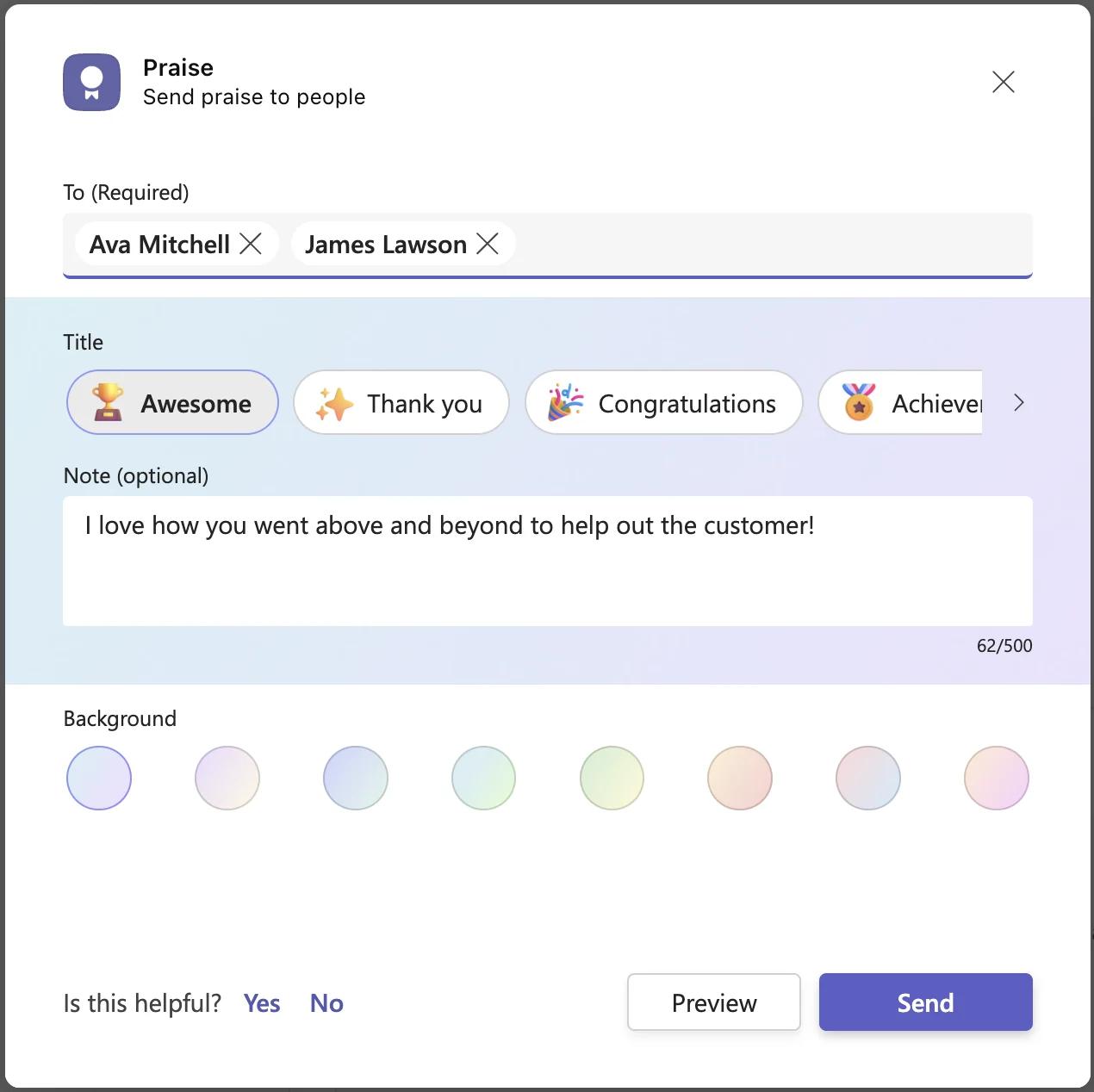
The wall shows up when someone wants Praise to become a program. What we found sending Praise in our own tenant in September 2026, and what Microsoft's documentation confirms:
- Fourteen fixed titles, and that is the whole vocabulary. The compose form has four fields (To, Title, Note, Background), and Title offers exactly 14 options: Awesome (the default), Thank you, Congratulations, Achiever, Problem solver, Courage, Team player, Kind heart, Optimism, Creative, Leadership, Inclusive, Coach, and Growth, each with a fixed emoji. Background offers eight pastel colors, the only per-praise customization (verified in-product, September 2026). Microsoft offered custom badges from September 2020 and withdrew them in February 2022 (Microsoft 365 Message Center notice MC329432); the current admin documentation contains no custom-badge settings. That gap matters: according to The Recognition Habit, Matter's 2026 Benchmark Report, teams that create their own kudos types (e.g., company values) recognize 4.6x more per person than teams on defaults and are 3x more likely to be active at all; where custom types exist, 65% of recognition uses one.
- No reporting for HR or managers, at any price. Each person sees their own feed and a six-month history in the free Viva Insights app, which requires an Exchange Online mailbox (Microsoft Support, Praise in Viva Insights, verified August 2026). Personal Praise Trends require a Viva Insights subscription, $4 per user/month standalone (Microsoft Viva Insights plan page, verified August 2026), and Microsoft describes those trends as surfacing data privately (MC448356, November 2022). Microsoft Q&A threads from 2022 through 2024 confirm there is no admin or HR report of praise activity, even for a Global Administrator.
- No rewards, no celebrations, no surveys. Microsoft's Praise documentation describes titles and notes only; no reward, points, or birthday and anniversary capability appears in the admin or support docs (verified August 2026). Surveys live in separately licensed Viva Glint and Viva Pulse, bundled at $6 per user/month (Microsoft Viva pricing, verified August 2026).
- Standard channels only, and no team-wide rhythm. Praise is not available in private channels (Microsoft Support responses in Microsoft Q&A, 2023 and 2024), and guests can receive praise but not send it (Microsoft Q&A, 2023, community answer). The free Viva Insights app offers self-scheduled praise reminders (day-of-week toggles and a time picker, used in September 2026); they are a real nudge, but personal, not a cadence an admin can run.
Each of those is a documented boundary, not a flaw. Praise is a thank-you card built into Teams; the platforms below are what it graduates into, and all of them run inside Teams.
Microsoft Praise alternatives at a glance
Teams app store figures are the native ratings widget on each Microsoft AppSource listing, hand-verified in August 2026 (not the G2 panel Microsoft also displays). Pricing is per user/month, billed annually, where published.
| Vendor | Native Teams app and rating | Published pricing and free plan | Custom values recognition | Rewards | Reporting for HR |
|---|---|---|---|---|---|
| Microsoft Praise (reference) | Built in; no store listing | Included with Teams; Praise Trends need Viva Insights at $4 | No; 14 fixed titles | None | None at any tier |
| 1. Matter | Yes; 5.0 (1,476 ratings) | Free plan, unlimited users; Basic $1; Pro $3; Pro + Surveys $5 | Yes | 10,000+ options, 200+ countries | Yes (Basic and up) |
| 2. Nectar | Yes; 4.4 (2,319) | Quote-based; no free plan | Yes | Yes, Amazon-scale catalog | Yes |
| 3. HeyTaco | Yes; 4.7 (316) | Classic $3; Deluxe $5; no free plan | Partial (Taco Tags; taco emoji fixed) | Custom rewards; gift cards on Deluxe | Insights on Classic; advanced on Deluxe |
| 4. Bonusly | Yes; 4.4 (45) | Free up to 8 users; Team $3; Team + Bizy $5; Organization quote | Yes | Yes | Yes (company-wide on Organization) |
| 5. Awardco | Yes; 4.5 (1,418) | Quote-gated; small-business packages from $3,000 per year; no free plan | Yes | Yes, Amazon Business catalog | Yes |
| 6. Motivosity | Yes; 4.2 (58) | Quote-gated; $3,000 annual minimum; no free plan | Yes | Yes, incl. ThanksMatters Visa card | Yes |
| 7. Assembly | In-client Teams app, 4.3 (521 in-client reviews); no AppSource listing | Empower $3; Enterprise custom; no free plan on current pricing page | Yes | Yes | Yes (Dora AI reporting) |
| 8. Workhuman | Yes; 4.7 (2,979) | Quote-only; no free plan | Yes (award-based) | Yes, 1M+ choices | Yes (Workhuman iQ) |
| 9. Achievers | Yes; 4.6 (979) | Quote-gated; modules priced separately; no free plan | Yes | Yes | Yes (40+ reports) |
| 10. Vantage Circle | Yes; 4.6 (3,631) | Grow, Transform, Scale: all custom pricing; no free plan | Yes | Yes | Yes |
The 10 best Microsoft Praise alternatives that run inside Teams
1. Matter
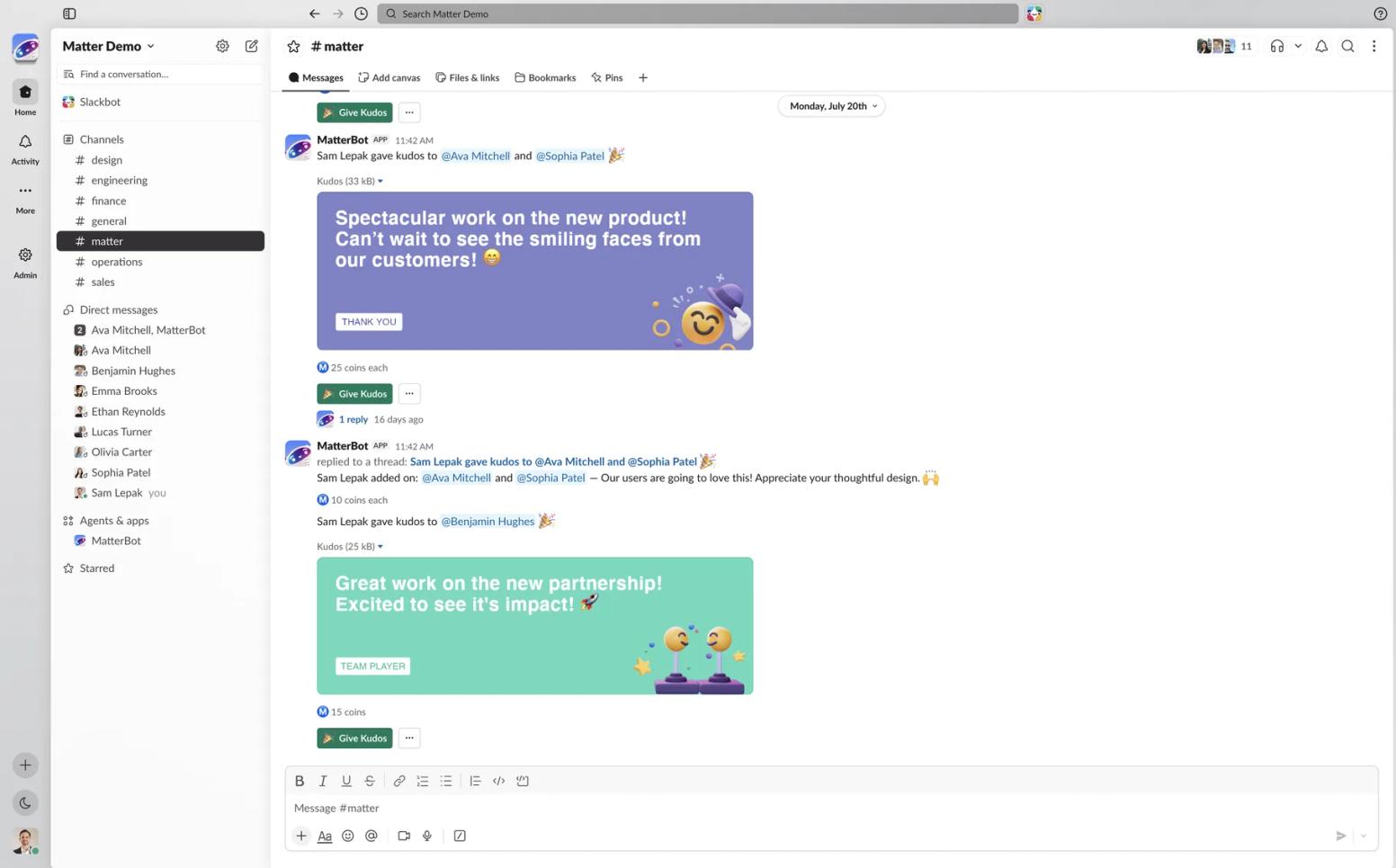
What it is: Matter is a Teams-first and Slack-first employee recognition, rewards, and surveys platform. It installs from the Teams app store in about two minutes, pulls your team from Teams with no separate login and no HRIS required to start, and puts designed kudos cards tied to your company values into the channels people already read. The weekly Feedback Friday™ ritual (U.S. Patent No. 12,199,935) is a team-wide cadence run by the program, not by each person.
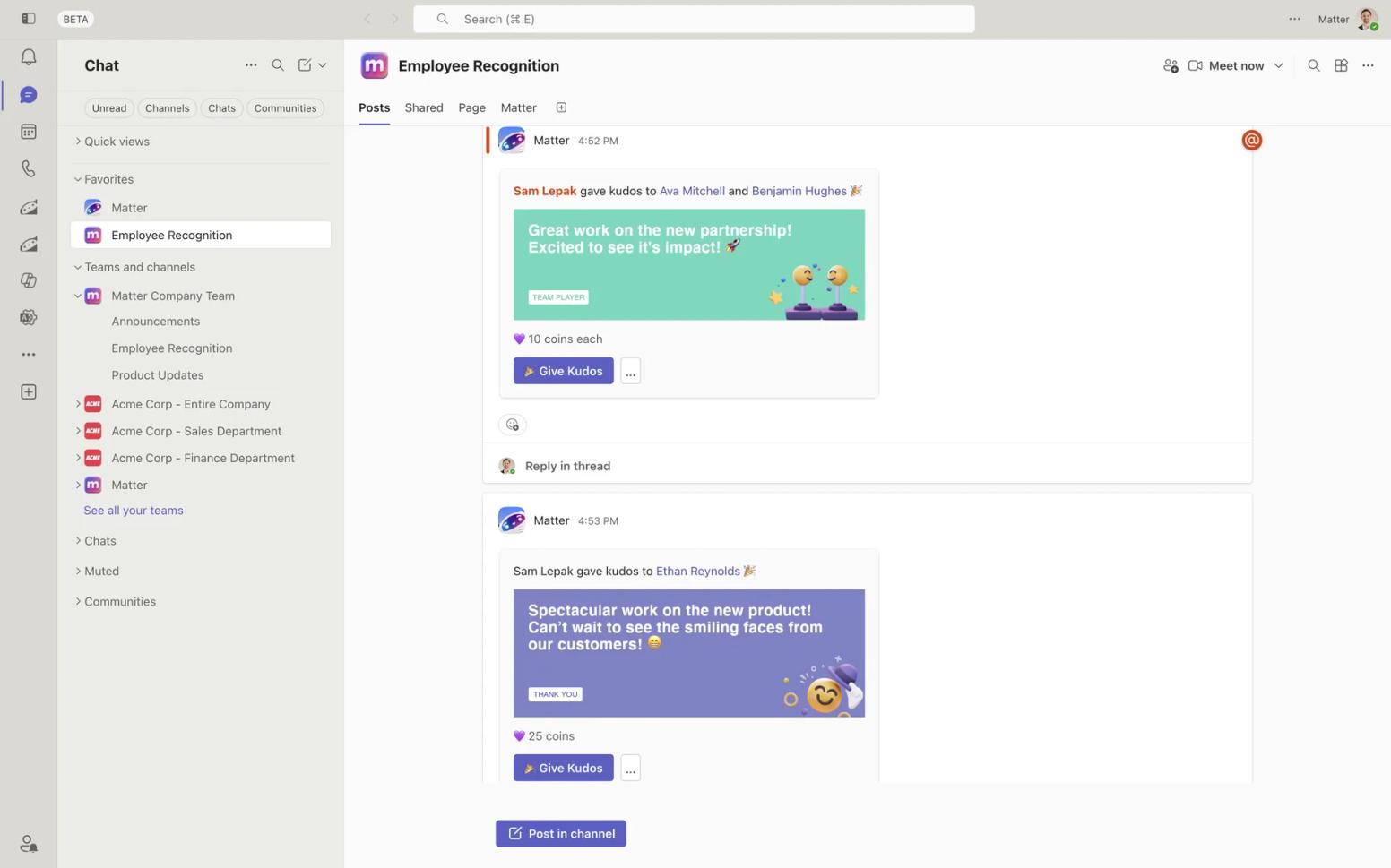
Teams availability: Native app, rated 5.0 across 1,476 ratings on the Microsoft Teams app store, the only 5.0 on this list at meaningful volume; Microsoft 365 certified and works with Microsoft Copilot. For identity, sync, and deprovisioning details, see Matter for IT admins: no new logins, users synced from Teams, SOC 2 Type 2.
Pricing (published; Matter hasn't raised prices in 8 years): Matter's Free plan is for unlimited users, with kudos, the template library, and Feedback Friday™. Basic is $1 per user/month, billed annually, adding celebrations, custom kudos tied to company values, and analytics and reporting. Pro is $3 per user/month, billed annually, adding rewards and company swag. Surveys are a $2 add-on (Pro + Surveys totals $5); Enterprise is custom and adds HRIS integration. See Matter's pricing.
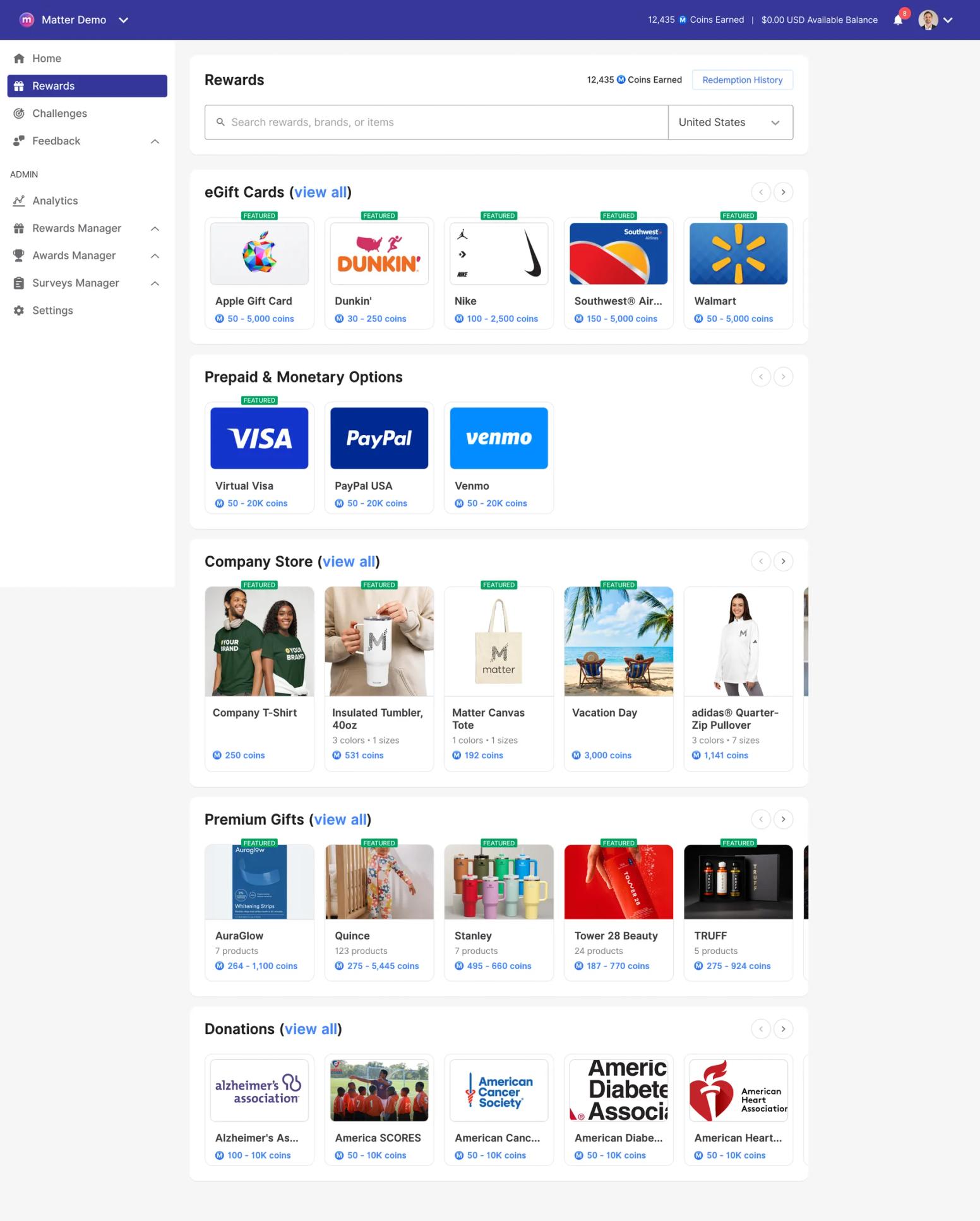
Strengths: Everything Praise cannot do is on Basic for $1: custom values kudos, automated birthdays and work anniversaries, and reporting HR can actually open. Pro adds 10,000+ reward options across 200+ countries, including eGift cards, premium gifts, donations, and company swag (print-on-demand or self-fulfillment), redeemed inside Teams. Give-coins reset weekly, earned coins never expire, and coin monitoring caps how many coins one person can send another. Rewards can be prepaid via ACH at 0%, by card at 3.5%, or pay-as-you-go by card at 5% plus $0.35 per transaction. 24/7 support, a 14-day trial with no card, and a 4.7 across 1,186 reviews on G2. From Matter's customer stories: McInnis & Holloway reached 80%+ engagement in under two months (Jeff Hagel, President).
Where it falls short: Matter is built around Teams and Slack; teams on neither will not get the core experience. Some G2 reviewers find the default notification cadence chatty, though settings allow tuning channels and reminders. Kudos cannot be edited in place, only deleted and resent.
Best for: Teams-first organizations of any size that want a measurable recognition program without a procurement project. Not the right choice if your workforce does not live in Teams or Slack.
Direct Comparison: Microsoft Praise vs. Matter, with the licensing matrix and a five-step rollout.
2. Nectar
What it is: Nectar is a points-based peer recognition and rewards platform for US mid-market companies, now sold as a suite (Recognize, Comms, and Engage, its 2026 survey product), strongest in healthcare, manufacturing, and frontline settings (kiosk mode, SMS, multi-language).
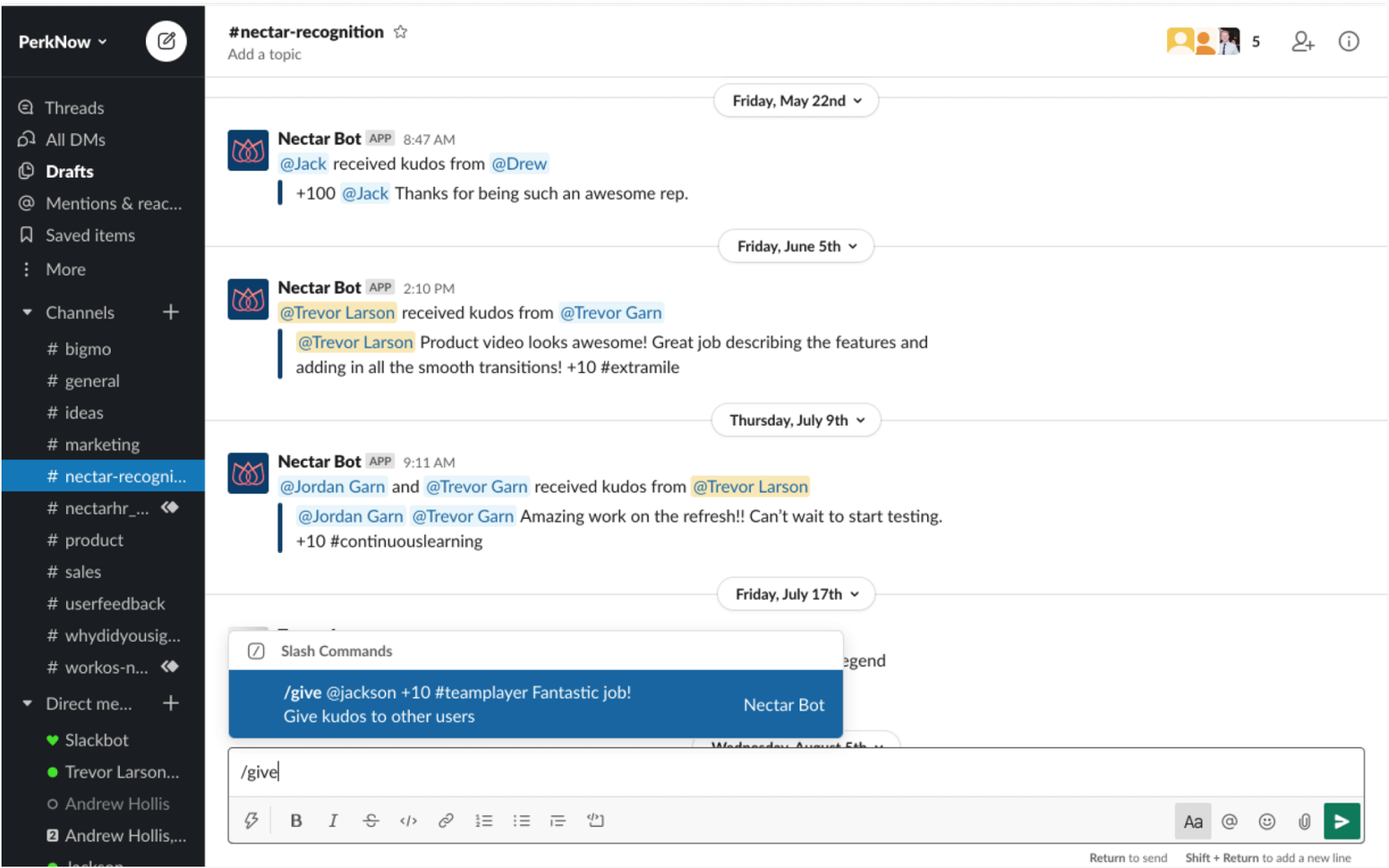
Teams availability: Native app, rated 4.4 across 2,319 ratings on the Teams app store.
Pricing: Quote-based as of August 2026: Nectar's pricing page shows bundles with no per-user prices. No free plan. Card payments for rewards carry a 3.5% plus 40-cent fee (avoidable via ACH, check, or wire) per Nectar's billing FAQ.
Strengths: The deepest rewards marketplace among the mid-market players, with Amazon-scale breadth. Ease of use is the most-mentioned positive on G2, where Nectar is rated 4.7 across 8,579 reviews (August 5, 2026).
Where it falls short: Give-points reset on the first of each month and unused points expire; the top five dislike themes on Nectar's G2 profile all concern the points system, roughly 1,600 reviews combined. Van N., a teacher, in April 2026: “I wish I had more than 50 points to give out each month... I often run out before the month ends.”
Best for: Mid-market teams with a large frontline workforce that want an Amazon-scale catalog. Not the right choice if you want published pricing or a self-serve start.
Direct Comparison: Nectar vs. Matter.
3. HeyTaco
What it is: HeyTaco is the lightest tool here: teammates give each other tacos in Slack or Microsoft Teams channels, five per day by default, with leaderboards, stickers, and a Taco Shop for rewards. It is the closest in spirit to Praise: an emoji-level thank-you in the chat, with a program layer on top.
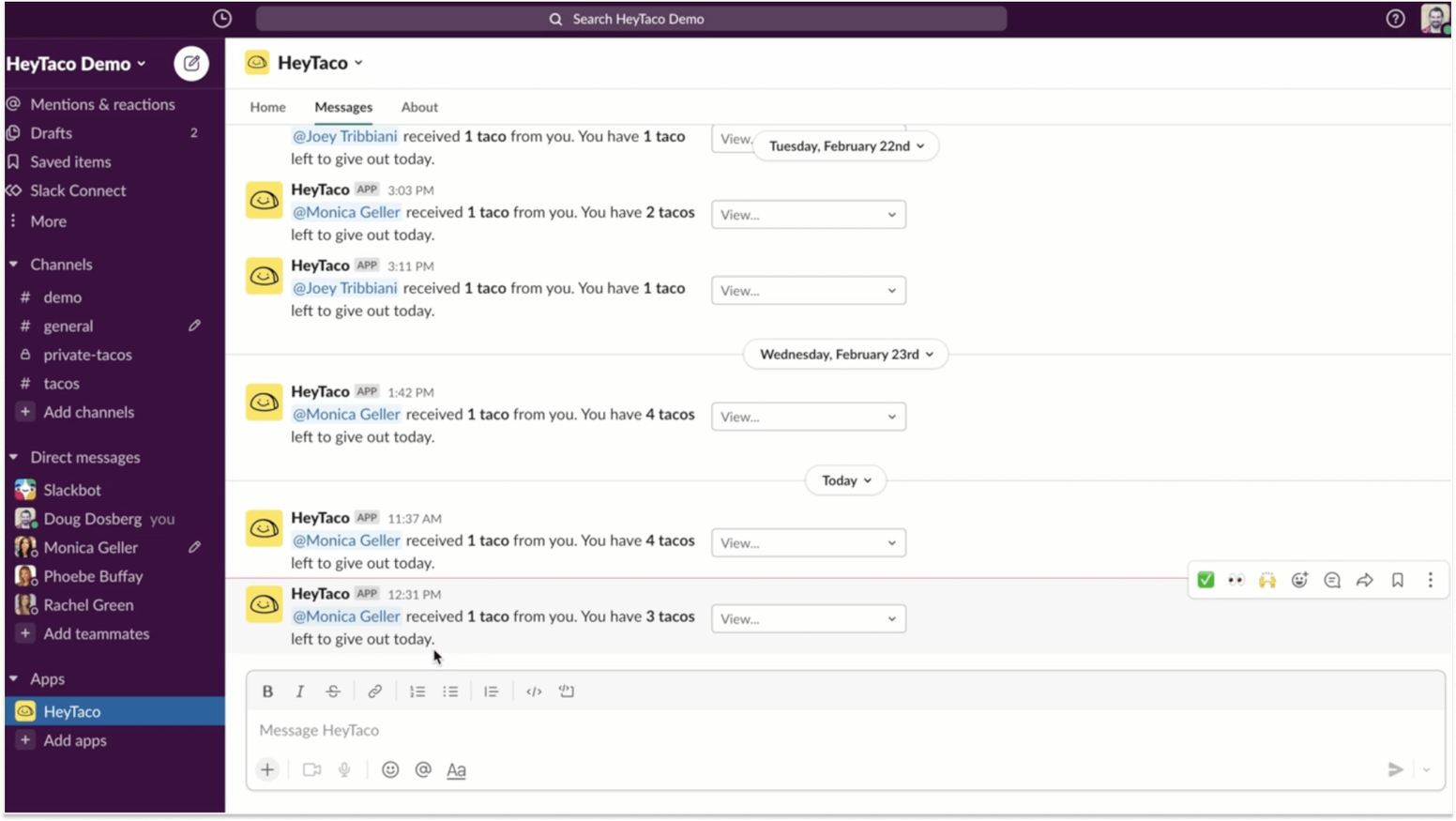
Teams availability: Native app, rated 4.7 across 316 ratings on the Teams app store. One boundary it shares with Praise: in Teams, tacos work in standard channels only, per HeyTaco's documentation.
Pricing: Published on HeyTaco's pricing page: Classic at $3 per user/month and Deluxe at $5 per user/month, which adds milestone celebrations, instant gift cards (2,000+ options, 200+ countries), and advanced analytics. A 30-day trial needs no card, and you pay only for people who give or receive a taco. No free plan.
Strengths: About the lowest-friction recognition UX in the category, fun for the right culture, SOC 2 Type II. Rated 4.7 across 721 reviews on G2 (August 5, 2026).
Where it falls short: The daily allowance is the product's signature and its top G2 dislike (71 mentions): tacos are use-it-or-lose-it every night. The taco emoji is fixed, whether or not that suits a law firm or a hospital. No HRIS integrations are documented, and gift cards require Deluxe.
Best for: Small, chat-centric teams under about 200 people that want a daily habit. Not the right choice if you need values-based cards, HRIS sync, or a free tier.
Direct Comparison: HeyTaco vs. Matter.
4. Bonusly
What it is: Bonusly pairs a monthly points allowance with a public recognition feed and a rewards catalog, and in 2026 added ‘Bizy,’ an AI recognition assistant, plus performance tools (1:1s, recaps, goals).
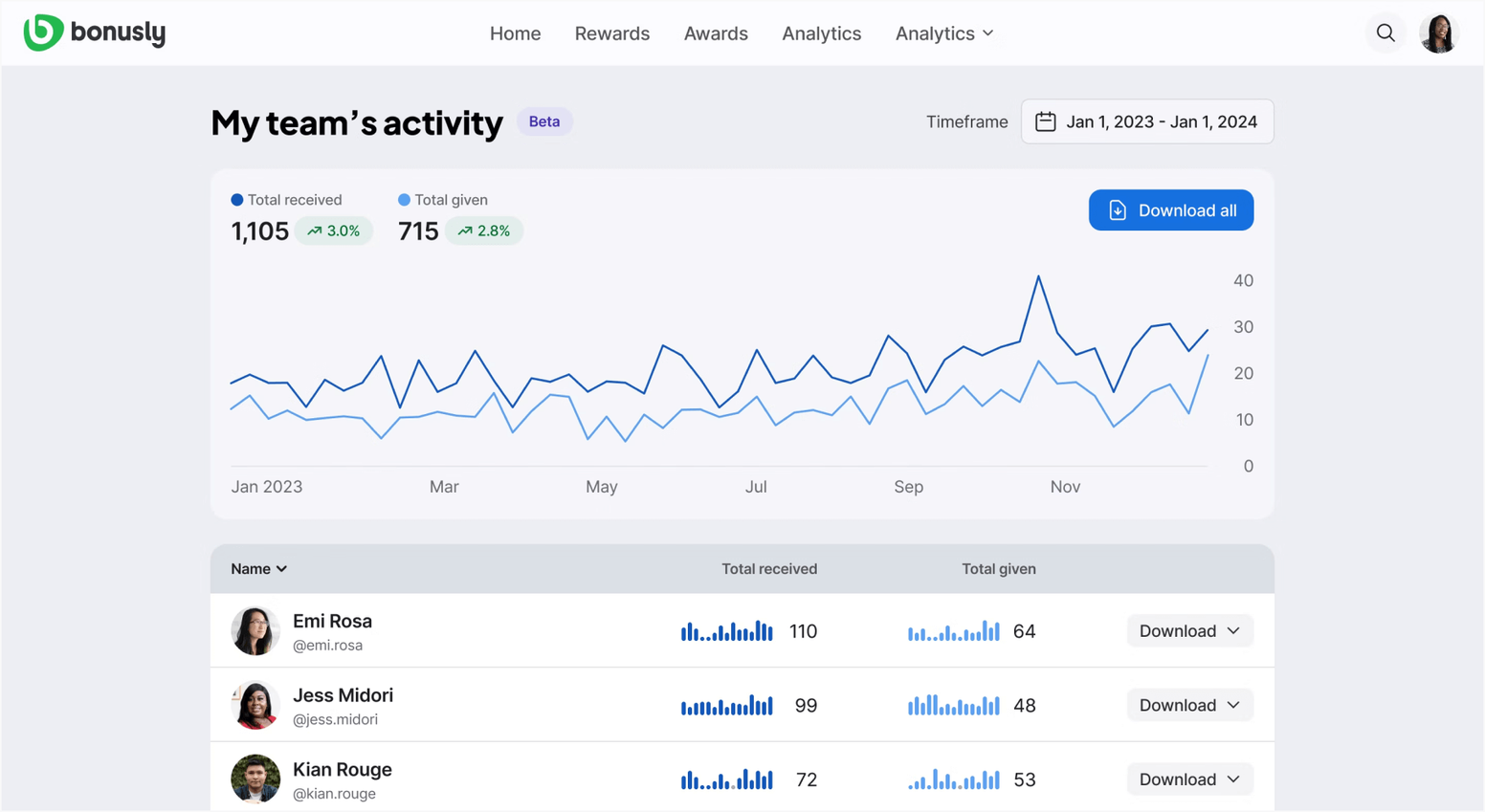
Teams availability: Native, Microsoft 365 certified app, rated 4.4 across 45 ratings on the Teams app store, a thin base for a platform of Bonusly's size.
Pricing: Per Bonusly's pricing page (August 2026): Free for up to 8 users, recognition only; Team at $3 per user/month, billed annually; Team + Bizy at $5 per user/month, billed annually; Organization quote-gated. Reward funding fees are the fine print: 8% pay-as-you-go, 5% on the card-prefunded Flex plan, and 0% only with a $2,500 deposit, per Bonusly's help center.
Strengths: Public pricing, no-training adoption, 30+ HRIS integrations, and the fastest-shipping AI features in the category as of August 2026. Rated 4.7 with 7,000+ reviews on G2 (August 2026).
Where it falls short: The monthly allowance resets whether you use it or not. Bonusly's own rewards calculator says 60% of allowances are given away, so about 40% expires unused; the top eight G2 dislike themes are all points complaints. Nikki C., a small-business reviewer, in May 2026: “I regularly run out of points as I have a big team and want to recognise them.”
Best for: Teams that want a points-and-rewards feed with published pricing and AI features and are comfortable with a monthly budget. Not the right choice if you want unlimited users free.
Direct Comparison: Bonusly vs. Matter.
5. Awardco
What it is: Awardco is the rewards-logistics heavyweight: employer-funded points redeemed through an Amazon Business partnership at retail prices with no markup, plus gift cards, travel, and a company store, with recognition programs (spot, nominations, service awards) layered on top.
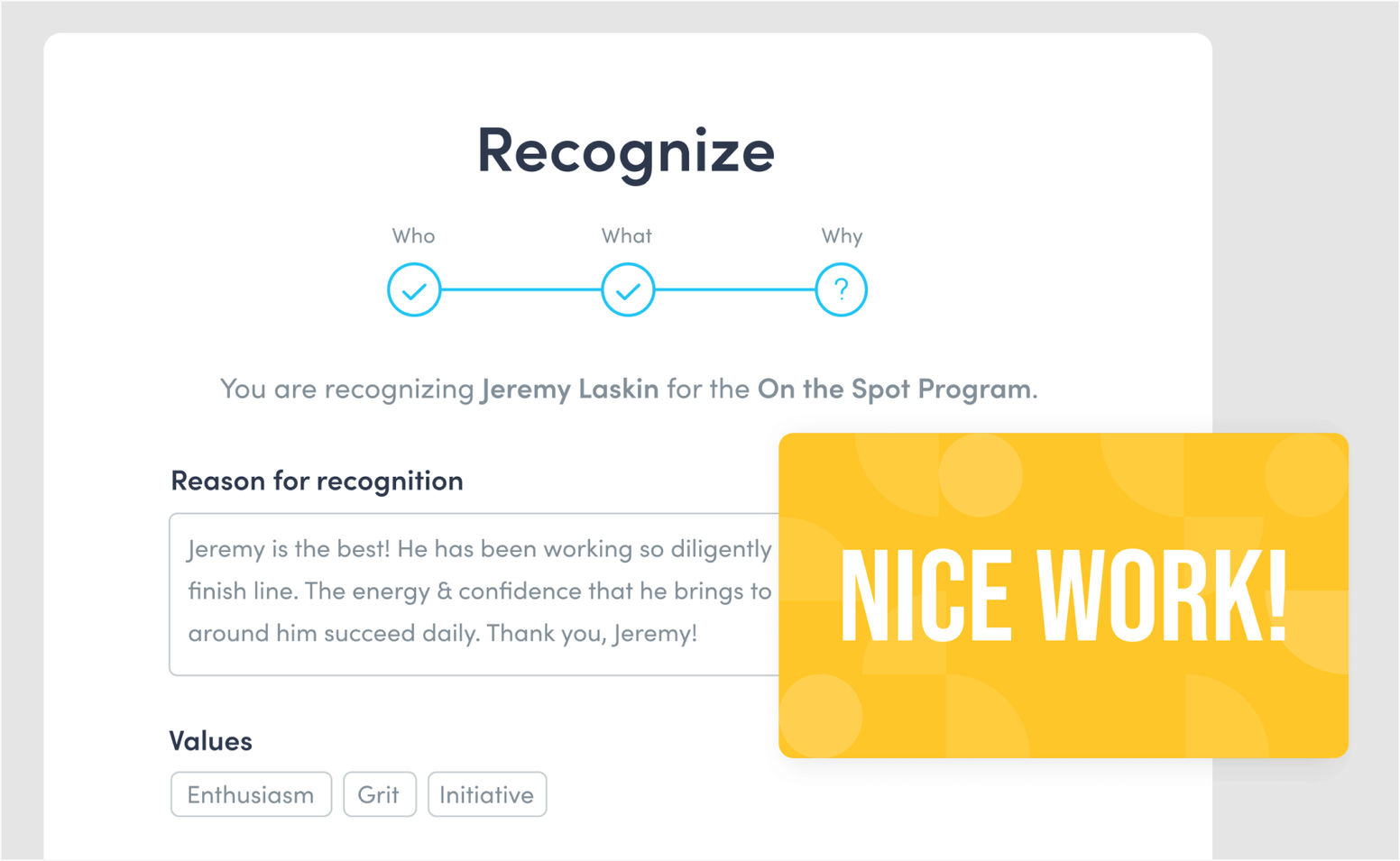
Teams availability: Native, Microsoft 365 certified app (‘Recognition by Awardco’), rated 4.5 across 1,418 ratings on the Teams app store.
Pricing: Quote-gated. Awardco's pricing page names its tiers without prices and says businesses with 100 employees or fewer can ask about packages starting at $3,000. Reward budgets are prefunded by invoice.
Strengths: The highest G2 rating in the category, 4.9 across 6,325 reviews (G2, August 5, 2026), with ‘easy setup and use’ the top like theme. The zero-markup claim checks out for Amazon items, and Texas Roadhouse reports a 209% rise in annual recognitions across 78,000 employees.
Where it falls short: Implementation is a project; Leah G., a workplace experience manager, wrote in April 2026 that Awardco “was by no means an easy launch and required a significant lift from our team.” Point expiration is an employer-set dial, and Awardco's help center is blunt: “Once points expire, they are gone from your point balance.”
Best for: Mid-market and enterprise teams with real rewards budgets for whom catalog scale is the point. Not the right choice for a team under 100 that wants to start this week.
Direct Comparison: Awardco vs. Matter.
6. Motivosity
What it is: Motivosity is a mid-market recognition and rewards platform built on dollar-denominated giving (one Motivosity Buck equals one US dollar), a social feed, milestones, eNPS insights, and its ThanksMatters Visa card for tap-to-pay redemption.
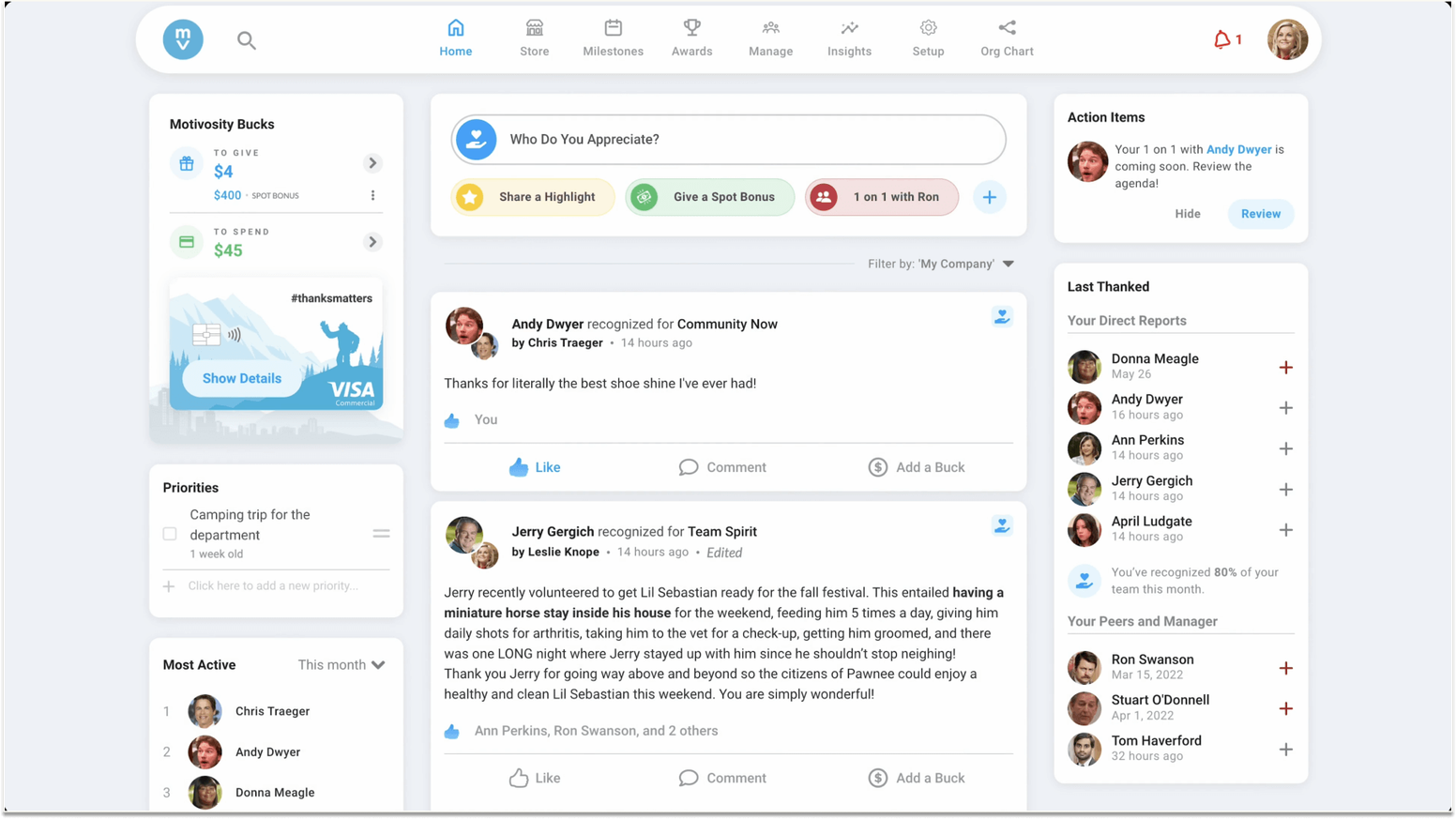
Teams availability: A certified Teams app (Motivosity Team Connector), rated 4.2 across 58 ratings on the Teams app store; the core experience is Motivosity's own apps (4.8 on both app stores, August 2026).
Pricing: Quote-gated, with a $3,000 annual minimum stated on Motivosity's pricing page and FAQ. Reward funding is prepaid, 0% via ACH or 3.5% by card, from US sources only.
Strengths: The ThanksMatters card is genuinely differentiated: earned dollars are spendable immediately, with Apple Wallet support, and dollar-clarity beats points math. Rated 4.7 across 3,615 reviews on G2 (August 5, 2026).
Where it falls short: By Motivosity's own FAQ, unused ‘To Give’ dollars reset on the first of each month without rollover. Clayton M., a customer success manager, in April 2026: at month end “it felt like you were just trying to come up with something to compliment someone on, which didn't feel as genuine.”
Best for: Mid-market teams that want dollar-based recognition with a spendable card. Not the right choice for a small team or a company funding rewards from outside the US.
Direct Comparison: Motivosity vs. Matter.
7. Assembly
What it is: Assembly is a peer recognition platform with a monthly giving allowance, a global reward catalog, milestones, announcements, and ‘Dora’ AI reporting. Quantum Workplace acquired it on January 26, 2026; it operates standalone with its founder still CEO.
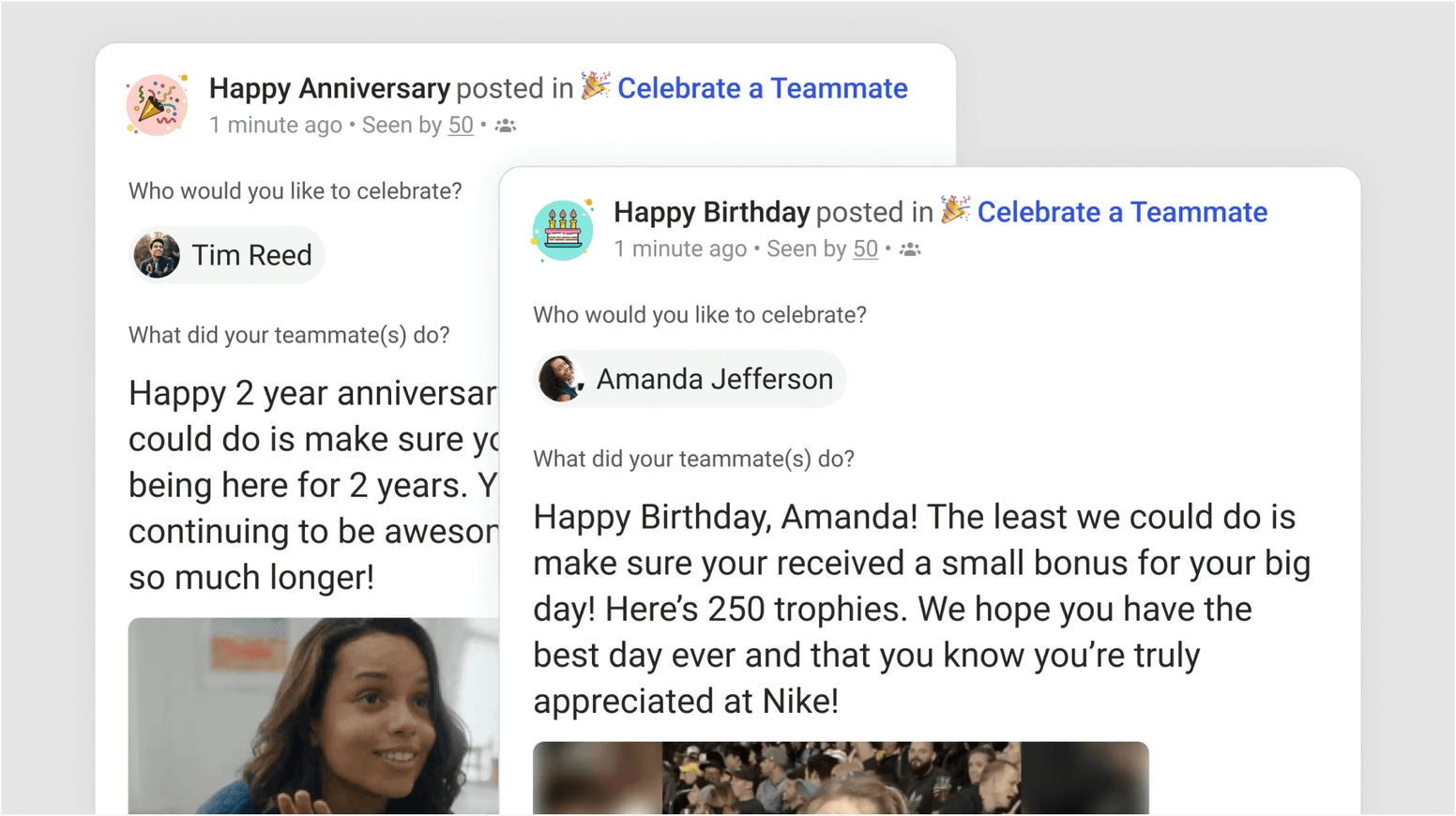
Teams availability: A native, Microsoft 365 certified Teams app that rates 4.3 across 521 in-client reviews; Assembly has no public AppSource listing.
Pricing: Published on Assembly's pricing page: Empower at $3 per user/month, billed annually, and Enterprise custom; no free plan appears on the current page. Reward funding is 0% via bank transfer or 3.5% by card for customers onboarded on or after February 1, 2026, per Assembly's help center.
Strengths: One of the best G2 scores in the category, 4.8 across 4,187 reviews (G2, August 5, 2026), driven by ease of use; a broad catalog; conversational AI reporting for admins.
Where it falls short: Month-end allowance expiry is a 146-mention G2 dislike theme; Jade H., a software engineer, in June 2026: “Carrots run out monthly.” Assembly's help center does not document what happens to earned points when someone leaves, and new customers should ask what ‘same pricing’ means at renewal under new ownership.
Best for: Small and mid-sized teams that want a polished feed at $3 and are comfortable with Quantum Workplace's integration roadmap. Not the right choice if you want a free tier.
Direct Comparison: Assembly vs. Matter.
8. Workhuman
What it is: Workhuman is the enterprise incumbent: an award-and-nomination model where colleagues nominate each other for titled awards that route through approval, backed by a marketplace of 1M+ reward choices in 180+ countries, 8M+ users, and an AI suite that includes an Inclusion Advisor.
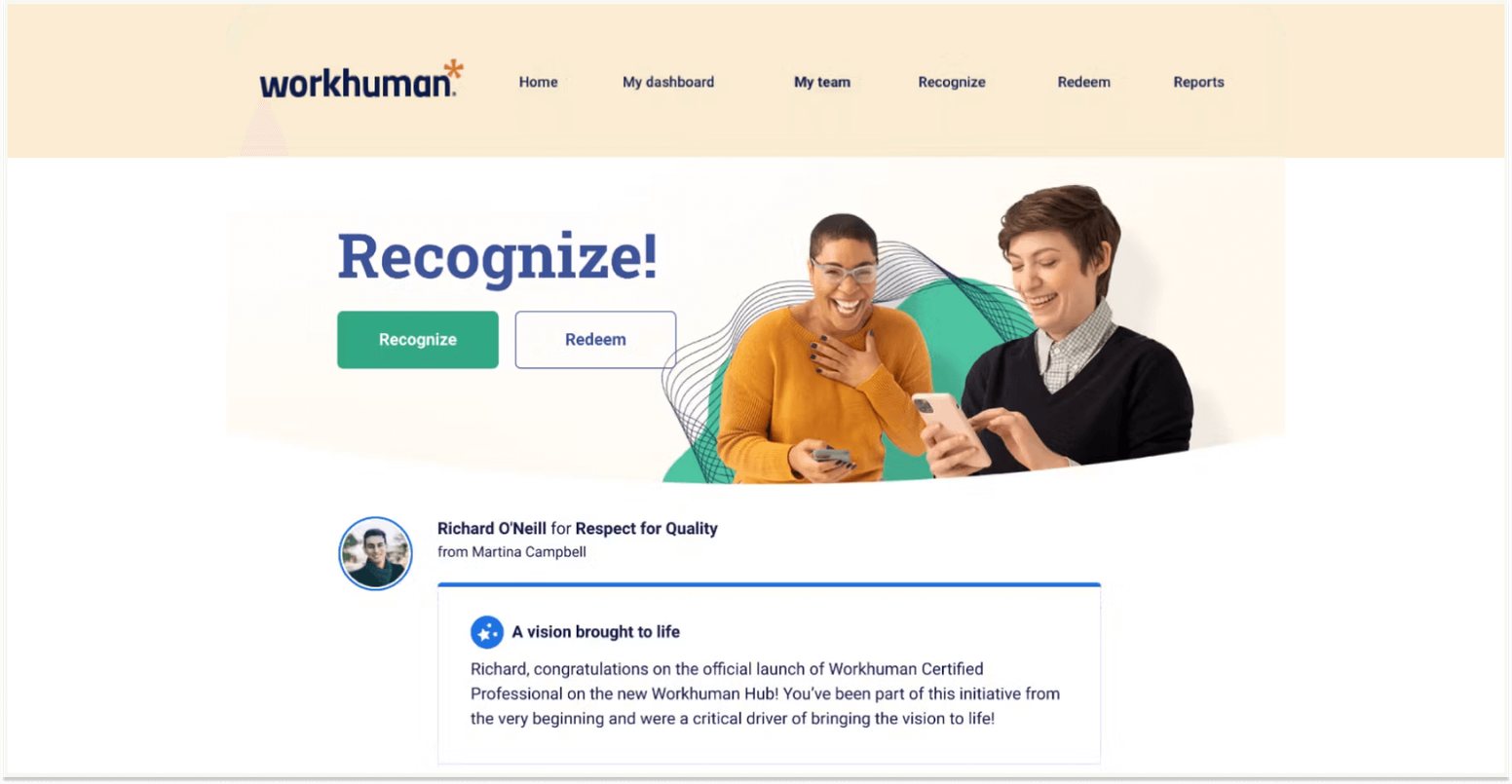
Teams availability: A certified Teams app (launched September 2023), rated 4.7 across 2,979 ratings on the Teams app store, the strongest Teams presence among the enterprise players.
Pricing: Quote-only; Workhuman publishes no pricing page. The one number it does publish is a recommended program spend of 1% of payroll as the ROI tipping point (workhuman.com/llm-info, verified August 2026).
Strengths: Unmatched global fulfillment reach, deep analytics (Workhuman iQ), best-in-class service milestones, an enterprise compliance stack, and a 4.7 across about 2,400 reviews on G2 (August 5, 2026).
Where it falls short: Nomination plus approval makes recognition rare and ceremonial; ‘slow approvals, complex criteria’ is a 230-mention G2 dislike theme. Riyaz M., a senior manager, in June 2026: “too few redemption options, and major players like Amazon are missing.”
Best for: Global enterprises of 10,000+ with structured HR functions. Not the right choice for small or budget-conscious teams.
Direct Comparison: Workhuman vs. Matter.
9. Achievers
What it is: Achievers, owned by gift-card giant Blackhawk Network since 2015, is a points-based enterprise platform with peer recognition, nomination workflows, a Listen survey module, and deskless access through QR codes, physical cards, and kiosks.
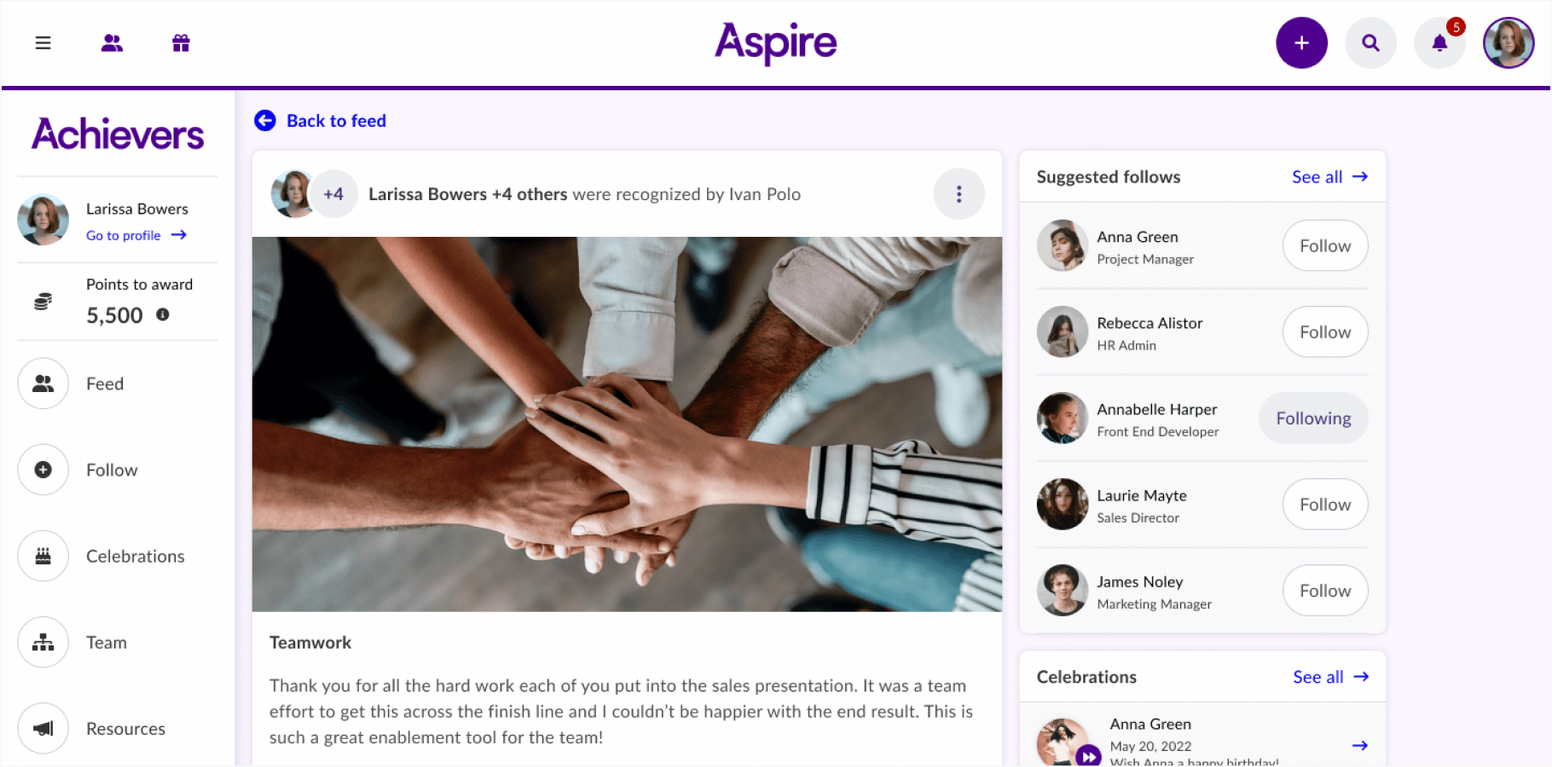
Teams availability: Native, Microsoft 365 certified Teams app, rated 4.6 across 979 ratings on the Teams app store.
Pricing: Quote-gated: a platform fee plus a separately funded recognition budget, with modules such as Pulse Surveys priced individually. Implementation typically runs 6 to 12 weeks.
Strengths: The largest review base in the category, 4.6 across 9,595 reviews on G2 (August 5, 2026). Blackhawk gives it in-country fulfillment in about 190 countries, and Meijer reports 10 million recognition moments in three years.
Where it falls short: ‘Limited gift and reward options’ is the top G2 dislike (596 mentions), and reviewers report markups and fixed denominations against the face-value claim. Fatima K., a head of sales, in November 2025: “Limited reward options and low point values, making it hard to redeem meaningful rewards.” The Android app rated 3.7 as of August 2026.
Best for: Large deskless-heavy enterprises in retail, healthcare, and manufacturing. Not the right choice for a team that wants published pricing or a rollout measured in days.
Direct Comparison: Achievers vs. Matter.
10. Vantage Circle
What it is: Vantage Circle is a global engagement suite: Vantage Recognition (formerly Vantage Rewards), Vantage Perks discounts, Vantage Pulse surveys, and Vantage Fit wellness. Founded in India in 2010, it claims 3.2M+ users across 100+ countries, with SOLI-adjusted reward value across countries.
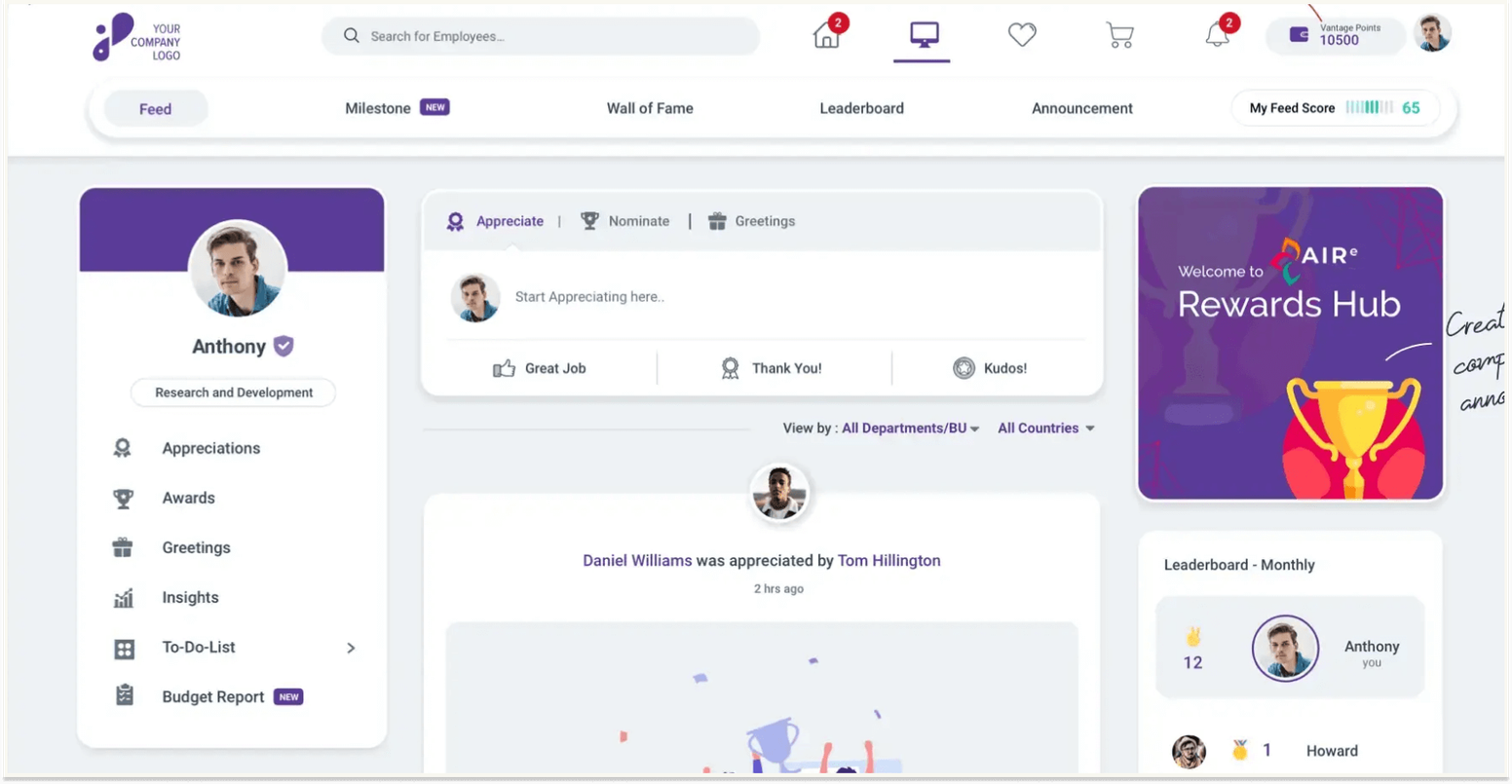
Teams availability: A native embedded Teams app with awards, nominations, and leaderboards inside Teams, rated 4.6 across 3,631 ratings on the Teams app store, the second-largest volume on this list.
Pricing: Three tiers, Grow, Transform, and Scale, all listed as custom pricing on Vantage Circle's pricing page (verified August 2026). Pulse surveys are an add-on below the Scale tier.
Strengths: Suite breadth no one else here matches, multi-country mechanics (SOLI parity, multi-wallet, 16+ languages), and Wipro-scale proof (a 97.5% increase in peer recognition across 234,000 employees). Rated 4.7 across 10,896 reviews on G2 (August 6, 2026).
Where it falls short: All five top G2 dislike themes concern the rewards catalog and redemption, roughly 690 mentions, led by regional gaps. Per Vantage Circle's help center, reward points become invalid once you exit your organization. Case-study evidence is overwhelmingly India-headquartered enterprises.
Best for: Large, globally distributed enterprises, especially with a significant India workforce, that want recognition, perks, wellness, and surveys from one vendor. Not the right choice for a US-first team that wants published pricing.
Direct Comparison: Vantage Circle vs. Matter.
How to choose a Microsoft Praise alternative
The short version, naming each vendor where it honestly wins:
- Live in Teams, want values, rewards, celebrations, and reporting without a procurement project: Matter.
- Small chat-centric team, want fun and a daily habit: HeyTaco.
- Frontline workforce, want an Amazon-scale catalog: Nectar or Awardco.
- Want a spendable cash card as the reward: Motivosity.
- Want points with public pricing and fast-moving AI: Bonusly or Assembly.
- Global enterprise of 10,000+: Workhuman, Achievers, or Vantage Circle.
- Occasional thank-yous, no budget, no need for reporting: stay on Praise.
Then weigh the criteria that separate a feature from a program:
- Teams depth. Every vendor here has a Teams app; the question is whether recognition happens inside Teams or Teams is a notification layer for a separate app with its own login. Read the native Teams store ratings, not the G2 panel Microsoft displays beside them.
- Custom values. Praise's 14 fixed titles are why most teams start looking. Confirm you can create your own recognition types and that they show up in reporting.
- Cadence and expiry. Nectar, Bonusly, Motivosity, and Assembly reset monthly; HeyTaco resets nightly; Awardco expiration is employer-configured; Matter's give-coins reset weekly and earned coins never expire.
- Total cost. Add the platform fee, the rewards budget, any minimum, and the reward funding fee. Four of the ten publish prices (Matter, HeyTaco, Bonusly, Assembly); six require a demo for a number.
- Reporting for HR. The gap Praise cannot close at any price. Ask to see the participation report a manager would actually open. If you will own the program, Matter for HR and People Ops shows what a program that runs itself looks like.
- Time to first kudos. A quarter-long implementation is right for a 70,000-person retailer and wrong for a 60-person team. The 2026 Benchmark Report found that almost half of teams (46%) send their first recognition within 15 minutes of setup, identical on Slack and Teams.
- Slack too? Praise exists only inside Microsoft's surfaces. A mixed organization wants one program native in both Teams and Slack.
Five questions for any demo: Is the rewards budget separate from the platform fee, and what are the funding fees? What happens to unused points at month end and when an employee leaves? Can we create recognition types tied to our values? Which report shows participation by team, and can a manager open it? Does the Teams app work in private channels?
How to move from Praise to a recognition program
There is nothing to migrate. Praise holds no points, balances, or program data, so graduating is a rollout, not a switch, and your team keeps using Teams exactly as before. The rollout looks the same whichever platform you pick: install the app from the Teams store (or schedule the implementation, for quote-gated vendors), choose the channels where recognition will appear, add your company values as custom recognition types, turn on the weekly cadence and automated celebrations, and announce it with a short leader-sent message. You do not have to turn Praise off; some teams keep it for quick thanks, and others ask their Teams admin to block the Praise app so there is one place to look.
For Matter specifically, hands-on setup is one to two hours with the right permissions, most teams under 100 people are live within a day or two, and the Free plan makes a parallel run cost nothing. The five-step version is in the graduation section of the Microsoft Praise vs. Matter comparison linked in the Matter entry above.
Frequently asked questions about Microsoft Praise alternatives
What is the best Microsoft Praise alternative?
For most Teams-first teams, Matter: it runs inside Microsoft Teams (rated 5.0 across 1,476 ratings on the Teams app store), adds custom values kudos, rewards in 200+ countries, automated celebrations, and HR reporting, and its Free plan is for unlimited users. Teams wanting the lightest habit should look at HeyTaco; large frontline enterprises at Awardco or Achievers.
Is Praise in Microsoft Teams free?
Yes, for sending. Sending praise is included with Teams on any commercial Microsoft 365 or Office 365 plan, including frontline F1 and F3, per Microsoft's documentation verified in August 2026. The only paid praise features are personal Praise Trends and share-a-copy, which require a Viva Insights subscription at $4 per user/month standalone.
Can you customize Praise badges in Microsoft Teams?
No. Praise offers 14 fixed titles (Awesome, Thank you, Congratulations, Achiever, Problem solver, Courage, Team player, Kind heart, Optimism, Creative, Leadership, Inclusive, Coach, and Growth, verified in-product in September 2026) and eight background colors. Microsoft withdrew custom badges in February 2022 (Message Center notice MC329432), and they are not available at any license tier.
Can HR or managers see all Praise sent in the organization?
No. Praise data is personal by design: each person sees their own feed and six-month history, and Praise Trends (with a Viva Insights subscription) shows personal analytics only. Microsoft Q&A threads from 2022 through 2024 confirm there is no admin or HR report of praise activity, even for a Global Administrator. Every platform on this list provides program-level reporting.
What is the cheapest Microsoft Praise alternative?
Praise itself costs nothing beyond your Teams licenses. Among the alternatives, Matter's Free plan is for unlimited users, and Bonusly is free for up to 8 users (recognition only). The lowest published paid tier is Matter Basic at $1 per user/month, billed annually, which adds custom values kudos, celebrations, and reporting. HeyTaco, Bonusly, and Assembly each start at $3 per user/month.
Can we keep using Praise alongside a recognition platform?
Yes. Nothing needs to migrate, because Praise holds no points or balances. Some teams keep Praise for quick thanks in chats and run their program in a dedicated platform; others ask their Teams admin to block the Praise app in the Teams admin center so there is a single place for recognition. Either approach works.
Microsoft Praise alternatives: the bottom line
Praise did its job if your team is already thanking each other in Teams. When you need recognition to reflect your values, carry rewards, mark birthdays and anniversaries, and show up in a report, every platform above gives you the program without anyone leaving Teams. Pick by fit, and if you want the whole program on a Free plan for unlimited users, installed from the Teams store in about two minutes, that is Matter. Keep Teams. Graduate from Praise when your team outgrows it.
Related reading: the best Microsoft Praise competitors for 2026, the Microsoft Praise vs. Matter comparison linked above, Kudos vs. Matter, Guusto vs. Matter, and the full Matter alternatives and comparisons hub.

![10 Mo Alternatives: Features, Pricing & Reviews [2026 Guide]](/images/3a568e035c0eadcd26dae20fa7f6ce307126e9c4-800x600.jpg/mo-alternatives.jpg?w=800&q=75&fit=max&auto=format)