

Short answer: The best Microsoft Teams apps for employee surveys are Microsoft Forms, Viva Pulse, Matter, Polly, Geekbot, Workleap Officevibe and Culture Amp, separated by whether people answer inside Teams or by link.
Forms is free with Microsoft 365 for one-off surveys, and Viva Pulse needs a $6.00 or $12.00 user/month Viva plan. Matter runs a recurring program in Teams, Surveys add-on $2 per user/month, billed annually. Officevibe and Culture Amp collect answers in their platforms.
Employee surveys on Microsoft Teams start from a different place than on Slack, because Microsoft already ships two survey tools. Microsoft Forms is free with Microsoft 365 and a survey can be pinned as a tab in any team; quick chat polls now run through Microsoft’s Polls app. Viva Pulse is native to Teams but needs a paid Viva license.
Everything else is a third-party app that passes through the tenant admin: allowed in the Teams admin center, covered by an app permission policy, and sometimes granted admin consent before anyone can open it.
This page covers employee surveys broadly (pulse, eNPS, onboarding and custom); our guide to Microsoft Teams apps for pulse surveys goes deeper on cadence. The roster differs from our Slack survey apps guide because Forms and Viva Pulse exist only on Teams.
Last verified September 2026.
The short version
Microsoft Forms is the right answer for a one-off form or a meeting poll and costs nothing extra. Viva Pulse is native to Teams and good for manager-level pulse checks, but it is not in base Microsoft 365 and needs a $6.00 or $12.00 user/month Viva plan.
Matter, Polly and Geekbot are third-party apps answered inside Teams: Polly for quick polls, Geekbot for standup teams, and Matter for a recurring survey program (pulse, eNPS, onboarding, custom) with recognition at a published price. Workleap Officevibe and Culture Amp use Teams for delivery and collect answers in their own platforms.
Quick comparison
| App | Native to Teams | Starting price | Try before you buy | Best for |
|---|---|---|---|---|
| Matter | Yes, answered in Teams | Free plan; Surveys add-on $2 per user/month, billed annually | Free plan, 14-day free trial | Survey program plus recognition |
| Microsoft Forms | Built in | Included with Microsoft 365 | Included | One-off forms and meeting polls |
| Viva Pulse | Built in (licensed) | $6.00 user/month, paid yearly, in a Viva plan | Admin-led trial, 25 users | Manager pulse checks on Viva |
| Polly | Yes, answered in Teams | Free plan; Pro $19 per month, billed $228 annually | Free plan | Polls in chats and meetings |
| Geekbot | Yes, answered in Teams | Free up to 10 users; $1 per unique respondent, per month | Free plan, trial of 30 days | Standup teams adding pulse questions |
| Workleap Officevibe | Connector: answered in web app | Standard starting at $4,999 USD, billed annually | No free plan or printed trial | HR-owned engagement suite |
| Culture Amp | Connector: answered in platform | Quote-based, billed annually | No free plan or printed trial | Enterprise analytics and benchmarks |
Pricing verified September 2026 against each vendor’s pricing page; ratings are from G2 as of September 2026, except Matter’s Teams App Store figure, which is from its Microsoft marketplace listing.
How we evaluated these survey apps
We build Matter, which includes employee surveys native to Microsoft Teams and Slack, so read our entry with that in mind. For every other app we read the vendor’s pricing page, Teams product page or Microsoft documentation, plus named G2 reviews; we have not used most of them hands-on.
We scored each on five things: built in, licensed or third party; the admin path (tenant approval, app permission policies, admin consent); answered inside Teams or by link; anonymity and who sees results; and survey types beyond a one-question poll, with the pricing meter.
Pricing and availability were verified in September 2026 against each vendor’s own pricing page and app listing; ratings are from G2 as of September 2026.
One data point from our platform shaped the ranking. In The Recognition Habit, Matter’s 2026 Benchmark Report, over half of pulse responses arrive within the first hour and 87.5% within a day, coin rewards roughly double completion (39.6% vs 19.6%, survey-weighted across 84,000+ pulse surveys), and 98.2% of pulse surveys run anonymous.
The same report finds that almost half of teams (46%) send their first recognition within 15 minutes of setup, 1 in 3 within 5 minutes, and the figures are identical on Slack and Teams. On Teams, two-thirds of the team onboards within the first hour. More is at Matter Research.
What to look for in survey apps for Microsoft Teams
- Built in, licensed or third party. Forms is included with Microsoft 365. Viva Pulse is a Microsoft app behind a Viva plan. Everything else is governed by your tenant’s app policies.
- The admin path. Third-party apps must be set to Allowed under Teams apps in the admin center and covered by a permission policy assigned to users. Polly documents exactly those steps; Culture Amp asks for an org-wide third-party setting or an individual approval.
- Answered in Teams or by link. Forms (as a pinned tab), Viva Pulse, Matter, Polly and Geekbot take the answer in Teams. Officevibe and Culture Amp notify in Teams and collect the answer in a web app, which adds a login to every response.
- Anonymity and who sees results. A Forms survey can simply not record names, and Viva Pulse keeps results confidential to the requesting manager. A survey program needs anonymity as the default and org-level trending. Polly also notes that Teams does not support apps in private channels.
The best survey apps for Microsoft Teams in 2026
1. Matter
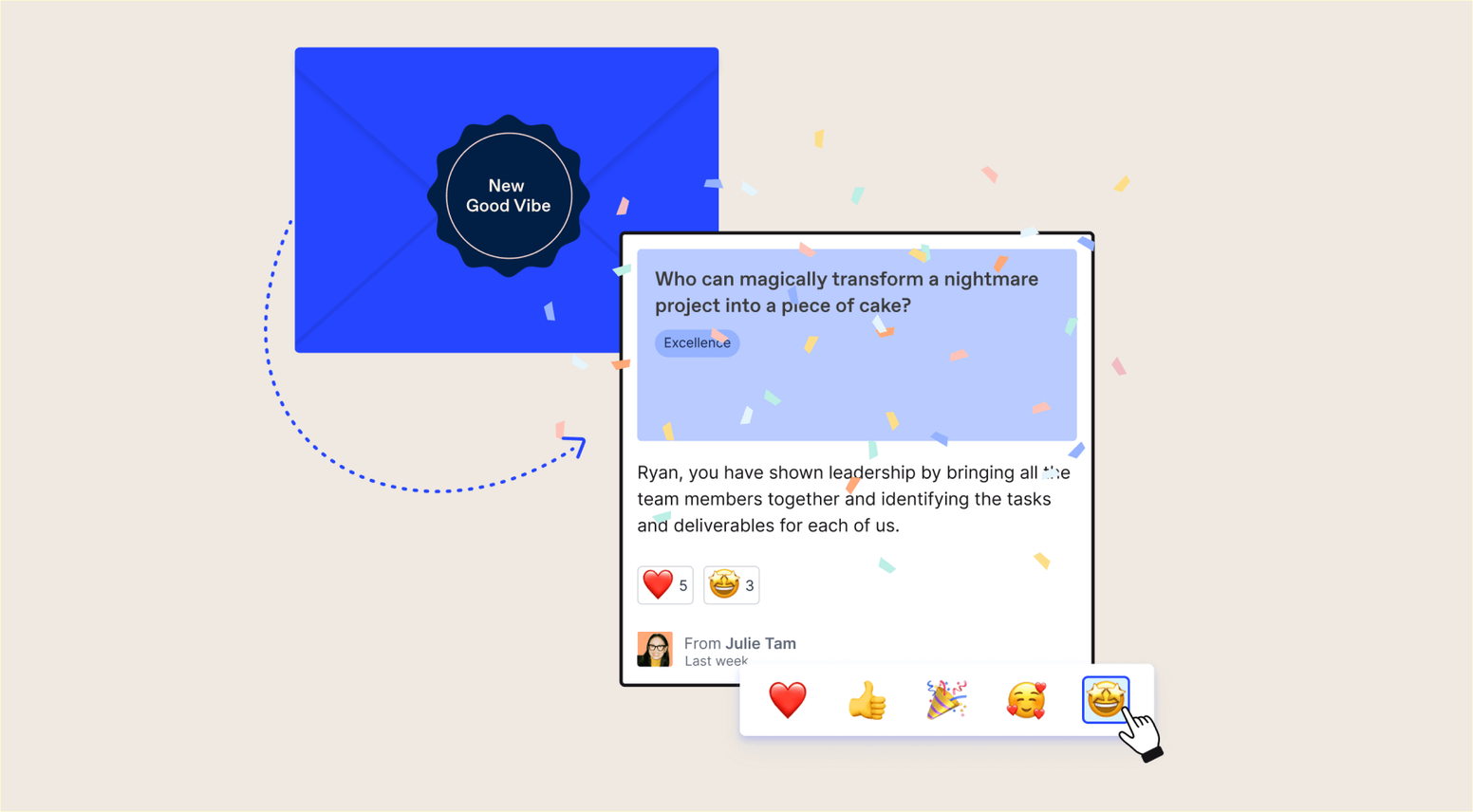
Matter is recognition, rewards and employee surveys in one app native to Microsoft Teams: no separate login, about two minutes to set up, and user management syncs from Teams. The surveys add-on runs pulse, eNPS, onboarding and custom surveys, delivered in Teams, Slack and email, with optional coin rewards for completion.
Leaders can use Matter with Microsoft Copilot to surface recognition, celebrations, survey insights and reward activity in natural language. We build Matter, so weigh this entry accordingly and read Matter’s reviews on G2 too.
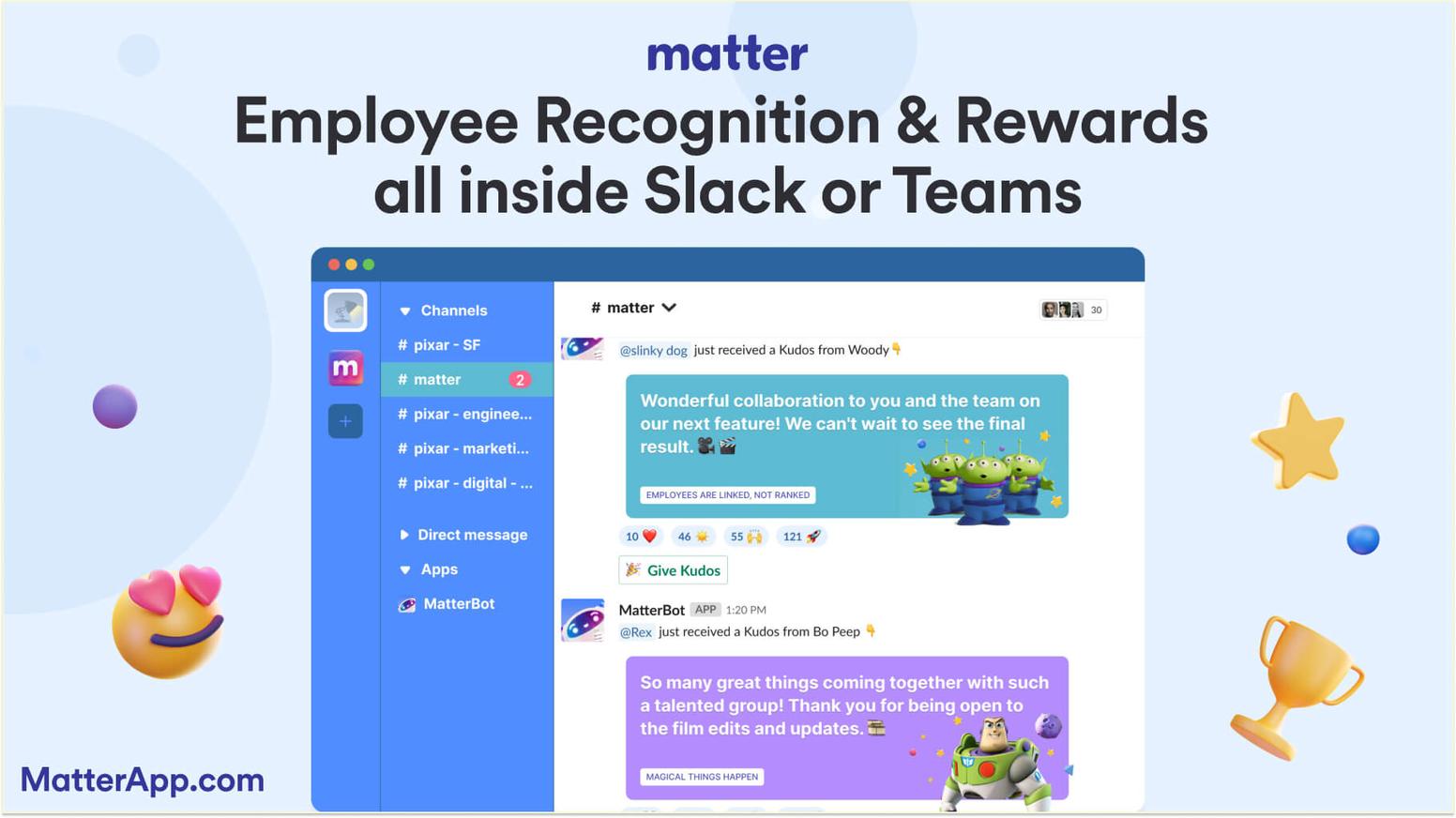
Standout strength: The survey is answered inside Teams and a small coin reward for completion is built in; Matter rates 5.0 across 1,476 ratings on the Teams App Store.
The Free plan for unlimited users covers kudos and Feedback Friday™ (US Patent 12,199,935), which prompts the team weekly; give-coins reset weekly, earned coins never expire. It is a practical first employee listening tool; templates are on the employee surveys page.
Watch out for: Surveys are a paid add-on, not part of the Free plan, and dedicated employee-experience suites go deeper on analytics: for benchmarks or driver analysis, Culture Amp or Officevibe is the better tool. A tenant admin may need to approve the app.
HRIS sync is an Enterprise-tier item (250+ HRIS integrations available; no HRIS project is required because user management syncs from Slack or Teams).
Pricing: Free plan for unlimited users. Basic is $1 per user/month, billed annually; Pro is $3 per user/month, billed annually; the Surveys add-on is $2 per user/month, billed annually, on Basic or Pro (Pro + Surveys totals $5). 14-day free trial, no credit card, and Matter hasn’t raised prices in 8 years. See the pricing page, verified September 2026.
Best for: SMB and mid-market teams on Teams that want a survey program answered in chat, alongside recognition, at a published price.
2. Microsoft Forms
Microsoft Forms is the survey tool you already own. A Forms survey can be pinned as a team tab, where people answer inside Teams, or shared as a link, with recurring templates such as employee well-being. Quick polls in a Teams chat now go through Microsoft’s Polls app, which Microsoft recommends in place of the Forms polling experience.
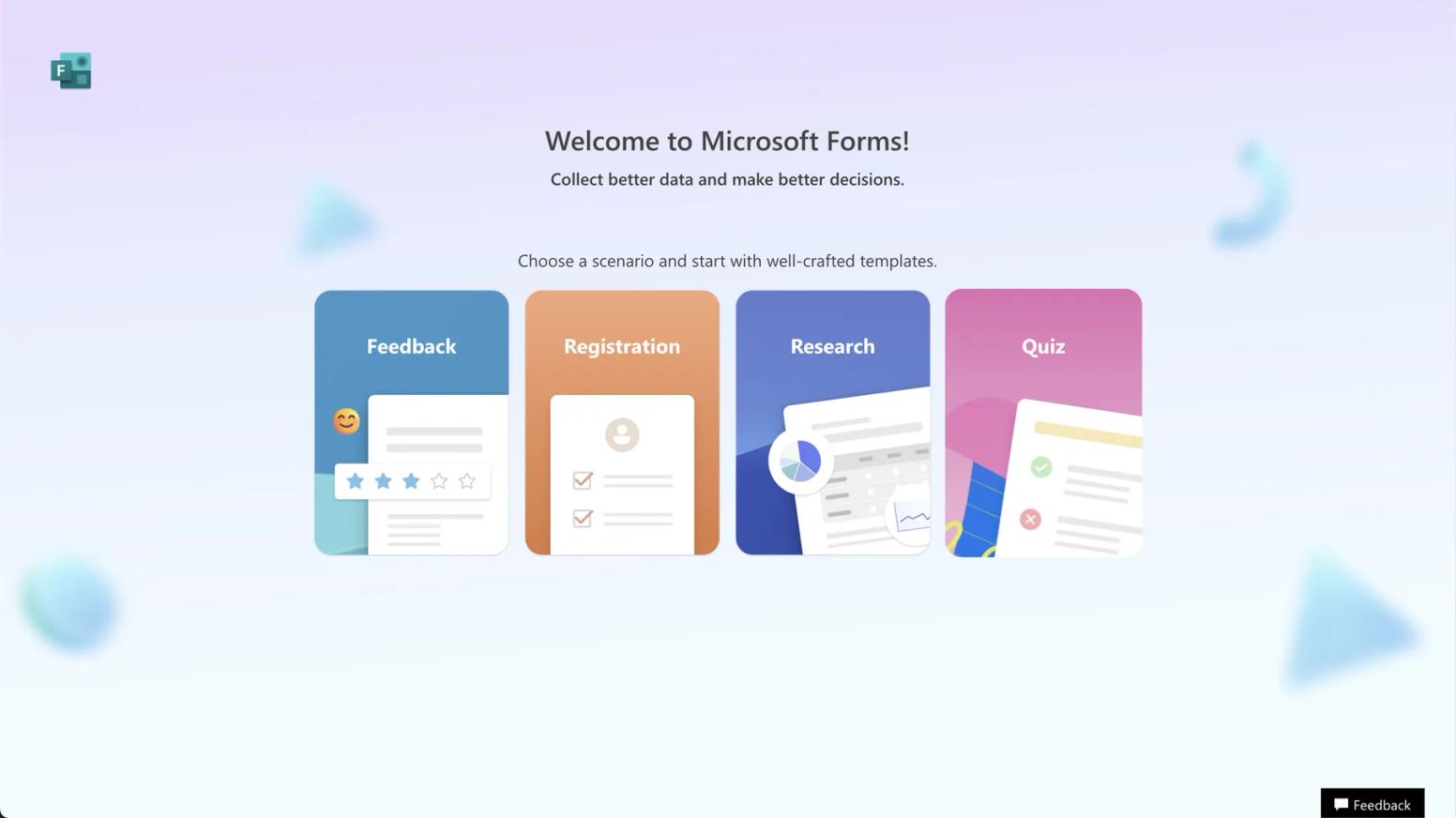
Standout strength: Free, already in your tenant, and familiar. Sree K. (August 2026) wrote on G2: “The interface is clean and intuitive, so even when I don’t use it very often, I can still build what I need without any confusion.” It holds a 4.4 across 475 reviews.
Watch out for: It is a form builder, not an employee survey program. Microsoft’s documentation describes polls, templates and a results page; there is no pulse cadence, eNPS trending or reminders, and anonymity is a per-poll choice to not record names. Aditya A. (November 2025) called the sharing cap “quite limiting.” When we opened the Forms app’s polling feature in a Teams chat in September 2026, Teams showed a notice that it will soon be deprecated and pointed us to Microsoft’s Polls app instead; polls already created stay available at forms.office.com.
Pricing: Included in Microsoft 365 business, enterprise, education and frontline plans; no separate price. Verified September 2026.
Best for: One-off forms, meeting polls and quick team check-ins at no extra cost.
3. Microsoft Viva Pulse
Viva Pulse lets managers and project leads send short pulse surveys from inside Teams or the web, using a question library and templates Microsoft says are designed by experts in people science. Results stay confidential to the manager who asked.
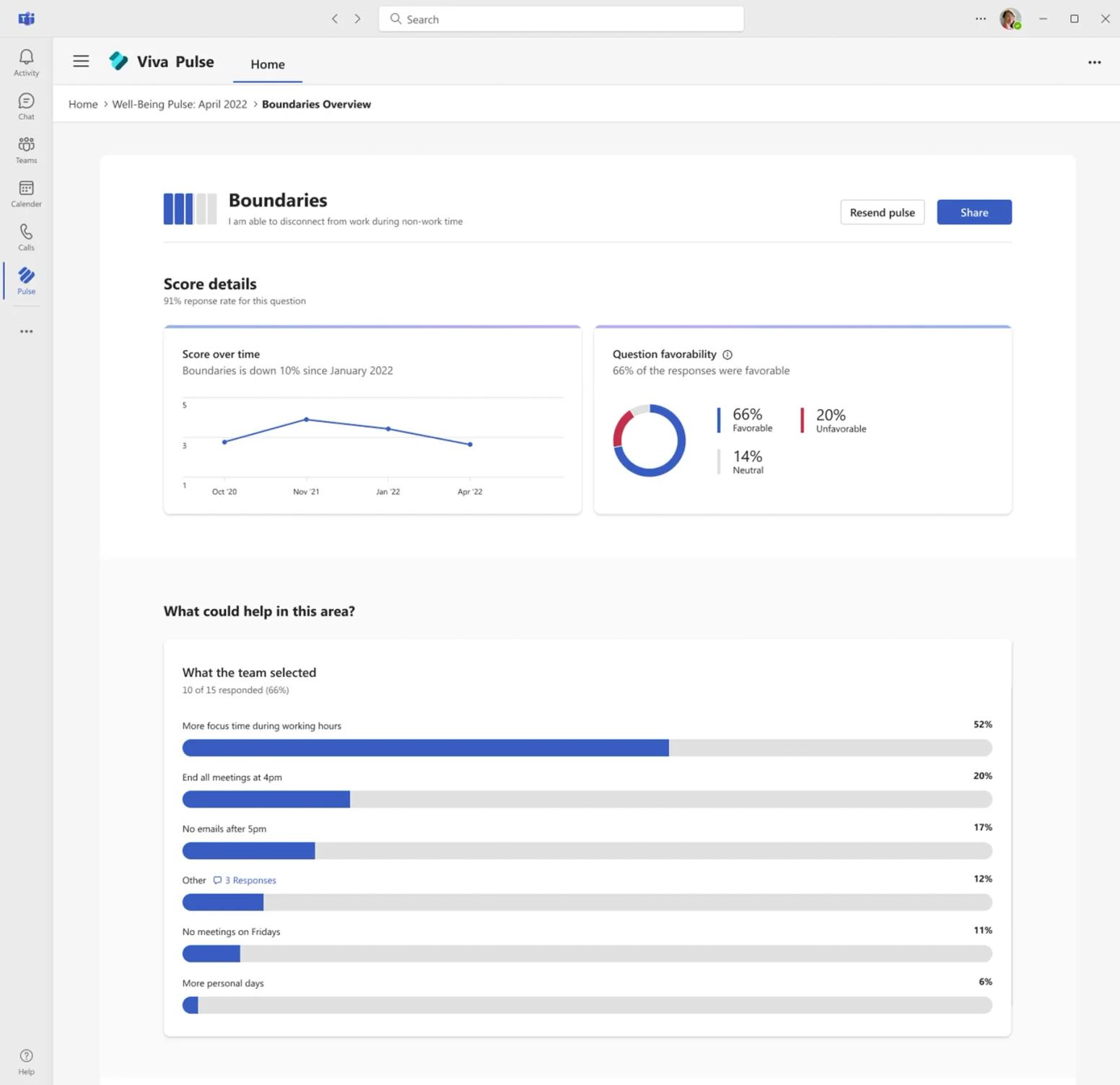
Standout strength: Native to Teams with no third-party app to approve, and if your organization already pays for Viva Suite or Viva Glint, Pulse is already in the entitlement.
Watch out for: It is not included in base Microsoft 365, and Microsoft’s documentation describes manager-scoped feedback rather than an org-wide program with rewards or delivery outside Teams. There is no G2 product page for Viva Pulse, so we cite no rating.
Pricing: Microsoft Viva Workplace Analytics and Employee Feedback is $6.00 user/month, paid yearly (Annual commitment); Microsoft Viva Suite is $12.00 user/month, paid yearly (Annual commitment). An admin-led trial lets Billing Admins assign 25 users for 30 days. Verified September 2026.
Best for: Microsoft-standardized organizations already on Viva Suite or Glint that want manager-level pulse checks in Teams.
4. Polly
Polly is the established poll and survey app on Teams, priced separately from its Slack product. Type @polly or click the pinned icon in the message extension to send a poll to a group chat, channel or meeting; results live in the Polly tab.
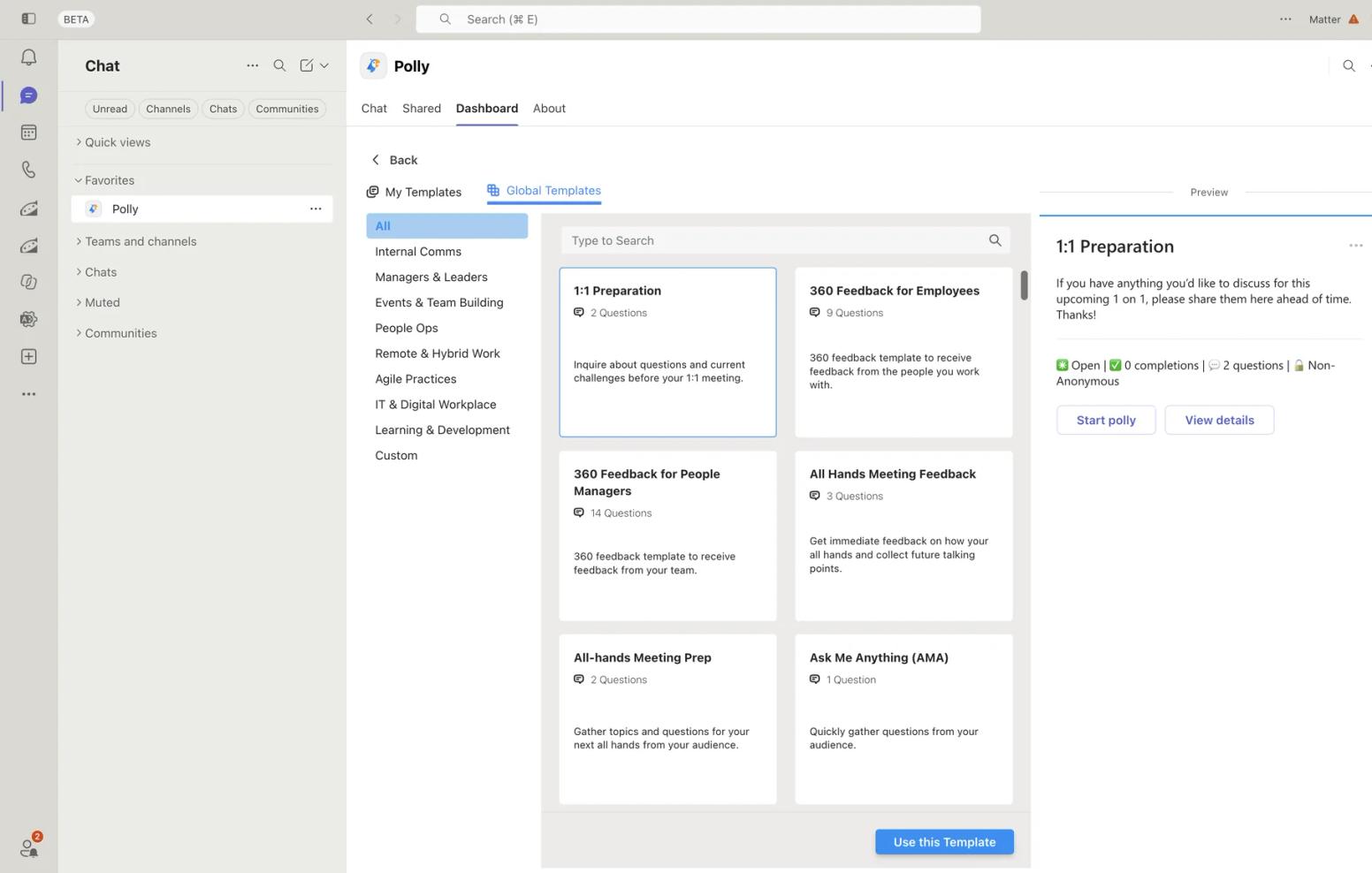
Standout strength: Polls in meetings and channels, with templates, scheduling and anonymity controls on paid plans. Christy H. (April 2026) called it “Easy to set up and easy to use” on G2, where it holds a 4.6 across 94 reviews.
Watch out for: The Teams free plan keeps 30 days of results and has no anonymous responses, DM delivery, reminders or CSV export. Install needs Polly set to Allowed in the Teams admin center and a permission policy assigned to users.
Paid plans are per author license, billed annually; Alex P. (April 2026) wrote: “The pricing practices are genuinely misleading, and that’s not a word I use lightly.”
Pricing: Free plan. Pro is $19 per month, billed $228 annually, per license; Enterprise is quote-based. No trial length is printed. Verified September 2026.
Best for: Teams that want quick polls and lightweight surveys in chats and meetings, with one or two people writing them.
5. Geekbot
Geekbot automates standups, retrospectives and surveys right in Teams: the bot messages each person at a scheduled time, they answer in their own words or on a scale, and the summary posts to a channel. Surveys have an anonymous option.
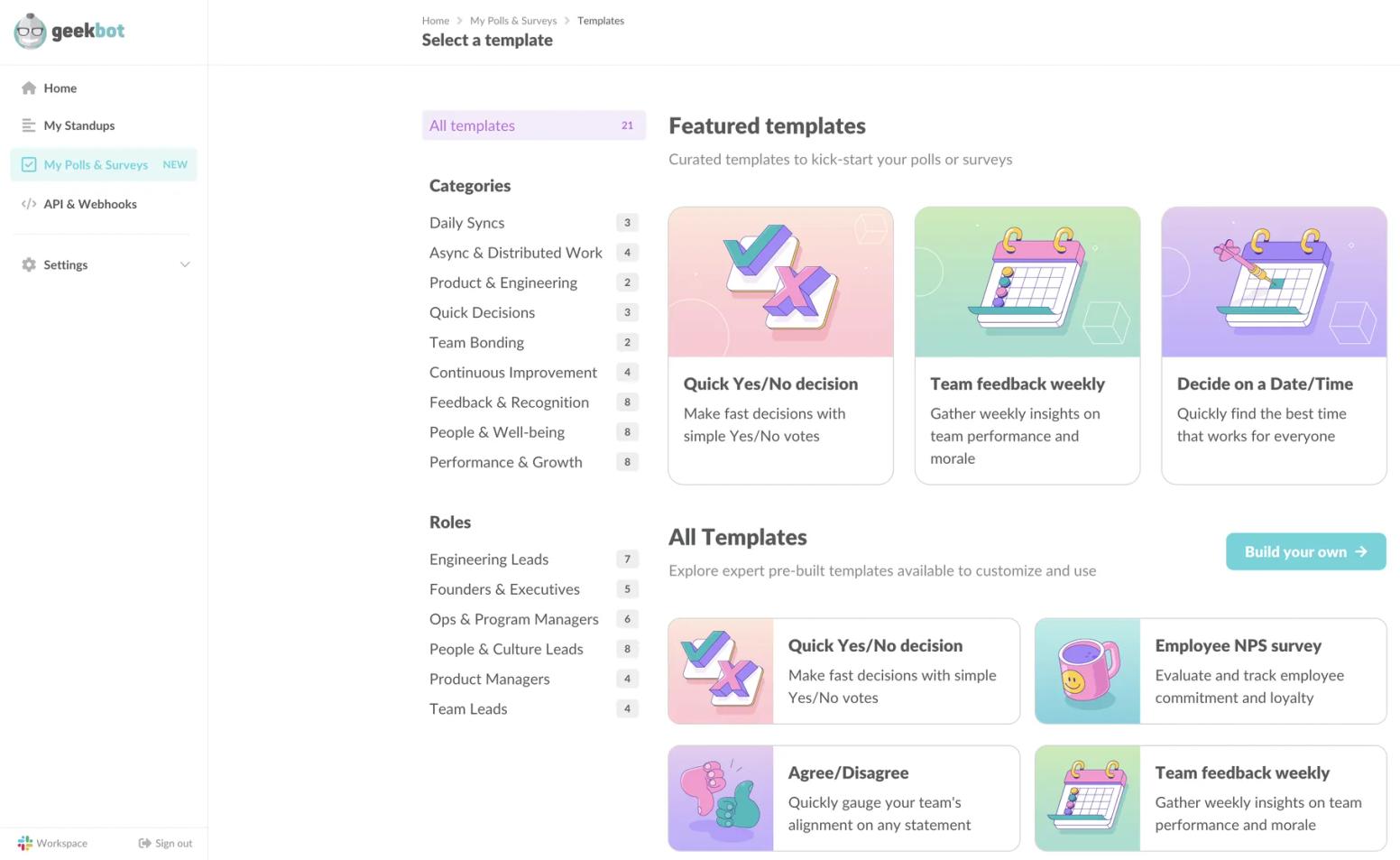
Standout strength: If your team already answers a Geekbot standup, a pulse question in the same thread costs nothing in habit. Ashar M. (October 2025) says on G2 it “has made our daily standups and progress updates effortless”; 4.6 across 164 reviews.
Watch out for: Standups are metered per participant and surveys per unique respondent, so a team using both pays both, and the vendor’s pages give no tenant admin guidance, so plan the approval yourself. Christie M. (July 2023) wrote: “It’s not very customizable.”
Pricing: Starter is free for teams of up to 10 users. Basic prices standups at $2.5 /participant/month on the annual plan and Polls & Surveys at $1 per unique respondent, per month, with a free trial of 30 days; Enterprise is contact us. Verified September 2026.
Best for: Engineering and product teams running async standups in Teams who want pulse questions in the same bot.
6. Workleap Officevibe
Workleap Officevibe, formerly Officevibe, is the engagement module of the Workleap suite. On Teams it is a connector: Officevibe sends direct messages through Teams with weekly Pulse Survey notifications and reminders to complete a survey, and the survey is answered in the Workleap web app. Administrators activate the integration and each employee connects their own Teams account.
Standout strength: A mature engagement suite with team health reports and 1-on-1 tooling; Shruti T. (May 2026) called it “one of the most truly one-stop platforms/tools for bringing employee experiences together in a single, cohesive place.” It rates 4.3 across 1,090 reviews on G2, listed there as Workleap.
Watch out for: Pricing is a Workleap bundle starting at $4,999 USD per year, with no per-user price or free plan printed, and every response is a link-out. Duncan J. (September 2025) wrote that urgent support tickets “can take up to three days to be resolved.”
Pricing: Standard starting at $4,999 USD, billed annually; Pro starting at $11,999 USD, billed annually; Enterprise custom for organizations with 250 or more employees. No trial printed. Verified September 2026.
Best for: Mid-size companies that want an HR-owned engagement suite and accept Teams as the reminder channel.
7. Culture Amp
Culture Amp is the enterprise employee-experience platform on this list: engagement and effectiveness surveys, performance cycles and benchmarks. Its Teams app delivers survey invitations, reminders and announcements, plus in-Teams feedback for Performance customers; surveys are completed in the Culture Amp platform. Its admin guide covers the Teams admin center steps and matching each user’s email between the two systems.
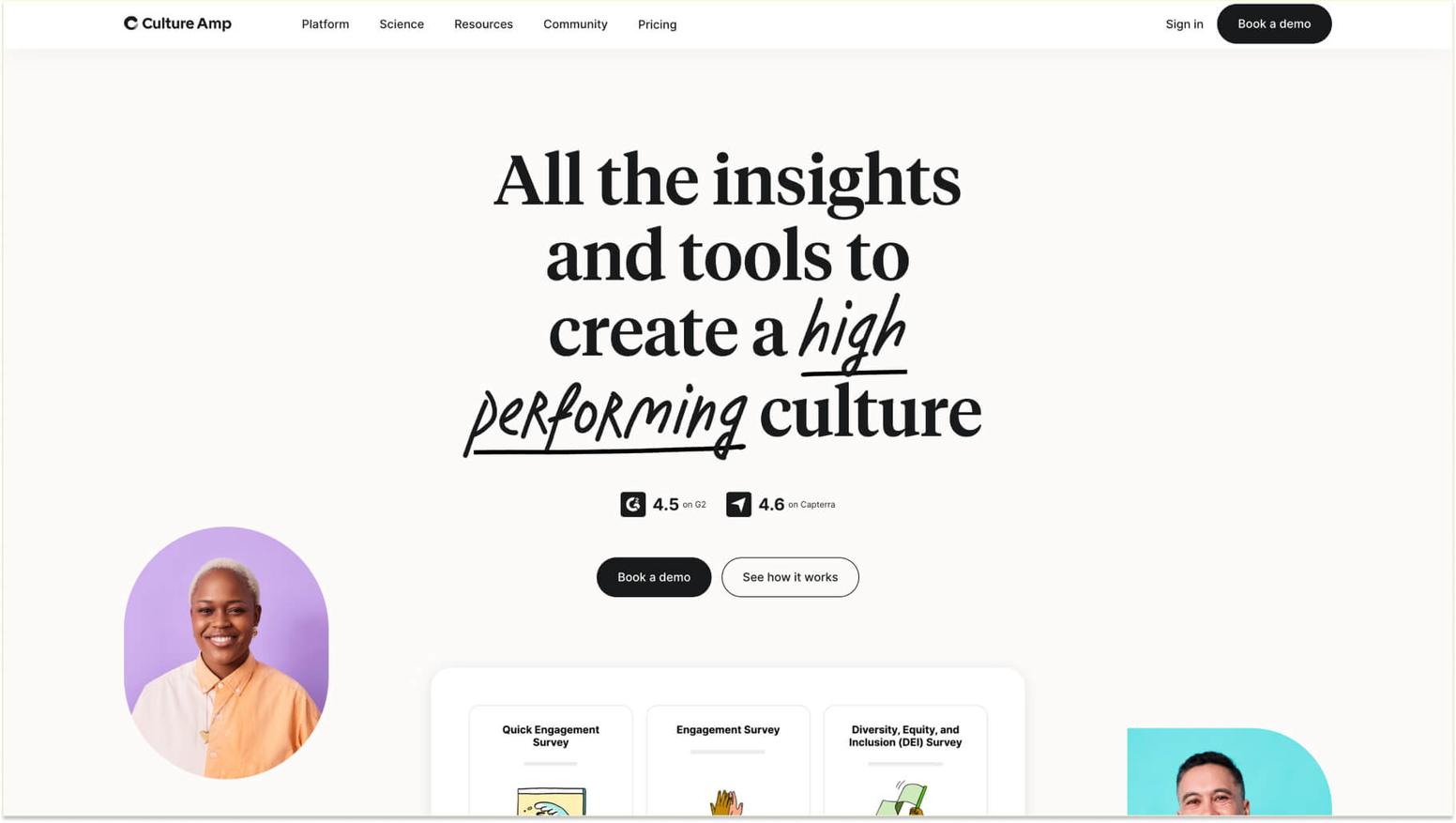
Standout strength: Analytics and benchmarks none of the chat-native tools attempt, backed by a 4.5 across 1,613 reviews on G2. Ryan H. (August 2026) describes “incredibly helpful support and service” and “great UI and features, continuously improving.”
Watch out for: Teams is a notification channel, not a survey surface, so every response is a link-out and a login, and the pricing page prints no figures. Bryan M. (March 2026) wrote: “It sometimes felt like there was way too much to fill out, and a lot of it ended up being skipped or never used.”
Pricing: Quote-based, billed annually; depends on employee count, products chosen and a service tier for under 200, 200 to 999, and 1,000 or more employees. No free plan or printed trial. Verified September 2026.
Best for: Larger organizations that want benchmarked engagement analytics and treat Teams as the reminder, not the form.
What it actually takes to get started
Forms needs nothing: it is already in the tenant. Viva Pulse needs a Viva license per user. Every third-party app goes through the Teams admin center: Allowed under Teams apps, covered by an app permission policy, and that policy assigned to users.
Matter installs from AppSource and takes about two minutes once approved, with no HRIS project because membership syncs from Teams; our employee surveys in Teams training walks through the first survey; see also our roundup of the best Teams apps.
The connectors add steps: Officevibe needs each employee to connect their own Teams account, and Culture Amp needs matching email addresses before notifications work. Both route every response through a browser login, which is the point IT admins tend to raise first.
How to choose the right survey app for your team
Start with Forms and be honest about whether it is enough. For a one-off form, a meeting poll or a quick check-in, it is. The moment you want the same questions on a schedule, anonymous by default, with reminders and a trend line, you have outgrown it.
If you already pay for Viva Suite or Glint, try Viva Pulse next, as long as manager-scoped results are what you want.
Otherwise, choose by the meter and the surface. Polly is the pick for polls in meetings and channels with a couple of authors; Geekbot if your engineering team already answers its standup.
Under about 200 people and without an HR platform, Matter runs the whole program inside Teams, rewards completion and publishes its price.
At mid-size with a dedicated HR team and a five-figure budget, Officevibe gives you a full engagement suite; at 1,000 or more employees, or wherever benchmarks are the point, Culture Amp is the better product and Teams becomes the reminder channel. For the wider market, see our guide to employee engagement survey software.
Frequently asked questions about survey apps for Microsoft Teams
Why not just use Microsoft Forms for employee surveys?
For one-off forms and meeting polls, you should: Forms is free with Microsoft 365, already in your tenant, and a Forms survey can be pinned as a team tab. Quick polls in a Teams chat now go through Microsoft’s Polls app, which Microsoft recommends in place of the Forms polling experience.
It is not a survey program: Microsoft’s documentation describes polls, templates and a results page, with no pulse cadence, eNPS trending or reminders, and no anonymity control beyond not recording names. Recurring anonymous surveys with a trend line need a dedicated app.
Is Viva Pulse included with Microsoft 365?
No. Viva Pulse comes with the Microsoft Viva Workplace Analytics and Employee Feedback plan at $6.00 user/month, paid yearly, or Microsoft Viva Suite at $12.00 user/month, paid yearly, and a Viva Glint license also unlocks it. Billing Admins can run an admin-led trial for 25 users for 30 days. Verified September 2026.
Do employee survey apps need Teams admin approval?
Third-party apps do. A tenant admin has to allow the app under Teams apps in the Teams admin center and cover it with an app permission policy assigned to users; Polly and Culture Amp both document these steps. Forms needs no approval, and Viva Pulse needs a license rather than an app approval.
Can employees answer surveys inside Microsoft Teams without a separate login?
Yes, with the native tools. Forms (as a pinned tab), Viva Pulse, Matter, Polly and Geekbot all collect the answer inside Teams. Workleap Officevibe and Culture Amp deliver the survey by Teams direct message or notification and collect the answer in their own web apps, so each response needs a browser login.
How much do employee survey apps for Microsoft Teams cost?
Forms is included with Microsoft 365. Viva Pulse needs a $6.00 or $12.00 user/month Viva plan, paid yearly. Polly’s Teams Pro plan is $19 per month, billed $228 annually, per license. Geekbot charges $1 per unique respondent, per month. Matter’s Surveys add-on is $2 per user/month, billed annually.
Workleap Officevibe starts at $4,999 USD per year and Culture Amp is quote-based, all verified September 2026.
The bottom line
On Teams, start with what you already own: Forms for one-off surveys, Viva Pulse if you are on Viva Suite or Glint and manager-level pulse is enough. When you need a recurring program answered inside Teams, with recognition alongside it and a published price, Matter is built for that.
For a full employee-experience suite with benchmarks, Officevibe or Culture Amp will serve you better.

![39+ Employee Engagement Survey Examples [2026 Guide & Ideas]](https://cdn.sanity.io/images/kqqb5xry/production/25935096834238b3bb728390b5af938c53abb7f7-800x600.jpg?w=720&q=75&fit=max&auto=format)
![#1 Guide to Engagement Surveys [2026 Guide & 30+ Examples]](https://cdn.sanity.io/images/kqqb5xry/production/1c846350b789fbdae518fde0925ed5787322cfed-800x600.jpg?w=720&q=75&fit=max&auto=format)