

Short answer: Viva Engage and Viva Insights come with Microsoft 365, but neither asks employees how they feel, so the engagement apps worth adding are Matter, Polly, Bonusly, Cooleaf, Workleap Officevibe and Culture Amp, separated by where the answer happens.
Matter, Polly and Bonusly work inside Teams, Matter combining recognition and pulse surveys at a published price. Cooleaf lists a Teams app that did not work in our September 2026 test, so we evaluated its web app. Officevibe and Culture Amp collect answers in their own platforms, Officevibe starting at $4,999 USD, billed annually.
Employee engagement on Microsoft Teams starts with a question no Slack buyer faces: is Viva enough? Viva Engage gives you communities, storylines and announcements at no extra cost with Microsoft 365, and Viva Insights gives every employee personal wellbeing and focus data for free.
Neither asks employees how they feel or runs recognition with rewards: surveys live in separately licensed Viva Glint and Viva Pulse, and leadership analytics sit behind a Viva plan. Everything else here is a third-party app that passes through the tenant admin before anyone can open it.
Engagement tools overlap with recognition tools, and several apps here also appear on our Teams recognition and survey pages, but on this page they are judged on listening, connection and manager follow-through, with recognition as one input rather than the whole program.
Two apps common on Slack lists are absent for Teams reasons: Donut has only Intros live on Teams with no published price, and Lattice’s Teams integration is notifications and feedback rather than surveys answered in chat.
Last verified September 2026.
The short version
Viva Engage is the right answer for company-wide communities and leadership communication at no extra cost, and Viva Insights for passive collaboration and wellbeing data. Neither measures engagement sentiment or runs recognition with rewards.
Matter, Polly and Bonusly work inside Teams: Matter for a recognition, celebrations and pulse survey program at a published price, Polly for quick polls in chats and meetings, and Bonusly for points-based recognition. Cooleaf, for recognition bundled with activities through sales, lists a Teams app that did not work in our September 2026 test, so we evaluated its web app.
Workleap Officevibe and Culture Amp are engagement suites that use Teams for delivery and collect answers in their own platforms.
Quick comparison
| App | Native to Teams | Teams App Store rating | Starting price | Try before you buy | Best for |
|---|---|---|---|---|---|
| Matter | Yes; also native to Slack | 5.0 across 1,476 | Free plan; Basic $1 per user/month, billed annually | Free plan, 14-day free trial | Recognition plus listening in one app |
| Viva Engage | Built in | Built in | Included; premium $2.00 user/month, paid yearly | Included | Communities and leadership comms |
| Viva Insights | Built in | Built in | Included; $4.00 user/month, paid yearly | Included | Collaboration and wellbeing analytics |
| Polly | Yes; answered in Teams | Not listed | Free plan; Pro $19 per month, billed $228 annually | Free plan | Polls in chats and meetings |
| Bonusly | Yes; also native to Slack | 4.4 across 45 | Free up to 8 users; Team $3 per user/month | Free tier and trial (30 days) | Points-based recognition input |
| Cooleaf | Teams app listed; did not work in our September 2026 test | Not listed | Quote-based | Demo request | Recognition plus activities via sales |
| Workleap Officevibe | Connector; answered in web app | Not listed | Standard starting at $4,999 USD, billed annually | No free plan or printed trial | HR-owned engagement suite |
| Culture Amp | Connector; answered in platform | Not listed | Quote-based, billed annually | No free plan or printed trial | Enterprise analytics and benchmarks |
Pricing verified September 2026 against each vendor’s pricing page; ratings from G2 as of September 2026, with Microsoft Teams App Store ratings read by hand from the native ratings widget in August 2026. Not listed means we hold no verified Teams App Store figure for that app.
How we evaluated these engagement apps
We build Matter, engagement software native to Microsoft Teams and Slack, so read our take on our own product with that in mind. Every other app was assessed from the vendor’s pricing page, Teams page or Microsoft documentation, and named G2 reviews; most we have not used hands-on.
We scored each app on five criteria: built in, licensed or third party; listening (can employees answer a pulse inside Teams, anonymously); connection; manager follow-through; and the admin path and pricing meter.
Pricing and availability were verified in September 2026 against each vendor’s own pricing page and app listing; ratings are from G2 as of September 2026.
Our own data shaped the weighting. In The Recognition Habit, Matter’s 2026 Benchmark Report, teams that build recognition around a weekly ritual give about 2.5x more recognition per member than ad hoc teams, and roughly 8 in 10 ritual teams stay active in nearly every month.
The same report finds that almost half of teams (46%) send their first recognition within 15 minutes of setup, 1 in 3 within 5 minutes, and the figures are identical on Slack and Teams. On Teams, two-thirds of the team onboards within the first hour.
Matter’s State of Employee Recognition and Rewards 2026 survey of 1,021 U.S. professionals adds a correlation (the report calls it exactly that): 47% of people at Microsoft Teams workplaces receive recognition weekly or better, against 39% where email is the only channel. Methodology is on our research page.
What to look for in engagement apps for Microsoft Teams
- Built in, licensed or third party. Viva Engage communities and Viva Insights personal insights are included with Microsoft 365; leadership corner, manager and leader insights and the survey tools need a Viva SKU. Everything else is governed by your tenant’s app policies.
- The admin path. A third-party app must be set to Allowed under Teams apps in the Teams admin center and covered by a permission policy assigned to users. Polly and Culture Amp document those steps.
- Where the answer happens. Matter and Polly take the survey answer inside Teams. Officevibe and Culture Amp deliver by Teams message and collect the answer in a web app.
- The manager loop. Viva Insights gives managers collaboration patterns, not sentiment. Officevibe routes pulse results into 1-on-1 talking points and Culture Amp adds action planning.
- Human words. In Matter’s Did AI Kill the Thank You survey, 63% of people say recognition means less when AI writes it (36% much less, 27% somewhat).
The best engagement apps for Microsoft Teams in 2026
1. Matter
We build Matter, so weigh this accordingly. Matter is peer recognition, celebrations, rewards and employee surveys in one app native to Microsoft Teams: no separate login, about two minutes to set up, and user management syncs from Teams.
The Surveys add-on runs pulse, eNPS, onboarding and custom surveys answered inside Teams, with optional coin rewards for completion. Feedback Friday™ (US Patent 12,199,935) prompts the team weekly; give-coins reset weekly, earned coins never expire.
Leaders and admins can use Matter with Microsoft Copilot to surface recognition, celebrations, survey insights and reward activity in natural language.
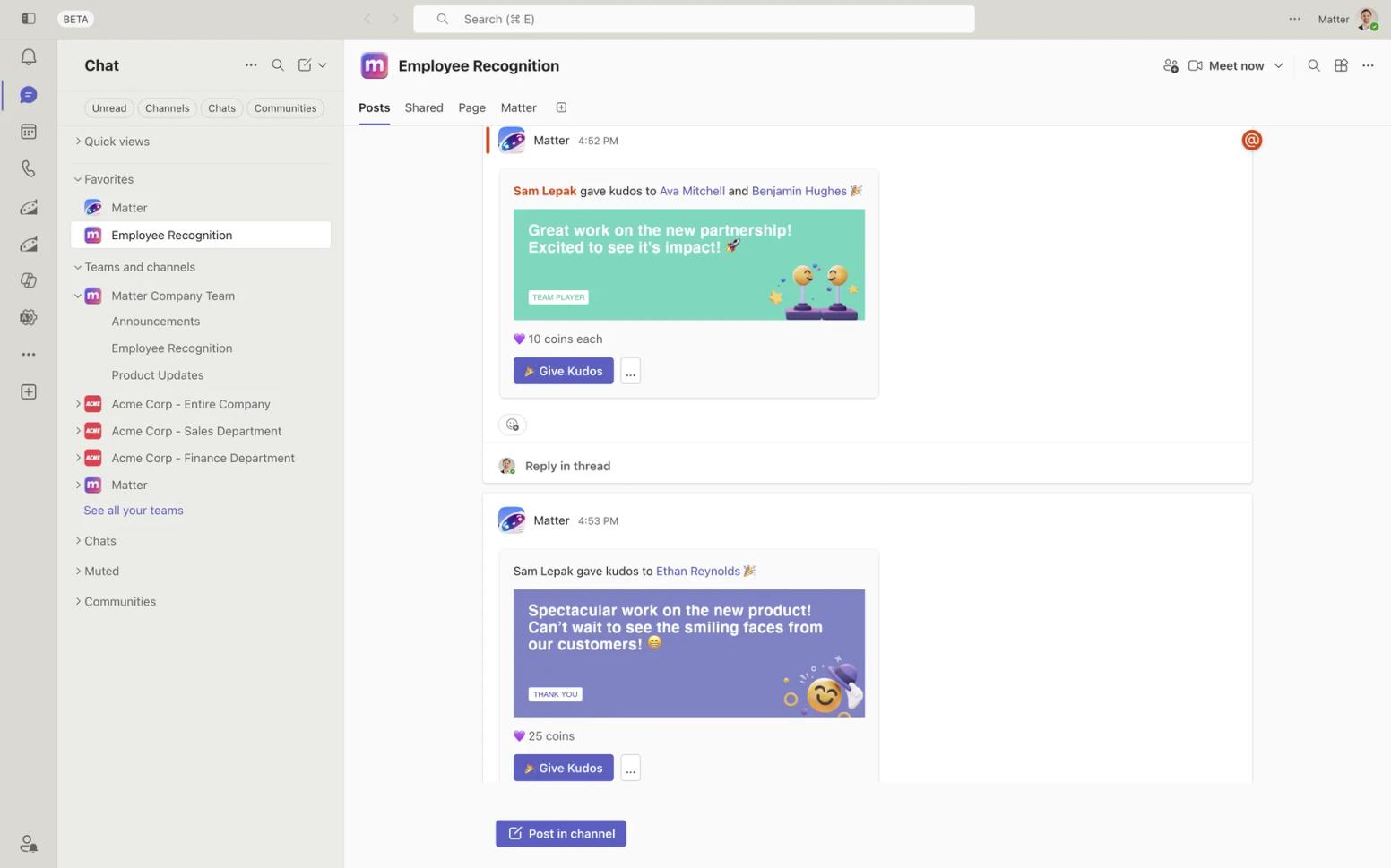
Standout strength: Listening, connection and recognition in one app at a published price, rated 5.0 across 1,476 ratings on the Teams App Store; Matter’s G2 reviews give the unfiltered view.
Watch out for: Surveys are a paid add-on, not part of the Free plan, and analytics serve team leads and HR rather than workforce science: for benchmarks, Culture Amp or Workleap Officevibe go deeper, and for company-wide communities Viva Engage is the tool. A tenant admin may need to approve the app, and HRIS sync is Enterprise-only.
Pricing: Free plan for unlimited users. Basic is $1 per user/month, billed annually; Pro is $3 per user/month, billed annually, adding 10,000+ eGift card options across 200+ countries; the Surveys add-on is $2 per user/month, billed annually (Pro + Surveys totals $5).
14-day free trial, no credit card, and Matter hasn’t raised prices in 8 years. Verified September 2026 on Matter’s pricing page.
Best for: SMB and mid-market teams that want recognition and employee listening in one native Teams app without a Viva Suite or HR platform purchase.
2. Microsoft Viva Engage
Viva Engage, formerly Yammer, is the enterprise social network inside Teams. Communities, storylines, announcements, questions, virtual events and community insights are included with Microsoft 365 enterprise and frontline plans. Its own Praise post type is separate from the Teams Praise app our Microsoft Praise vs. Matter comparison covers.
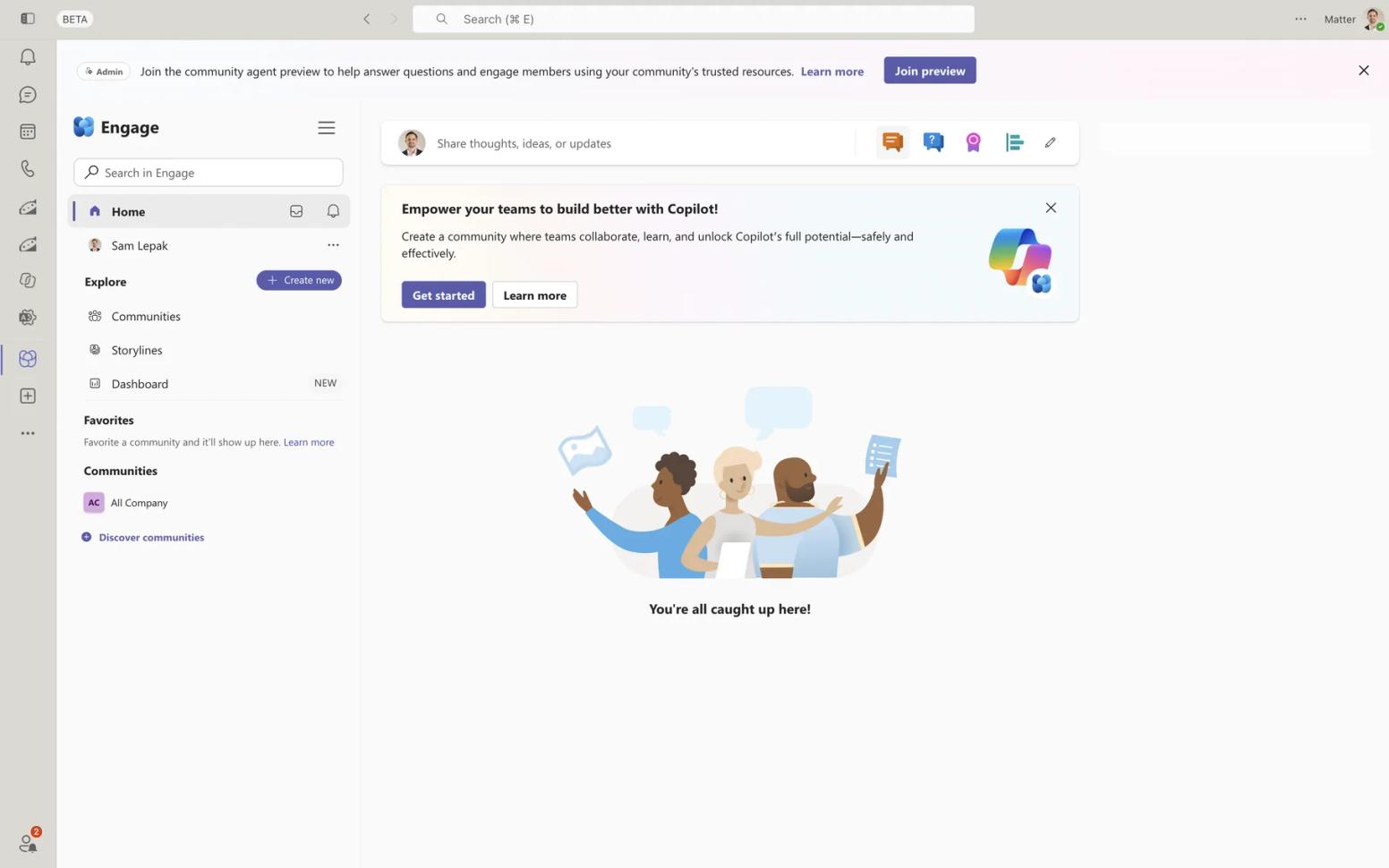
Standout strength: Company-wide communities and leadership communication with no app to approve and nothing extra to pay. Ivan P., an analyst (December 2025), wrote on G2 that it “offers an efficient platform for employees across different regions and departments to remain connected.”
Watch out for: It is a communications layer, not an engagement program: Microsoft’s product pages describe no pulse surveys, eNPS or rewards, and leadership corner, campaigns and advanced analytics need a paid plan. G2 users rate it 3.6 across 1,442 reviews, the lowest here; Grace H. (April 2024) called it a “Clunky interface” that “feels like 2010s internet.”
Pricing: Community and conversations are included with Microsoft 365. Premium features need Microsoft Viva Employee Communications and Communities at $2.00 user/month, paid yearly (Annual commitment), or Viva Suite at $12.00 user/month, paid yearly (Annual commitment). Verified September 2026.
Best for: Large Microsoft-standardized organizations that want communities inside Teams and will measure engagement with something else.
3. Microsoft Viva Insights
Viva Insights is the other built-in. Personal insights in the Teams app, focus plans and quiet time are included with Microsoft 365. Manager and leader insights, praise trends, the analyst workbench and the Copilot Dashboard need a paid Viva Insights plan, which Microsoft Copilot plans include.
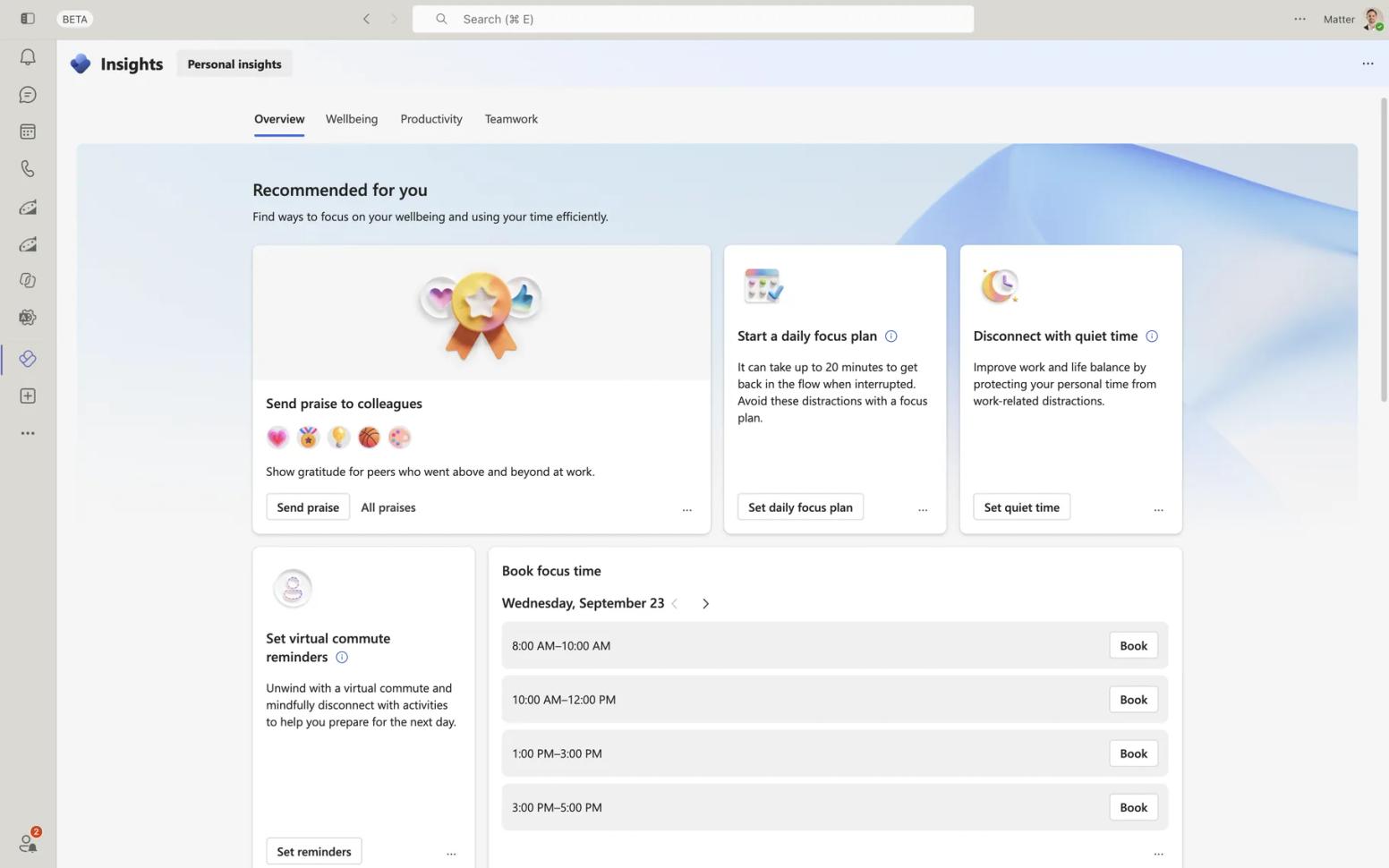
Standout strength: Collaboration and wellbeing data nobody has to fill in. Sree K., a software engineer (August 2026), wrote on G2: “I don’t check it every day, but whenever I do, it gives me a solid overview of my work habits.” It rates 4.5 across 44 reviews.
Watch out for: It analyzes collaboration data; it does not ask employees anything. Surveys live in separately licensed Viva Glint and Viva Pulse, and the G2 base is small. Mohammed T. (October 2024) noted that “Booking focus time is not appropriate sometimes when it conflicts with my regular meetings.”
Pricing: Personal insights included with Microsoft 365. Viva Insights is $4.00 user/month, paid yearly (Annual commitment); Microsoft Viva Workplace Analytics and Employee Feedback (Insights, Glint and Pulse) is $6.00 user/month, paid yearly (Annual commitment). Verified September 2026.
Best for: Microsoft 365 organizations, especially those licensed for Copilot or Viva Suite, that want collaboration and wellbeing analytics alongside a real listening tool.
4. Polly
Polly is the established poll and survey app on Teams, priced separately from its Slack product. Type @polly or click the pinned icon to send a poll to a group chat, channel or meeting; the team answers in place and results live in the Polly tab.
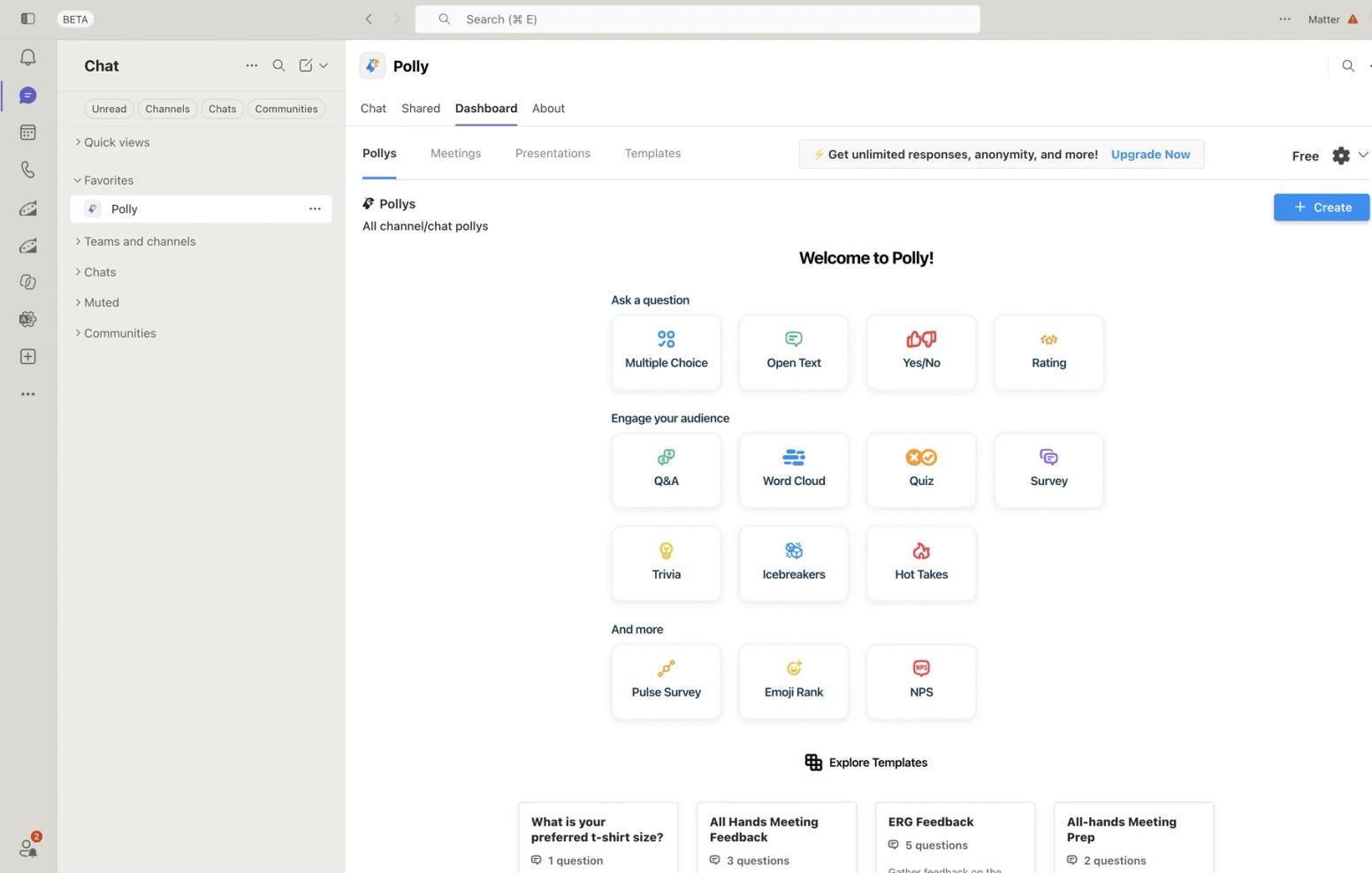
Standout strength: Polls in meetings as well as channels, with scheduling and anonymity controls on paid plans. Christy H. (April 2026) called it “Easy to set up and easy to use” on G2, where it holds a 4.6 across 94 reviews.
Watch out for: The Teams free plan keeps 30 days of results with no anonymous responses, reminders or CSV export, and apps do not run in private channels. Paid plans are per author license, billed annually; Alex P., in Operations (April 2026), wrote: “The pricing practices are genuinely misleading, and that’s not a word I use lightly.”
Pricing: Free plan. Pro is $19 per month, billed $228 annually, per license; Enterprise is a quote. Verified September 2026.
Best for: Teams that want quick pulses and polls in chats and meetings without an HR suite.
5. Bonusly
Bonusly is here for the recognition input. In Teams you can give and engage with recognition in a meeting, a chat, the search bar or the Home tab. Pair it with a listening tool.
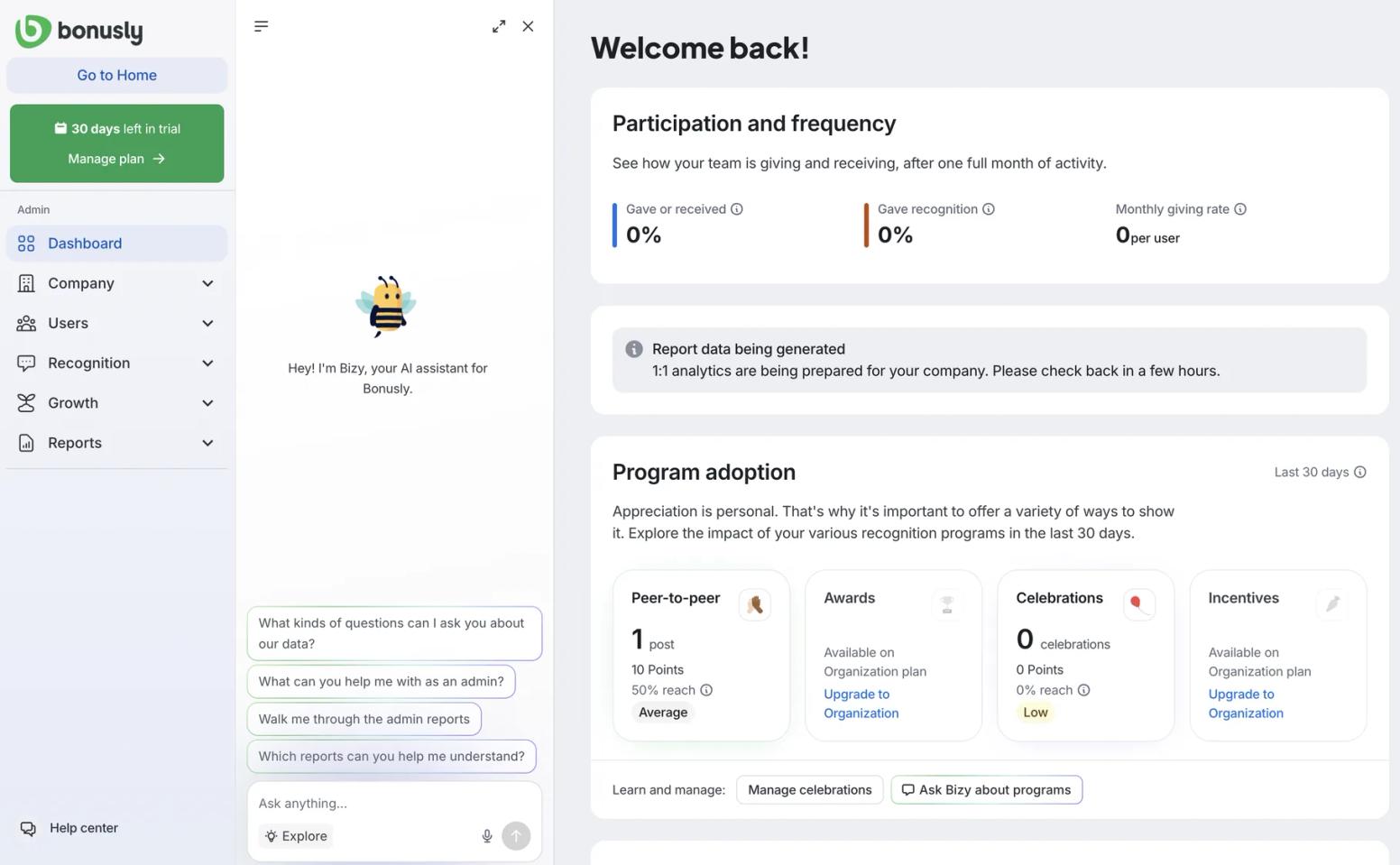
Standout strength: Maturity and reach: 4.7 on G2 across 7,378 reviews. Aisxhel T. (July 2026) wrote that recognition feels “quick and meaningful instead of feeling like another administrative task.”
Watch out for: Rewards are billed separately, with convenience fees of 5% to 8% unless you prepay $2,500 or more, and its Teams App Store rating is 4.4 across only 45 ratings, a small base for a vendor of this size. Bianca B. (July 2026) noted: “The monthly points can run out quickly.”
Pricing: Free for up to 8 users, including the Slack and Teams integrations. Team is $3 per user/month, or $30 per user paid annually; Team + Bizy is $5 per user/month; Organization is custom. Free trial of 30 days on Team. Verified September 2026. See our Bonusly vs. Matter comparison.
Best for: Mid-size companies that want an accumulating points economy as the recognition half of an engagement program.
6. Cooleaf
Cooleaf, an ITA Group product, bundles recognition with engagement activities. Cooleaf lists a Microsoft Teams app, but when we tried it in September 2026 it did not work for us, so we evaluated the Cooleaf web app, where employees recognize peers, join activities and redeem reward points.
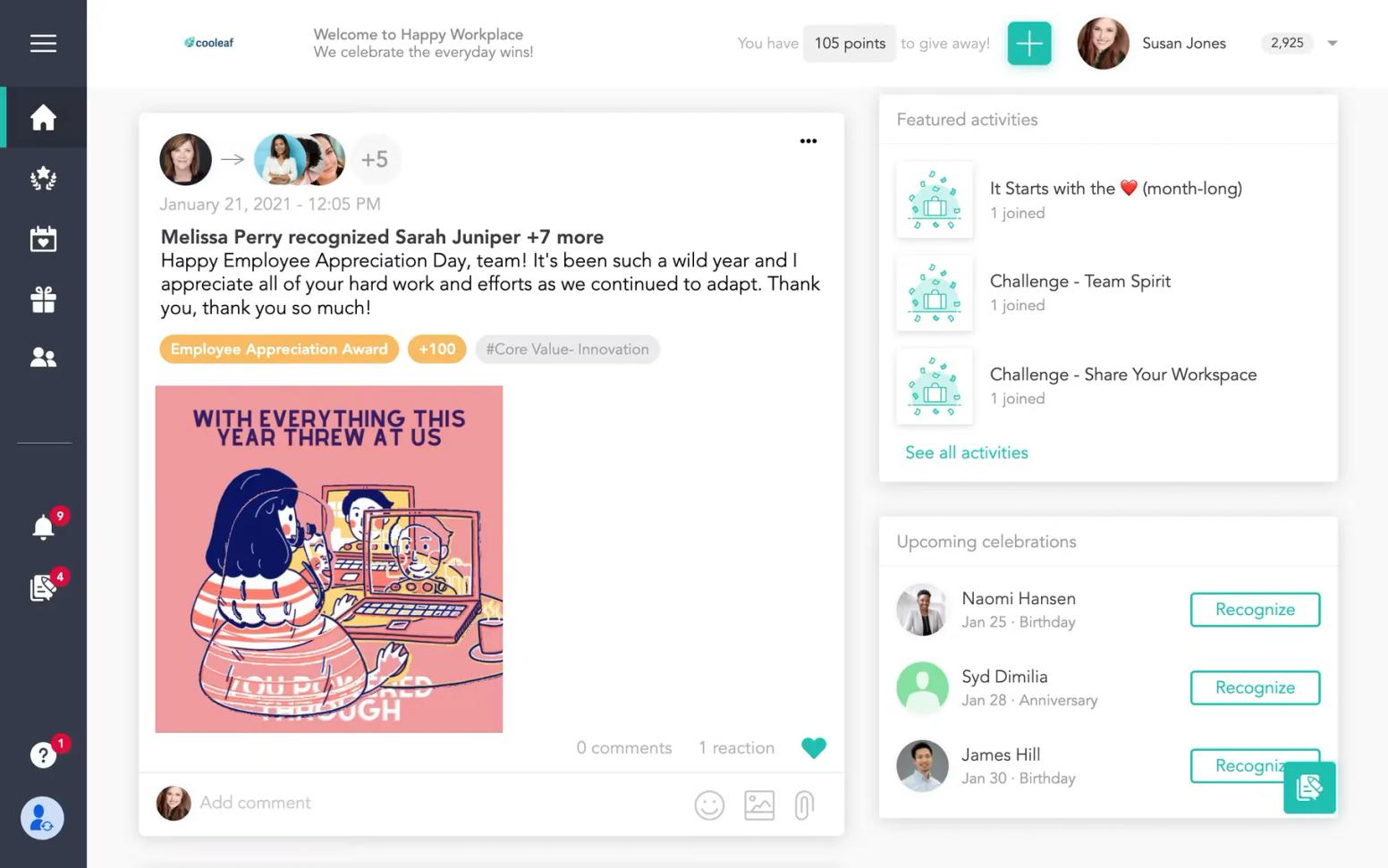
Standout strength: Recognition, challenges, celebrations and reward points in one web app, and the highest G2 rating on this list: 4.9 across 909 reviews. Megan M., a Team Leader (November 2025), wrote on G2 that it provides “a platform to bring positivity and recognition to those who truly deserve a spotlight.”
Watch out for: No published pricing: everything routes to a demo request, and the vendor’s pages describe the Slack integration only in general terms. The Teams app Cooleaf lists did not work when we tried it in September 2026, so confirm it works in your tenant during the demo. We found no survey layer on the pages we checked.
Pricing: Quote-based; request a demo. No free plan or trial published. Verified September 2026.
Best for: Mid-size and enterprise organizations that want recognition bundled with activities in a web app and are buying through sales.
7. Workleap Officevibe
Workleap Officevibe, formerly Officevibe, is the engagement module of the Workleap suite. On Teams it is a connector: weekly Pulse Survey notifications and reminders arrive as Teams direct messages, and the survey is answered in the Workleap web app. Administrators activate the integration and each employee connects their own Teams account.
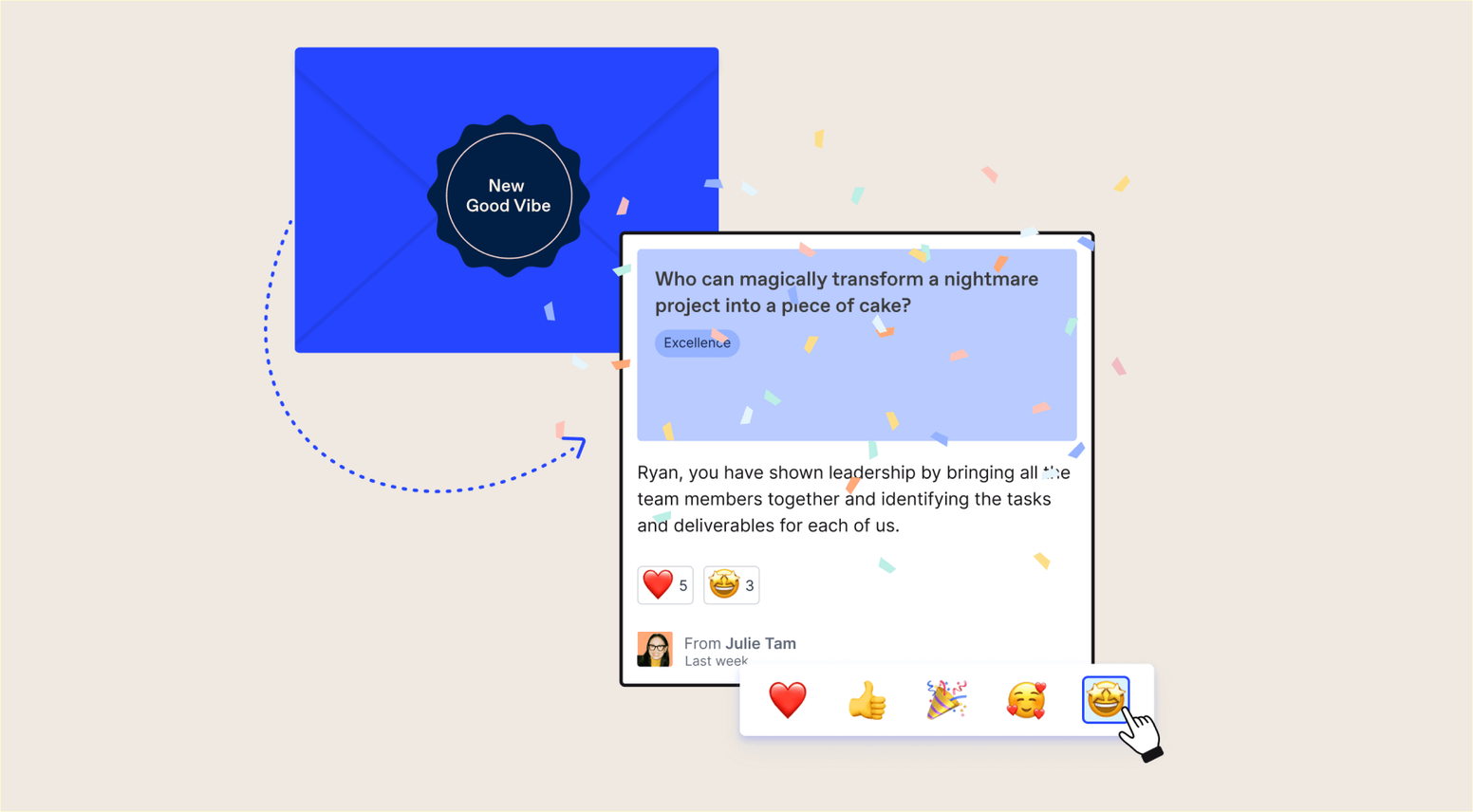
Standout strength: A mature engagement suite with team health reports and 1-on-1 tooling behind the Teams message. Shruti T., a Sr. Marketing Manager (May 2026), called it on G2 “one of the most truly one-stop platforms/tools for bringing employee experiences together in a single, cohesive place.” It rates 4.3 across 1,090 reviews, listed there as Workleap.
Watch out for: Officevibe is no longer sold on its own: pricing is a Workleap bundle with no per-user price or free plan printed, and every response is a link-out. Duncan J., a Managing Director (September 2025), wrote that urgent support tickets “can take up to three days to be resolved.”
Pricing: Standard starting at $4,999 USD, billed annually; Pro starting at $11,999 USD, billed annually; Enterprise custom for organizations with 250 or more employees. Verified September 2026.
Best for: Mid-size companies that want an HR-owned engagement suite and accept Teams as the reminder channel.
8. Culture Amp
Culture Amp is the enterprise employee-experience platform here: engagement and effectiveness surveys, performance cycles, action planning and benchmarks. Its Teams app delivers survey invitations, reminders, announcements and Shoutouts, and Performance customers exchange feedback inside Teams; surveys are completed in the Culture Amp platform.
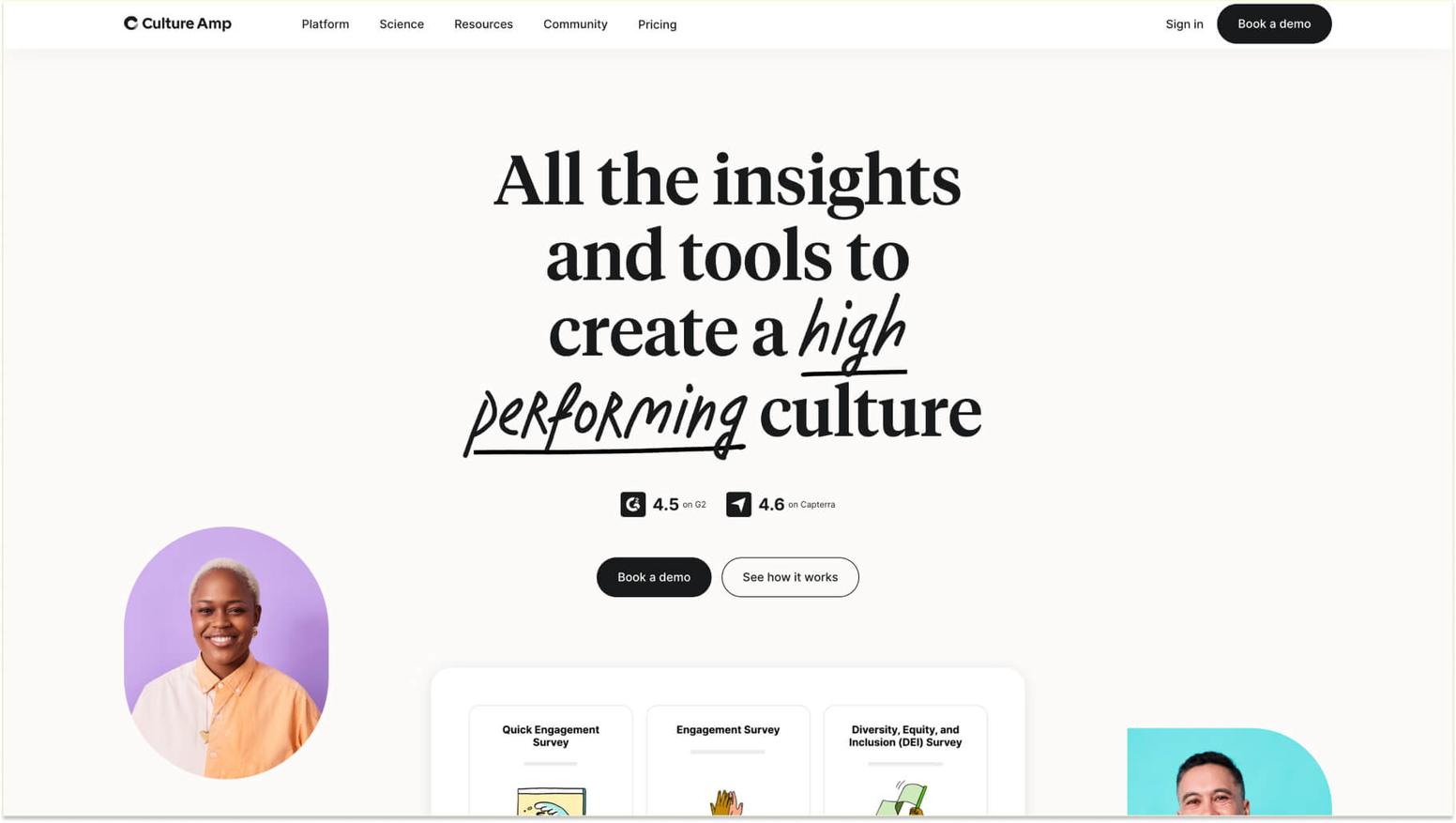
Standout strength: Analytics and benchmarks none of the chat-native apps attempt, and a 4.5 on G2 across 1,613 reviews. Ryan H., a People Operations Systems Manager (August 2026), describes “incredibly helpful support and service.”
Watch out for: Teams is a notification channel, not a survey surface, and the pricing page prints no figures. Bryan M., a Head of IT (March 2026), wrote: “It sometimes felt like there was way too much to fill out, and a lot of it ended up being skipped or never used.”
Pricing: Quote-based, billed annually; depends on employee count, products chosen and a service tier for under 200, 200 to 999, and 1,000 or more employees. No free plan or printed trial. Verified September 2026.
Best for: Larger organizations that want benchmarked engagement analytics and treat Teams as the reminder, not the form.
What it actually takes to get started
Viva Engage and Viva Insights are already in the tenant; premium features need a license, not an app approval. Every third-party app goes through the Teams admin center: Allowed under Teams apps, covered by an app permission policy assigned to users.
Matter installs from AppSource in about two minutes once approved (250+ HRIS integrations available; no HRIS project is required because user management syncs from Slack or Teams); our employee surveys in Teams training walks through the first pulse, and our roundup of the best Teams apps shows what sits alongside engagement tools.
The connectors add steps: Officevibe needs each employee to connect their own Teams account, and Culture Amp needs matching email addresses before notifications and Shoutouts work. Both route every response through a browser login, the point IT admins tend to raise first.
How to choose the right engagement app for your team
Start with what you already own. If people across the company cannot find each other or hear from leadership, Viva Engage is the better tool than any third-party app, and it is free.
If the problem is that leadership cannot see how people feel, or that recognition is not happening, Viva does not solve it without Glint or Pulse licenses, and you need a listening or recognition surface.
Then choose by size and meter. Polly is the pick for quick pulses in meetings and channels. Under about 200 people and without an HR platform, Matter runs recognition, celebrations and pulse surveys inside Teams at a published price.
If recognition is the missing half and you want accumulating points, Bonusly fits better than Matter’s weekly reset; if you want recognition bundled with activities through sales, Cooleaf.
At mid-size with an HR team and a five-figure budget, Workleap Officevibe gives you the suite with Teams as the reminder channel; at 1,000 or more employees, or wherever benchmarks are the point, Culture Amp is the better product.
See also our guide to employee engagement software and our companion page on Slack apps for employee engagement.
Frequently asked questions about engagement apps for Microsoft Teams
Is Viva Engage enough for employee engagement in Microsoft Teams?
For communities, announcements and leadership communication, yes, and it is included with Microsoft 365. It is not an engagement program: Microsoft’s product pages describe no pulse surveys, eNPS or rewards, leadership corner and advanced analytics need the $2.00 user/month Employee Communications and Communities plan or Viva Suite, and G2 users rate it 3.6 across 1,442 reviews.
To measure how people feel or run recognition with rewards, add a listening or recognition app.
Is Viva Insights an employee engagement survey tool?
No. Viva Insights analyzes collaboration data such as meetings and focus time. Personal insights are included with Microsoft 365; manager and leader insights need a $4.00 user/month Viva Insights plan, paid yearly, or a Copilot plan. Surveys are separate products, Viva Glint and Viva Pulse, bundled with Insights in the $6.00 user/month Workplace Analytics and Employee Feedback plan.
What is the best Microsoft Teams app for employee engagement?
Matter is the best all-round pick for teams under about 200 that want recognition, celebrations and pulse surveys inside Teams at a published price; it holds a 5.0 across 1,476 ratings on the Teams App Store.
Viva Engage is best for communities, Polly for quick polls, Bonusly for points-based recognition, Cooleaf for recognition with activities, Workleap Officevibe for an HR-owned suite, and Culture Amp for benchmarked analytics at enterprise scale.
Do employee engagement apps need Teams admin approval?
Third-party apps do. A tenant admin has to allow the app under Teams apps in the Teams admin center and cover it with an app permission policy assigned to users; Polly and Culture Amp document these steps. Viva Engage and Viva Insights need a license for premium features rather than an approval.
Are there free Microsoft Teams apps for employee engagement?
Yes. Viva Engage communities and Viva Insights personal insights are included with Microsoft 365. Matter has a Free plan for unlimited users covering kudos and the weekly Feedback Friday prompt; surveys are a paid add-on.
Polly’s Teams free plan keeps 30 days of results, and Bonusly is free for up to 8 users. Cooleaf, Workleap Officevibe and Culture Amp have no free plan.
The bottom line
Start with what you already own: Viva Engage for communities, Viva Insights for collaboration patterns. When you need to hear how people feel and recognize them for it, inside Teams at a published price, Matter is built for that.
For an accumulating points economy, a sales-led activities program or an employee-experience suite with benchmarks, Bonusly, Cooleaf, Officevibe or Culture Amp will serve you better. Our employee engagement hub and our guide to employee engagement programs cover the habit that makes any of them work.

![92 Employee Engagement Ideas in 2026 [#1 Workplace Guide]](https://cdn.sanity.io/images/kqqb5xry/production/66f43f08b051d36b2a985e7b27258253238b57bd-800x600.png?w=720&q=75&fit=max&auto=format)
![What is Employee Engagement? [2026 Complete Guide]](https://cdn.sanity.io/images/kqqb5xry/production/99bc98fb13a351cbaddfb5b03bb43ed8c3a515c9-1000x750.jpg?w=720&q=75&fit=max&auto=format)